80
D335 User Manual Conguring the Function Keys
Example 3, Speed dialing
Besides using the Speed Dial page on the web interface to program speed dial numbers, you can also
put the functionality on the freely programmable function keys with LEDs on the phone or a connected
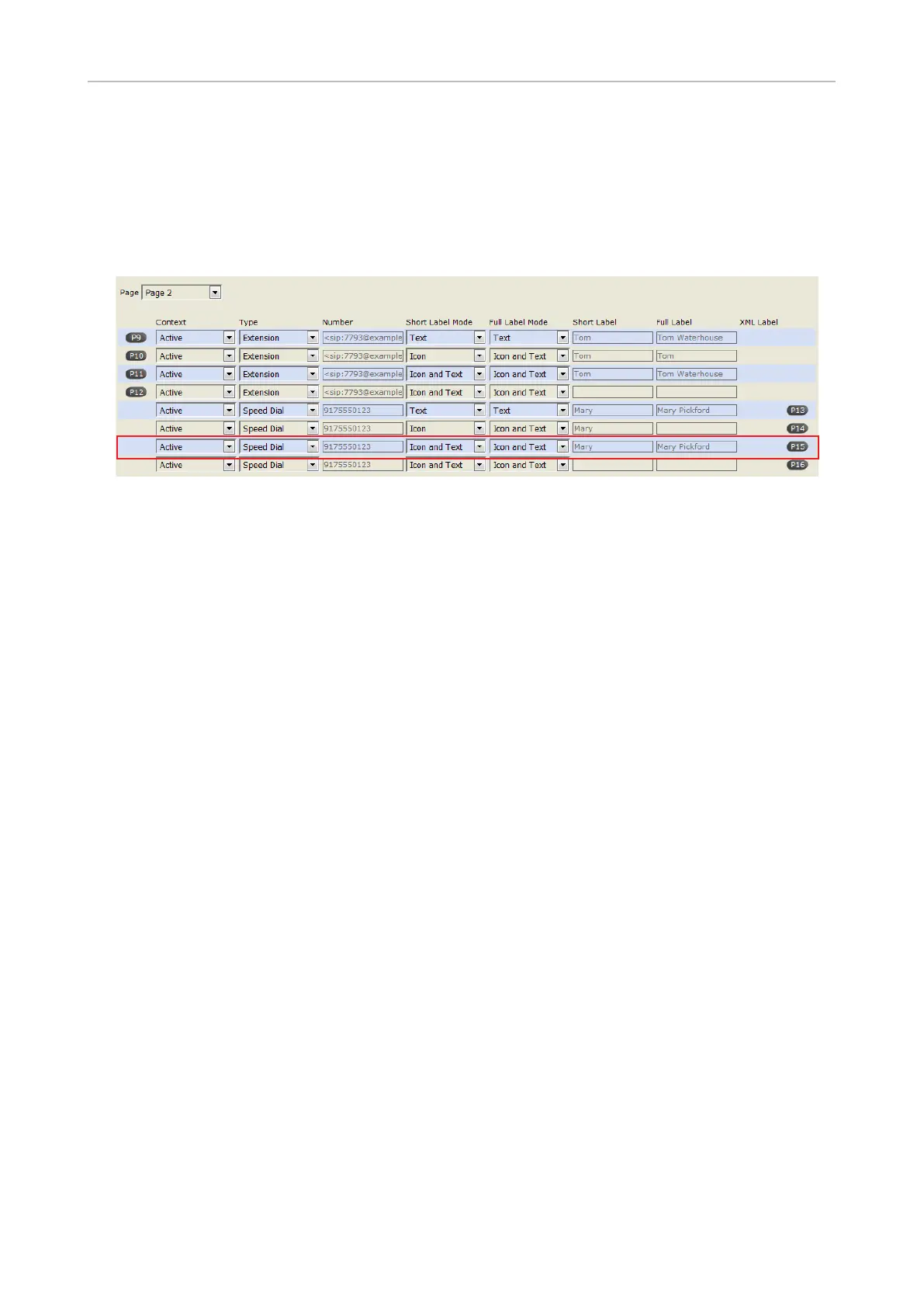
expansion module. In our example, key P15 on page 2 of the function keys will be used to speed dial
the number 9175550123.
1. On the phone's web interface, click on Function Keys in the menu on the left.
2. Click the Key Assignment tab, if necessary.
3. Select Page 2 from the drop-down menu of Page.
4. Under Context
5. Under Type of P15, select "Speed Dial" from the drop-down list.
6. In the Number
example it is phone number 555-0123 in area code 917.
Type each phone number with any necessary area code and/or country code etc. without spaces,
hyphens, etc. Example: In conventional notation you might write the number as (917) 555-0123.
7. Select a display option from the drop-down menu of Short Label Mode. The default is "Icon and
text", i.e., an icon depicting the function on the key and the number or the short label text will be
displayed on the display. name or descriptive text.
8. Select a display option from the drop-down menu of Full Label Mode. The default is "Icon and
text", i.e., an icon depicting the function on the key and the number or the short label text will be
displayed on the display.
9. Short Label and Short Label, enter a name or descriptive text. In
are empty, the label area will display the number.
10. Click on Apply and Save.
You can now speed dial the number 9175550123 by selecting page 2 of the SmartLabels and pressing
key P15 on the phone.



 To Next Page