52
D335 User Manual Using the Phone
2. Use /
3. Press to dial the number.
Speed dialing
Setting speed dial numbers: See "Speed dial" on page 100. Mapping a speed dial number onto one
"Example 3,
Speed dialing" on page 80.
• Speed dial number on speed dial list
1.
to dial.
2. Press to dial.
• Speed dial number mapped onto freely programmable function key 1-32: Select the page, if
necessary, and press the key.
Calling emergency numbers
"Emergency numbers" on page 94 on how to set emergency numbers. Several numbers (911, 112,
• On an unlocked keyboard: Enter the number and press to dial.
• On a locked keyboard: Enter the number. The phone dials the number as soon as you have
entered all the digits of one of the programmed emergency numbers.
Call completion
This function depends on whether it is available in your network or not. On Snom phones call
completion means that when a called number is busy or not available, you can have your phone call
you back as soon as the dialed number is not busy anymore or available again. The factory default
Changing the setting to turn on call completion : See "Call completion" on page 96.
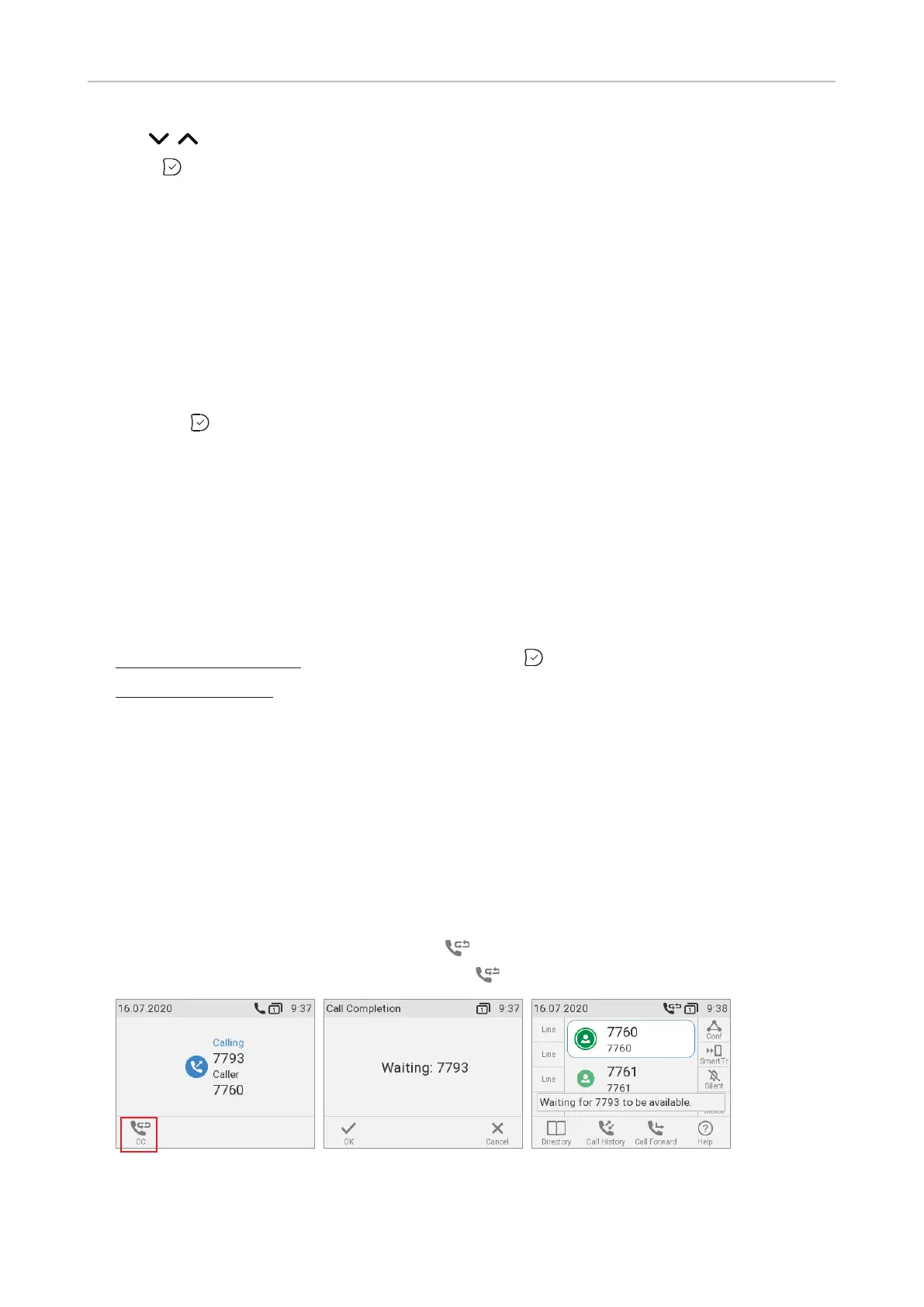
1. When call completion is enabled, the symbol will appear in the function key line whenever you
dial a number (Fig. 1). Press the key underneath to activate call completion for this call.
Fig. 1 Fig. 2 Fig. 3



 To Next Page