21
D335 User Manual Getting to Know Your Phone
Hard keys
Context-sensitive, programmable function keys
These function keys can be programmed on the Function Keys page of the phone's web interface with
a number of key events; these functions will then be available when the phone is in idle mode. For
more information, see . For the factory default settings,
see "At a glance" on page 18.
You cannot change the functions that are available when the phone is active, e.g., when you are in a
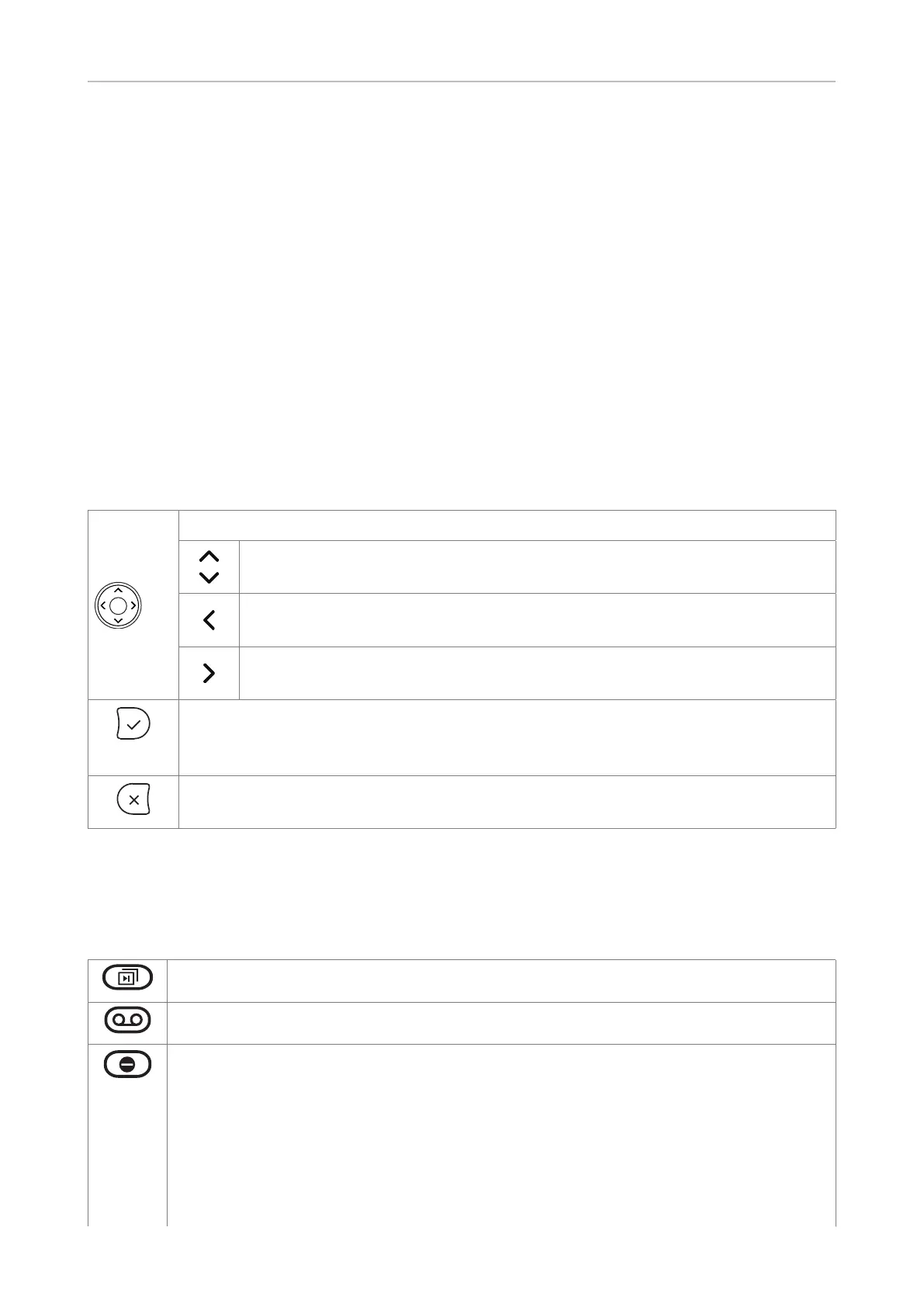
Navigation, conrmation, and cancel keys
can be programmed with the key events available in their drop-down menus. See
function keys" on page 69 for further information. Factory settings:
Navigation key
• On idle screen: Press to select identity for outgoing calls
• In other contexts: Moving up and down lists one item/button at a time
•
• On idle screen, press to open list of missed calls.
•
• On idle screen, press to open the list of received calls
• Press to accept calls on speakerphone and in headset mode.
•
• On idle screen: Redial.
• Press to terminate calls on speakerphone and in headset and handset modes.
• Press to cancel actions and return to preceding screen.
Preprogrammed, variably programmable function keys
The factory setting is printed on the respective key. Other functionalities can be programmed onto
them. See for more information.
Page key for SmartKeys. Press the key to put the next "page" of four label "pages" on
screen.
Message key. The LED on the key is lit when a new message is waiting on the mailbox.
Press the key to retrieve messages.
In "do not disturb" (DND) mode incoming calls do not ring; callers hear the busy signal.
If there is an active setting for call forwarding on busy, incoming calls will be forwarded
"Call forwarding" on page 66). Exception:
Calls from phone numbers on your directory's VIP list (see "Contact Types" on page
40) will ring on your phone.
(Fig. 1). If you want to turn on DND for one or more, but not all of the identities (Fig. 2 and
3), use the identity settings on the phone's web user interface.



 To Next Page