86
D335 User Manual Conguring the Function Keys
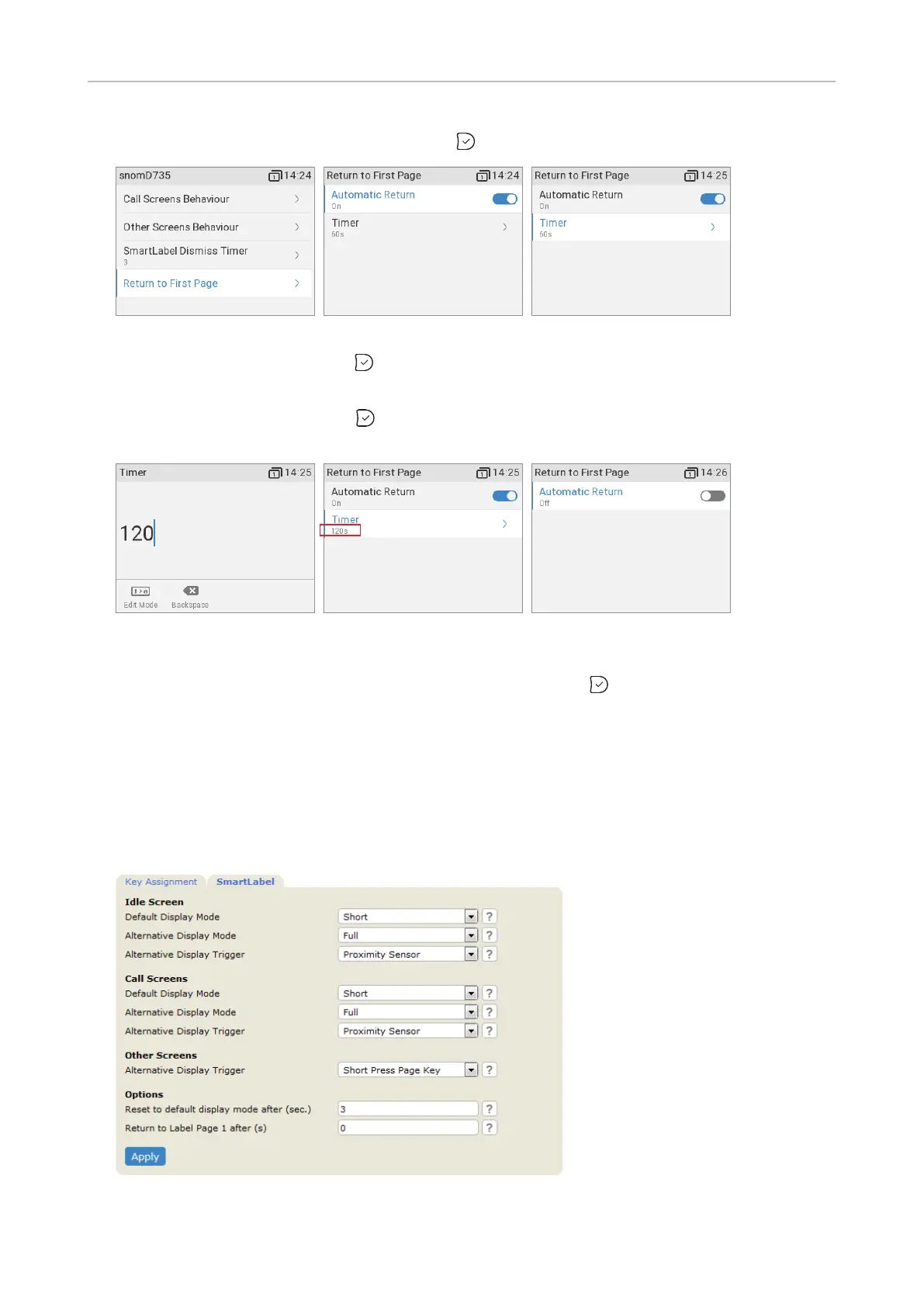
2. Select Return to rst page (Fig. 14) and press . The preset default is 60 seconds (Fig. 15).
Fig. 14 Fig. 15 Fig. 16
3. Select Timer (Fig. 16) and press .
4.
alphanumeric keypad and press to save and return to the Return to page 1 menu. The timer
now shows the new seconds setting (Fig. 18).
Fig. 17 Fig. 18 Fig. 19
Note: If you do not want the on-screen page to return to page 1 automatically, select
Automatic return (Fig. 15), if not already selected, and press
Timer line is no longer visible in the
Return to rst page menu (Fig. 19).
Settings on the web interface
1. On the phone's web interface, click on Function Keys in the menu on the left.
2. Click the SmartLabel tab.



 To Next Page