22
D335 User Manual Getting to Know Your Phone
Settings: On the phone's web interface, select the identity. Click the Features tab, then
the on radio button for DND, and Apply.
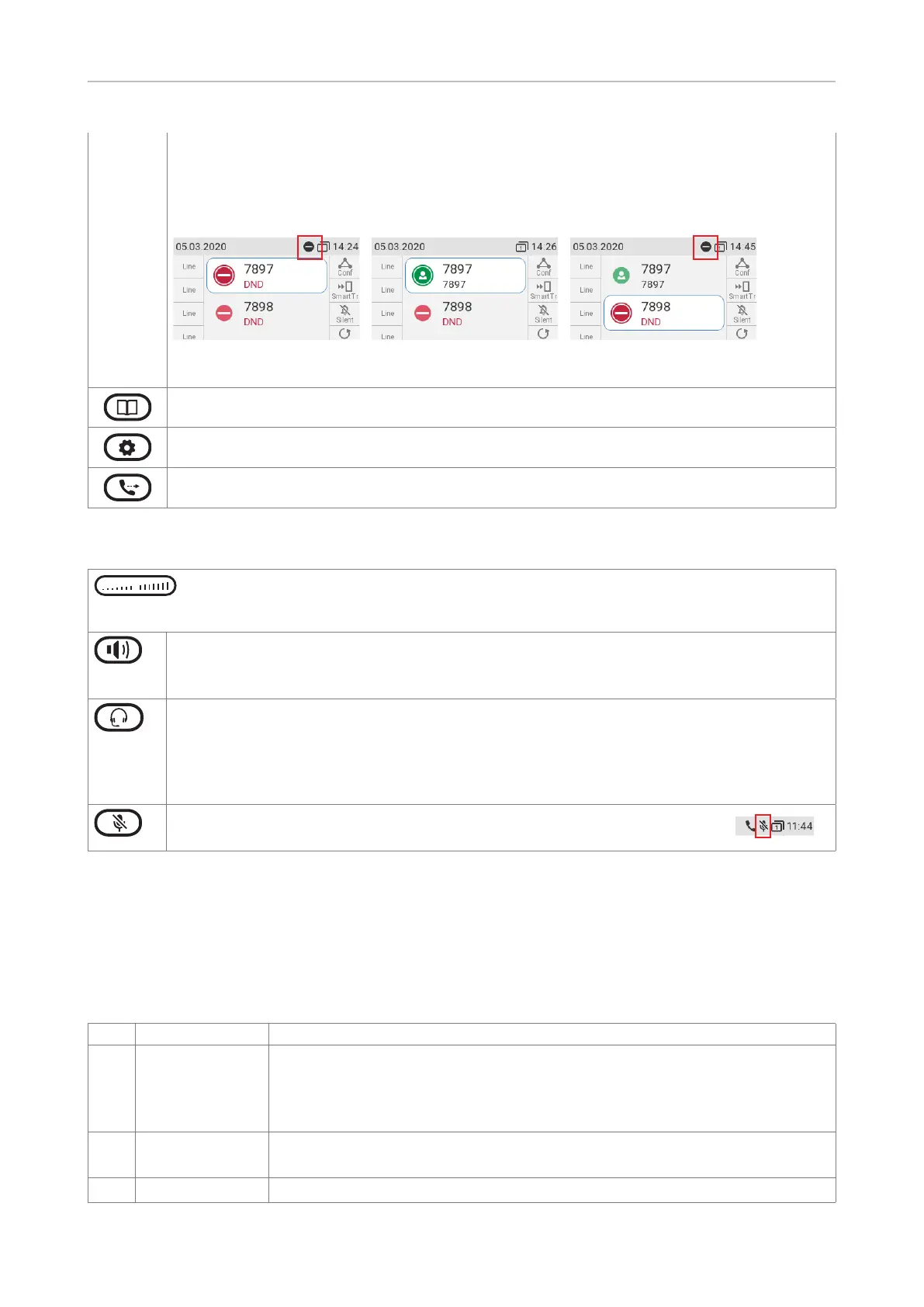
When DND is on, you'll see the DND symbol in front of the respective identity; if the
identity is the outgoing identity, the symbol also appears in the info bar (Fig. 1 and 3).
Fig.1 - DND active Fig. 2 - DND active for Fig. 3 - DND active for current
a congured identity outgoing identity
Phone directory. See "Directories" on page 39 for further information.
Settings menu. See "Settings" on page 28 for further information.
Transfer. See "Transferring calls" on page 59 for further information.
Audio Control Keys
Press the right or left edge of the key to adjust the volume of the ringer when
• the phone is idle or ringing,
• of microphone/loudspeaker when in call
• Toggling between handsfree and handset mode
• Dialing numbers on speakerphone
• Accepting calls on speakersphone
Toggling between headset and handset modes. Please note: Handset mode overrides
headset mode. When the handset is picked up, the headset symbol in the status line will
be replaced by the handset symbol, indicating that you can now use only the handset for
the call. The phone will return to headset mode when the handset is placed in the cradle,
and the headset symbol will reappear in the status line.
Muting and unmuting the microphone when in a call. When the
microphone is muted, the mute symbol is displayed in the info bar.
Freely programmable function keys with LEDs
These 4 x 8 = 32 freely programmable function keys can be programmed and labeled on the phone
and on the Function Keys page of the phone's web interface. For information on how to map
functions onto these keys, see . The factory default
setting is line, except for keys P5–P8 which are preprogrammed with the following functions:
P5 Conference See "Conference" on page 58 for more information.
P6 Smart transfer Provides a target (extension or phone number) for blind transfer of the
current connected call and for a ringing call when there is no current
connected or held call. On idle, pressing the key will speed dial the target
number.
P7 Silent mode
P8 Dialed List of dialed calls for redialing, last-dialed call at the top of the list.



 To Next Page