43
D335 User Manual Directories
Deleting an entry
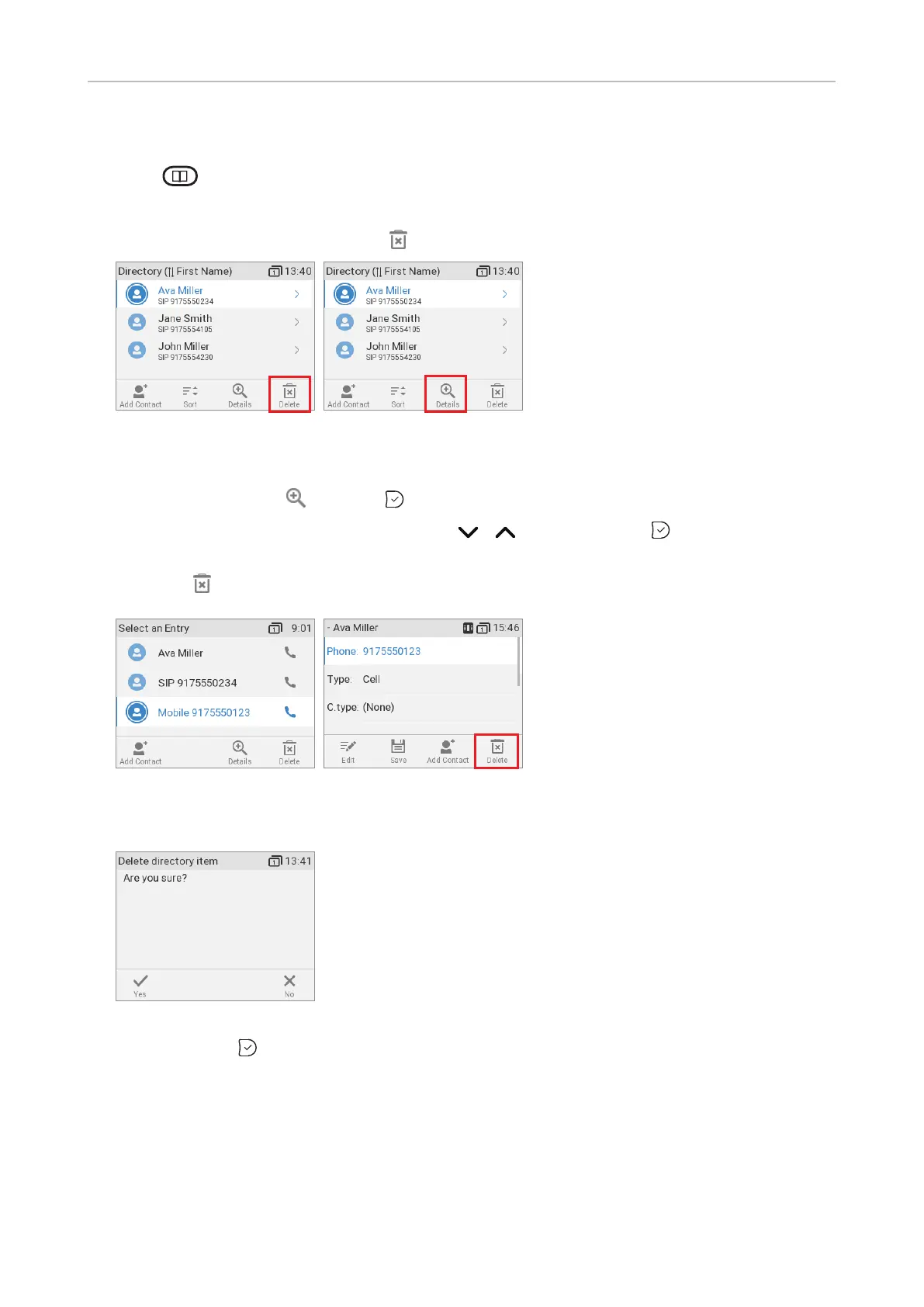
1. Press to open the phone's directory.
2. Selecting an entry: Scroll to the entry
3. If you want to delete the entry, press (Fig. 1) and continue with step 4, below.
Fig. 1 Fig. 2
a. If there is more than one phone number associated with the entry and you want to delete only
one of them, press (Fig. 2) or .
b. Select the number you want to delete with / (Fig. 3) and press . You will see the
details of the subentry (Fig. 4).
c. Press .
Fig. 3 Fig. 4
4. You will be asked, "Are you sure?".
Fig. 5
5. If you are, press to delete the entry or phone number.



 To Next Page