34
D335 User Manual Getting to Know Your Phone
The phone's web interface
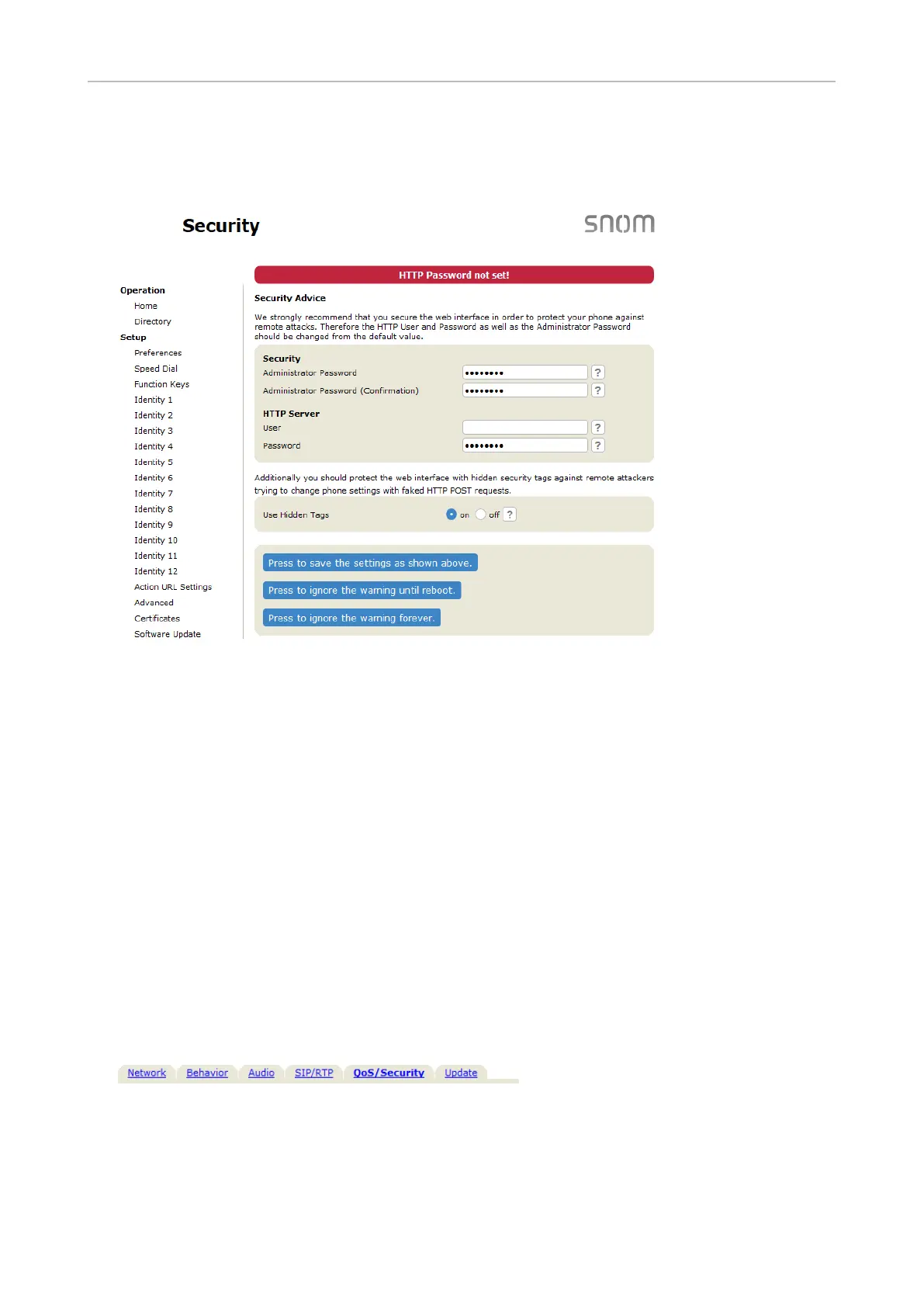
Security page.
We urge you to set administrator and HTTP passwords to protect your phone. The default
administrator password is 0000 (4 zeros); there is no default HTTP password. Please note:
◦ Administrator password. If you do not replace the default administrator password by
an individual one, an unauthorized third party with access to the phone could set an
administrator password unknown to you. In such a case, you would no longer be able to
switch from user mode to administrator mode.
◦ HTTP user name and password. If you do not set these, you make it easier for experienced
hackers to break into your system.
Be sure to write down your admin password and your HTTP user name and password and
store them in a secure place.
Without the administrator password, you will not be able to return the phone and the web
interface from user mode to administrator mode; many settings will be inaccessible. Without
HTTP user name and password you cannot open the phone's web interface.
You can set and change the data on the phone’s web interface at any time.
1. Click Advanced Settings in the vertical menu on the left side.
2. Click the QoS Security tab at the top of the Advanced Settings page.
3. Apply.
◦ Administrator password. Valid values are arbitrary character strings of numerals, letters,
and/or special characters of any length. Keep in mind that you may have to enter these
characters on the phone's keypad (see "Entering numerals, letters, special characters, and
symbols" on page 23). Write the password down and store it in a safe place!



 To Next Page