41
D335 User Manual Directories
Assigning ringtones to contact type VIP and group types
1. Open the phone's web interface and click Preferences in the menu on the left side of the display.
2. Click the General tab.
3. In the Directory Ringtones section, select a ringtone from the respective drop-down menu and
click Apply
Note: Ringers assigned to contact type VIP and to any of the group types override the
ringers assigned to the identities. For example, if you have assigned ringer 1 to one of
the identities and ringer 2 to the group "Colleagues", the phone will play ringer 2 when
a contact from the "Colleagues" group calls that identity.
Adding/Editing Entries on the Phone
Adding new entry manually
1. Press to open the phone's directory.
2. Press the function key underneath .
Note: See "Input modes and navigation" and "Entering numerals, letters, special
characters, and symbols" on page 23 for information on how to enter data.
3. Enter the phone number and press .
4. .
5. Enter a last name and/or press .
the entry on the phone or on the web interface.
6. See "Editing existing entry" on page 42 on how to continue.
Adding new entry from call list
For further information on call lists, see "Call lists" on page 63.
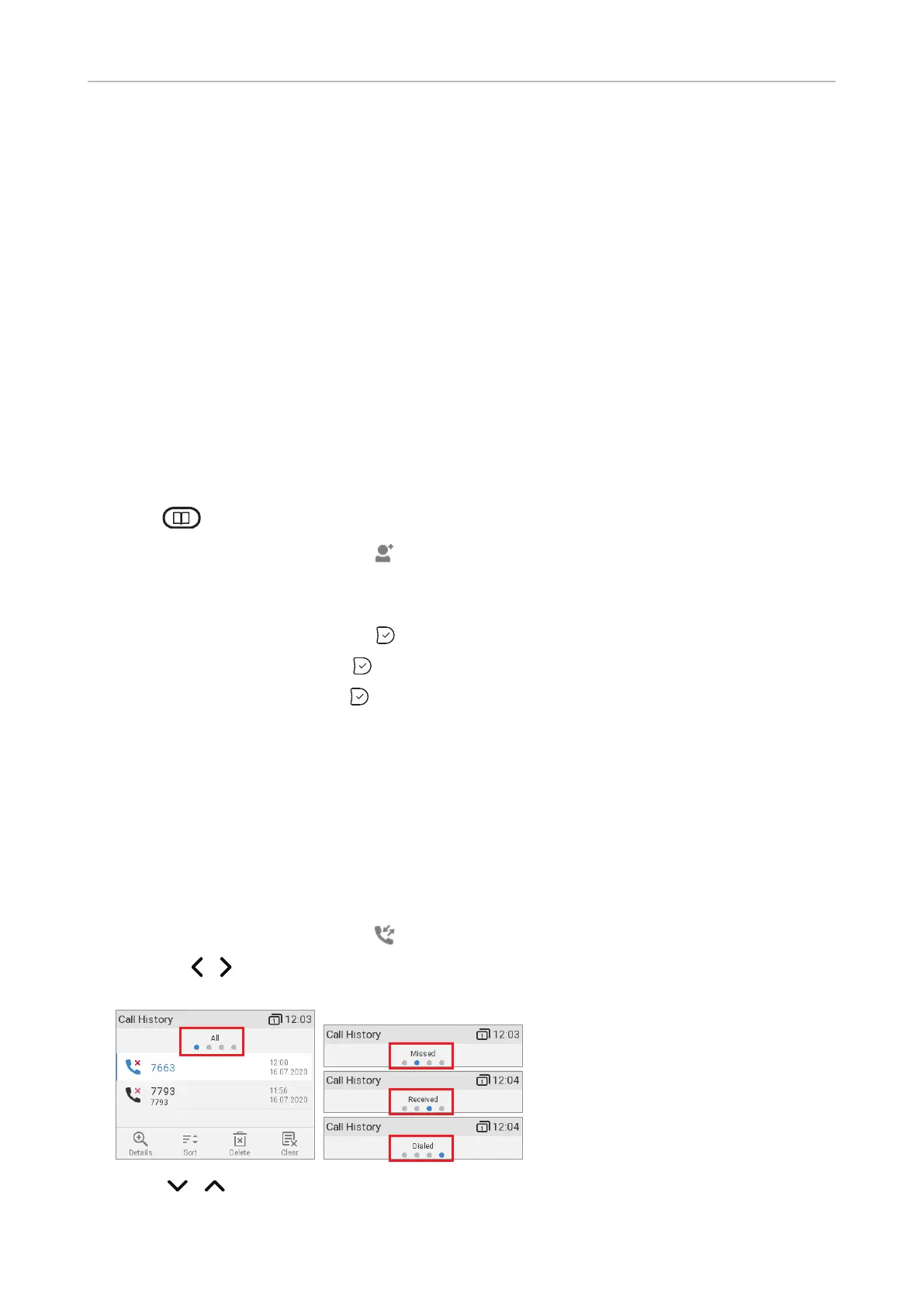
1. Press the function key underneath to open the call history. The list of all calls appears.
◦ Press / on the navigation key to show the lists of missed, received, or dialed calls
instead.
2. Press / on the navigation key to select a call.



 To Next Page