72
D335 User Manual Conguring the Function Keys
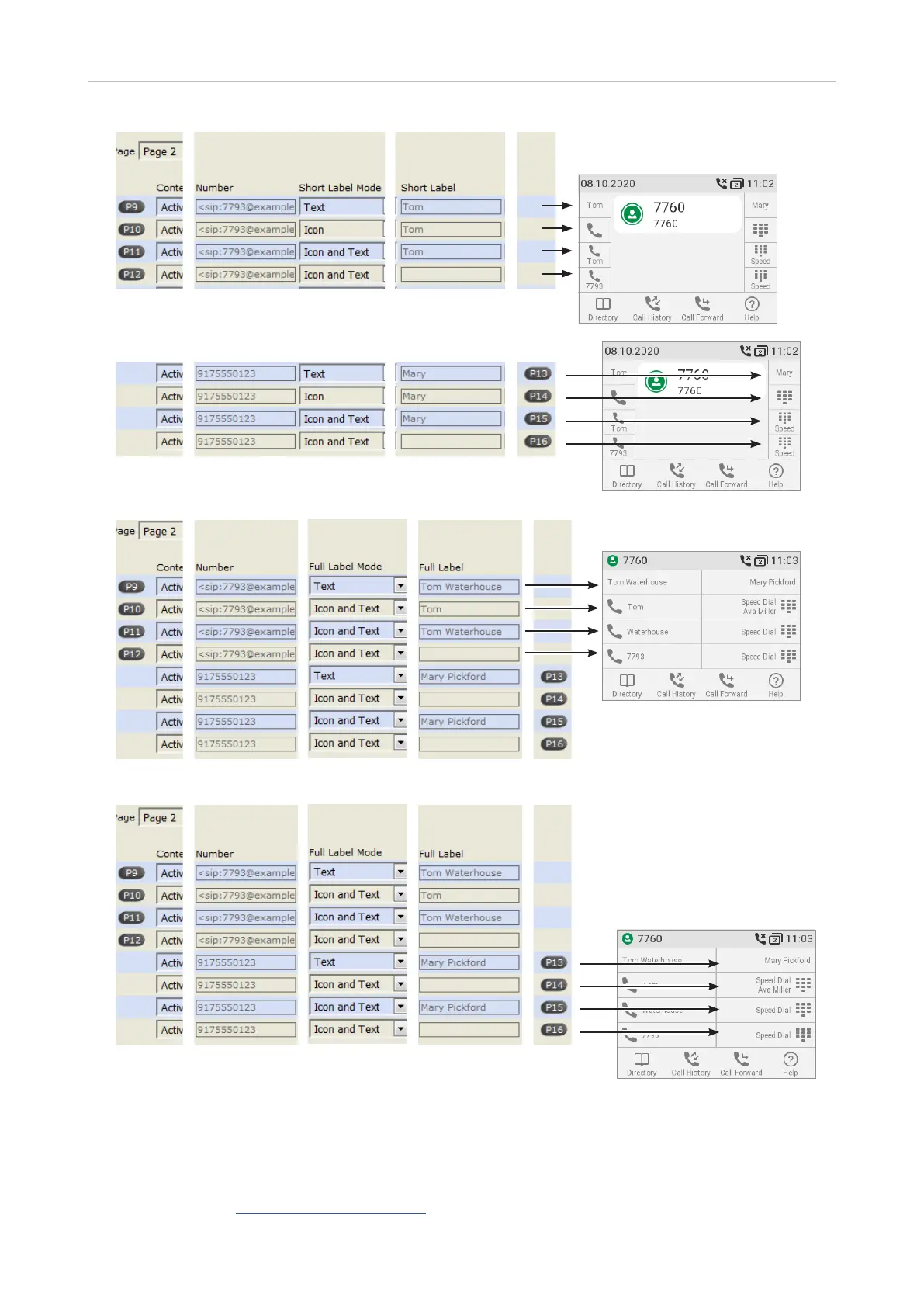
Fig. 3 - Short labels P9 – P12
Fig. 4 - Short labels P13 – P15
Fig. 5 - Full Labels P9 – P12
Fig. 6 - Full Labels P13 – P16
When expansion modules are connected to the phone, they will also be shown on the function key
page of the phone's web interface, below the phone's function keys and above the Apply button. Their
settings are stored on the phone, not on the expansion module. For more information, see "Example
2, Extension monitoring and call pick-up on D3 expansion module" on page 79 and the D3 user
manual available at https://service.snom.com, Accessories button, Expansion Modules.



 To Next Page