78
D335 User Manual Conguring the Function Keys
4
7 8
0
9
#
5 6
GHI JKL MNO
PQRS
a » A
TUV WXYZ
1 2 3
DEF
ABC
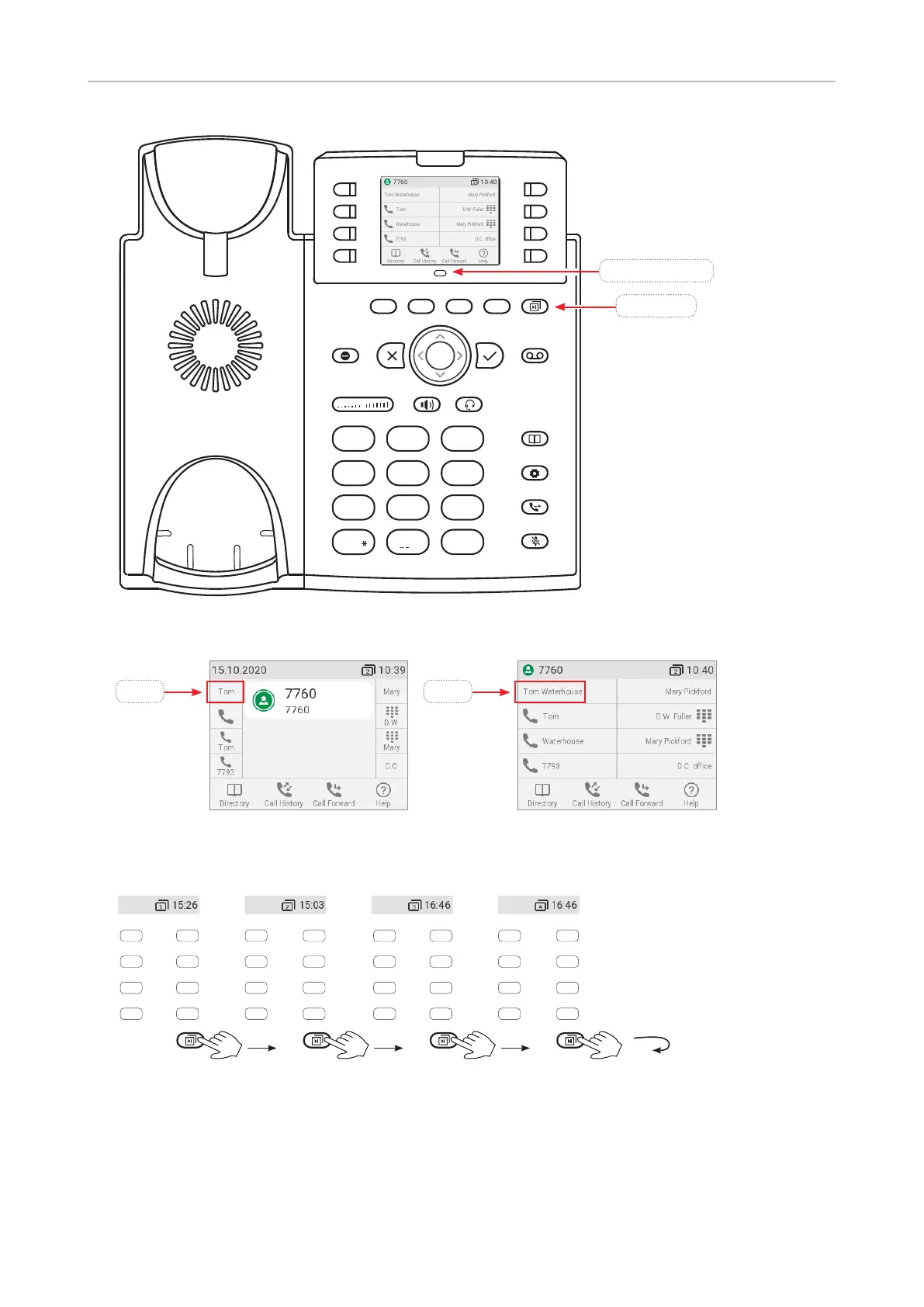
Fig. 1
Fig. 2 – Short label mode Fig. 3 – Full label mode
Page 1
Page 1 Page 2 Page 3 Page 4
P1
P2
P3
P4
P5
P6
P7
P8
P9
P10
P11
P12
P13
P14
P15
P16
P17
P19
P19
P20
P21
P22
P23
P24
P25
P27
P27
P28
P29
P30
P31
P32
Fig. 4
Press key to put page 2, 3, and 4 on-screen successively.
When page 4 is on-screen, press key to return to page 1.
Page key
Proximity sensor
Move hand or object over sensor to
switch from default to alternative
SmartLabel display mode. See
"Display options for SmartLabel keys"
on page 83 for more information.
P9 P9



 To Next Page