24
Handset Registration
The handset must be registered to the base station in order to make and receive calls�
When you power up the handset for the first time, it will attempt to auto-register to
the base station� Auto-registration will be successful only if you have set up the M500
configuration file with the handset IPEI, or you have entered the IPEI on the Primary
base station’s WebUI�
Auto-registering the handset to the base station
1� Make sure the base station is connected to power and the network�
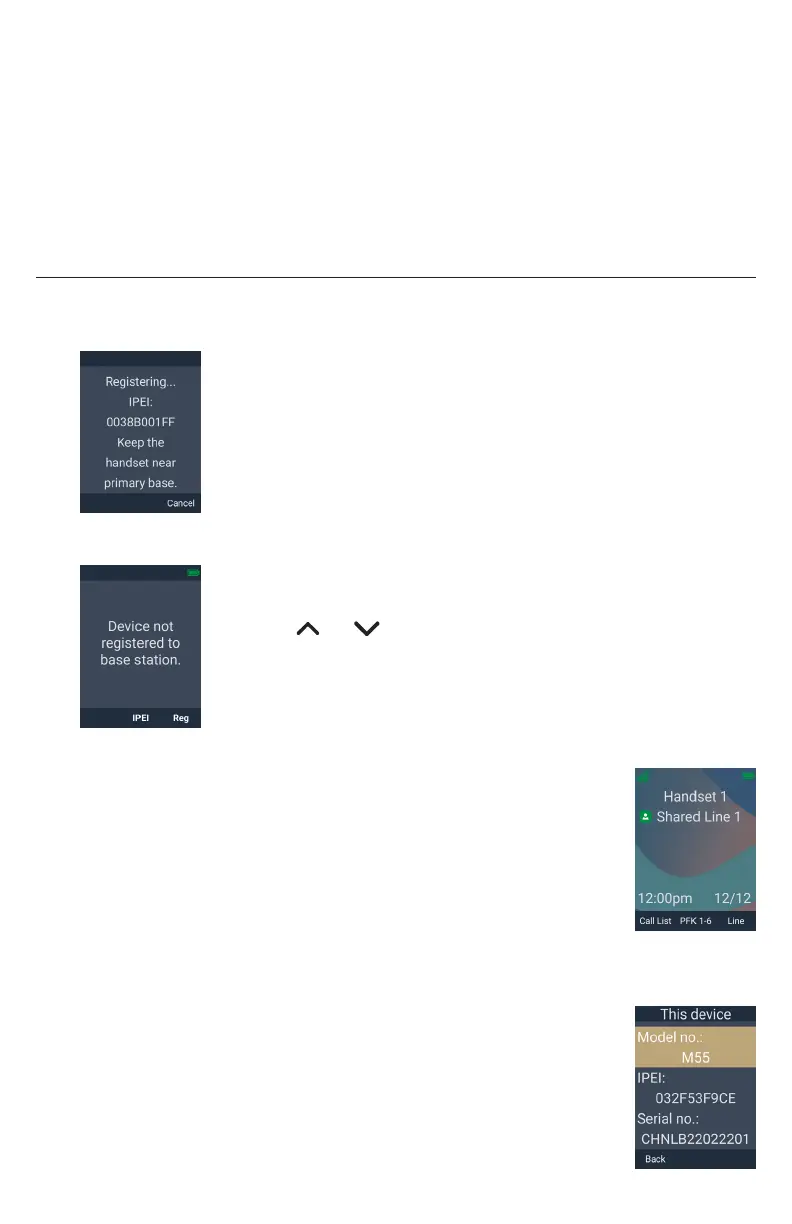
2� If the handset is displaying the following screen:
a� Wait for the handset to auto-register�
b� If the IPEI has not been set up in the configuration file
(provisioned), or the auto-registration is taking too long,
press Cancel�
3� If the handset is displaying the following screen:
a� Press Reg�
The handset displays the “Register via” menu�
b� Press or to scroll to Auto reg or IPEI input, and
press Sel�
c� Wait for the handset to auto-register�
d� If auto-registration is taking too long, press Cancel�
If registration is successful:
The handset beeps and displays “Handset registered”, and then
displays the idle screen�
If registration fails:
The handset displays “Registration failed”�
a� Press OK�
The handset displays “Device not registered to base station�”
b� Press IPEI to display the handset’s IPEI and serial number� Give these
numbers to your phone administrator�
c� Press Back�
d� To manually register your handset, follow the steps in
“Manually registering via the LINK key on base station” on
page 26 or “Manually registering via the Web UI” on page
27�



 To Next Page