38
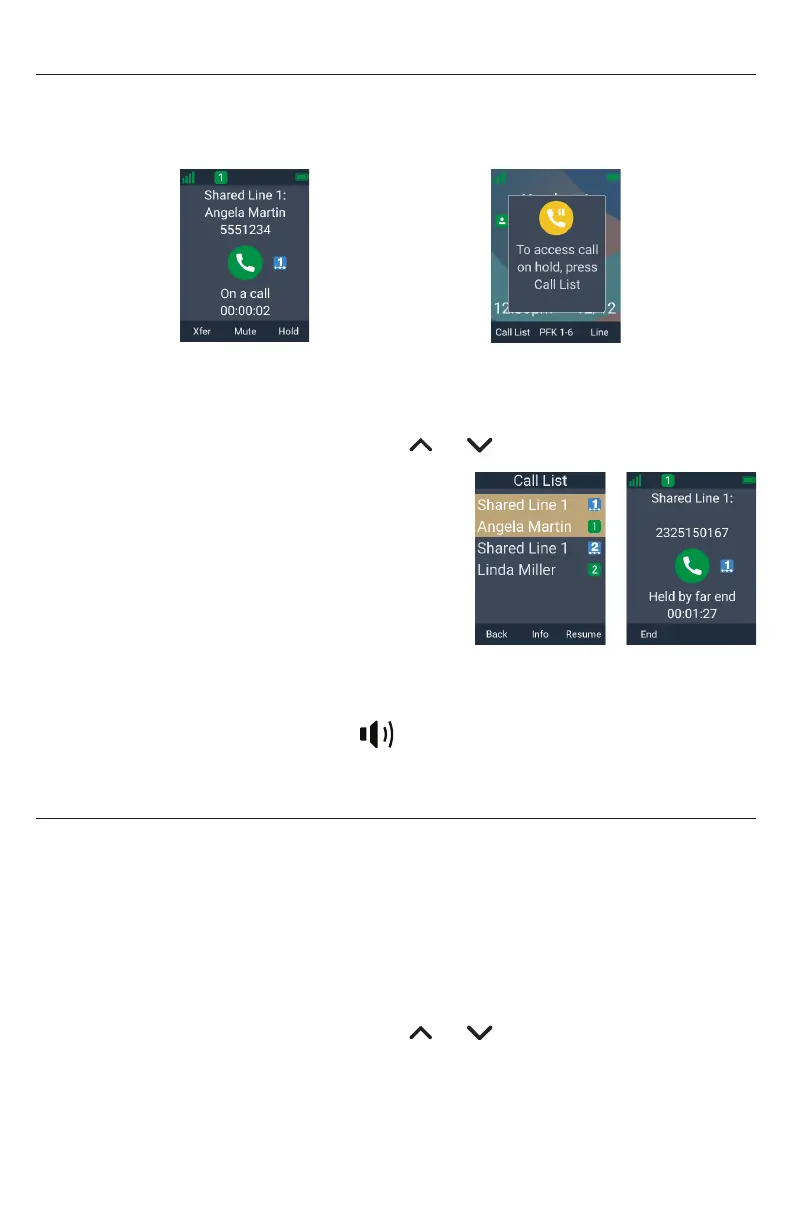
Putting a call on hold
You can put an outside call on hold by pressing Hold� The handset also puts calls
on hold automatically when you answer another call, transfer a call, or create a
conference� Note that you cannot put an intercom call on hold�
â
Hold
To take the call off hold:
1� Press Call list�
2� If you have multiple calls on hold, press or to select the call you want to
take off hold�
3� Press Resume�
If another party puts you on hold, you may see the
message Held by far end� This message depends
on compatibility between phones and PBX types,
and may not always appear� You can press End to
end the call�
To make a new call while on hold:
1� When you have a call on hold, use the keypad to enter the number you wish to dial�
2� Call the number by pressing Dial ,
Taihoon Kim | 24. Jan. 2019 | Revision 1.0AW | M10-Handset (US version)
illustration scale 100%
Silkscreen on the Rear
Pantone 8001C
Silkscreen on the Rear
Pantone Cool Gray 3C
Silkscreen on the Rear
Pantone Cool Gray 3C
Silkscreen on the Top
Pantone 200C
Silkscreen on the Rear
Transluscent
Pantone Cool Gray 3C
Taihoon Kim | 24. Jan. 2019 | Revision 1.0AW | M10-Handset (US version)
illustration scale 100%
Silkscreen on the Rear
Pantone 8001C
Silkscreen on the Rear
Pantone Cool Gray 3C
Silkscreen on the Rear
Pantone Cool Gray 3C
Silkscreen on the Top
Pantone 200C
Silkscreen on the Rear
Transluscent
Pantone Cool Gray 3C
or an idle PFK (assigned as a shared line
key)�
Putting a call on private hold
You can put a shared call on “private hold” to prevent any non-system phones (not M55
or M58) from resuming the held call shared across many SIP devices�
To put a shared call on private hold:
• Press and hold the Hold soft key�
To take the call off private hold:
1� Press Call list�
2� If you have multiple calls on hold, press or to select the call you want to
take off hold�
3� Press Resume�



 To Next Page