26
Manually registering via the LINK key on base station
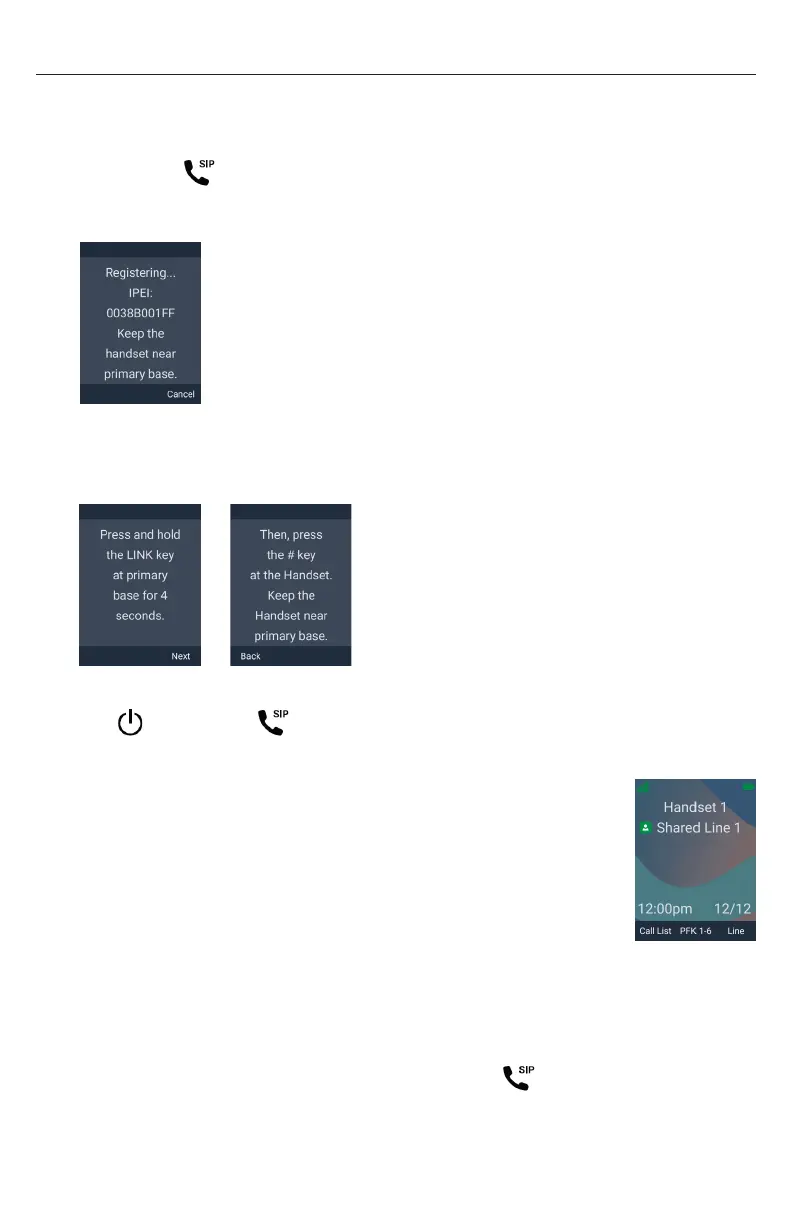
1� Make sure the base station is connected to power and the network�
NOTE: If your phone system is a multi-cell environment, you can only register
the handset to the Primary base station (as indicated by a steady green or slowly
flashing red SIP LED)�
2� If the handset is displaying the following screen:
a� Press Cancel�
The handset displays “Registration failed”�
b� Press OK�
The handset displays “Device not registered to base station�”
3� On the “Device not registered to base station�” screen, press Reg�
4� With LINK key on Base highlighted, press Sel�
The handset displays the following screens (press Next or Back):
5� Press and hold the LINK key on the base station for four seconds�
The (power) and (SIP) LEDs flash green�
6� Press the # key on the handset to begin registration�
The handset displays “Registering��� Please Wait�”
If registration is successful:
The handset beeps and displays “Handset Registered”, and
then displays the idle screen�
If registration fails:
The handset beeps and displays “Registration failed”�
a� Press OK�
The handset displays “Device not registered to base station�”
b� Make sure the handset is near the base station�
c� If your phone system is a multi-cell environment, make sure you are
registering to the Primary base station� The SIP LED should be either
steady green or slowly flashing red�
d� Try to register again; go to step 3�



 To Next Page