40
Paging a group of handsets/desksets
You can page a group of handsets/desksets, and send one-way audio� The receiving
handsets/desksets in the group will play an alert tone, and your voice� The receiving
handsets/desksets will play the audio as defined in their Auto ans audio settings (see
”Setting Auto ans audio” on page 64)�
You cannot hear the people you are paging� If you want to have a two-way
conversation with a person, make an intercom call instead� For more information, see
page 34�
In order for the page to work, the receiving handsets/desksets in the paging group
must be idle� Paging groups are defined by your system administrator�
To page a handset/deskset:
1� Press the programmable key on the right side of the phone
(below the volume keys)
-OR-
Press the MENU/Confirm key, press to select (Intercom
Call), then press OK� Press Paging�
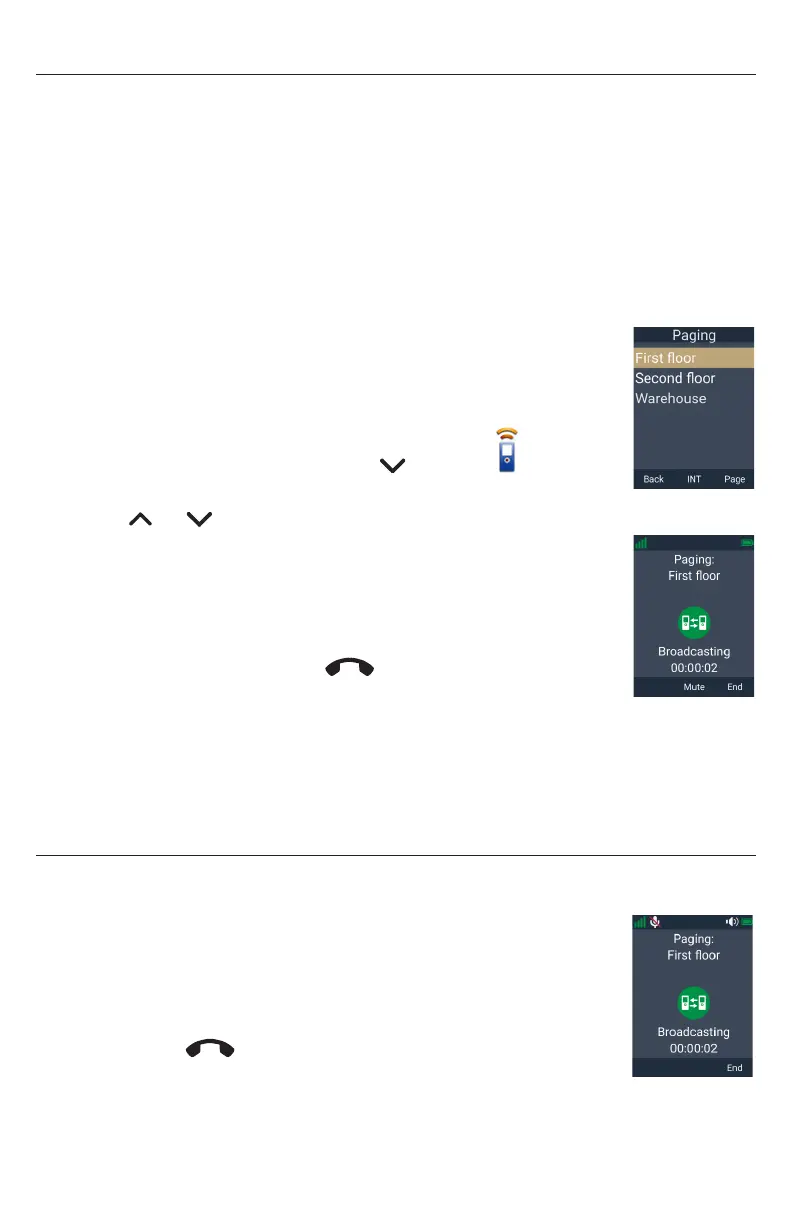
2� Press or to select a paging group, and press Page�
Your handset displays “Setting up� Please wait for the tone�”
When a connection is established, your handset plays a tone and
displays “Broadcasting” with a timer�
3� Speak into your handset�
4� To end the page, press End or
Taihoon Kim | 24. Jan. 2019 | Revision 1.0AW | M10-Handset (US version)
illustration scale 100%
Silkscreen on the Rear
Pantone 8001C
Silkscreen on the Rear
Pantone Cool Gray 3C
Silkscreen on the Rear
Pantone Cool Gray 3C
Silkscreen on the Top
Pantone 200C
Silkscreen on the Rear
Transluscent
Pantone Cool Gray 3C
Taihoon Kim | 24. Jan. 2019 | Revision 1.0AW | M10-Handset (US version)
illustration scale 100%
Silkscreen on the Rear
Pantone 8001C
Silkscreen on the Rear
Pantone Cool Gray 3C
Silkscreen on the Rear
Pantone Cool Gray 3C
Silkscreen on the Top
Pantone 200C
Silkscreen on the Rear
Transluscent
Pantone Cool Gray 3C
, or place the handset in the
charger�
A receiving handset/deskset will not receive the page if:
• It is on an active call
• It is off-hook (deskset)
Receiving a page
If you receive a page, your handset will play an alert tone and display the message
“Paging: Incoming page�”
When the connection is established, your handset displays
“Broadcasting” with a timer, and you will hear the person paging you�
The other person cannot hear you�
To end the page:
• Press End or
Taihoon Kim | 24. Jan. 2019 | Revision 1.0AW | M10-Handset (US version)
illustration scale 100%
Silkscreen on the Rear
Pantone 8001C
Silkscreen on the Rear
Pantone Cool Gray 3C
Silkscreen on the Rear
Pantone Cool Gray 3C
Silkscreen on the Top
Pantone 200C
Silkscreen on the Rear
Transluscent
Pantone Cool Gray 3C
Taihoon Kim | 24. Jan. 2019 | Revision 1.0AW | M10-Handset (US version)
illustration scale 100%
Silkscreen on the Rear
Pantone 8001C
Silkscreen on the Rear
Pantone Cool Gray 3C
Silkscreen on the Rear
Pantone Cool Gray 3C
Silkscreen on the Top
Pantone 200C
Silkscreen on the Rear
Transluscent
Pantone Cool Gray 3C
, or place the handset in the charger�



 To Next Page