50
Note: If the transfer destination refuses the call, or if you press End to cancel the
transfer, your handset displays the original call on hold� Press Resume to take the call
off hold�
Setting up a conference call
You can set up a conference call between yourself and two other parties�
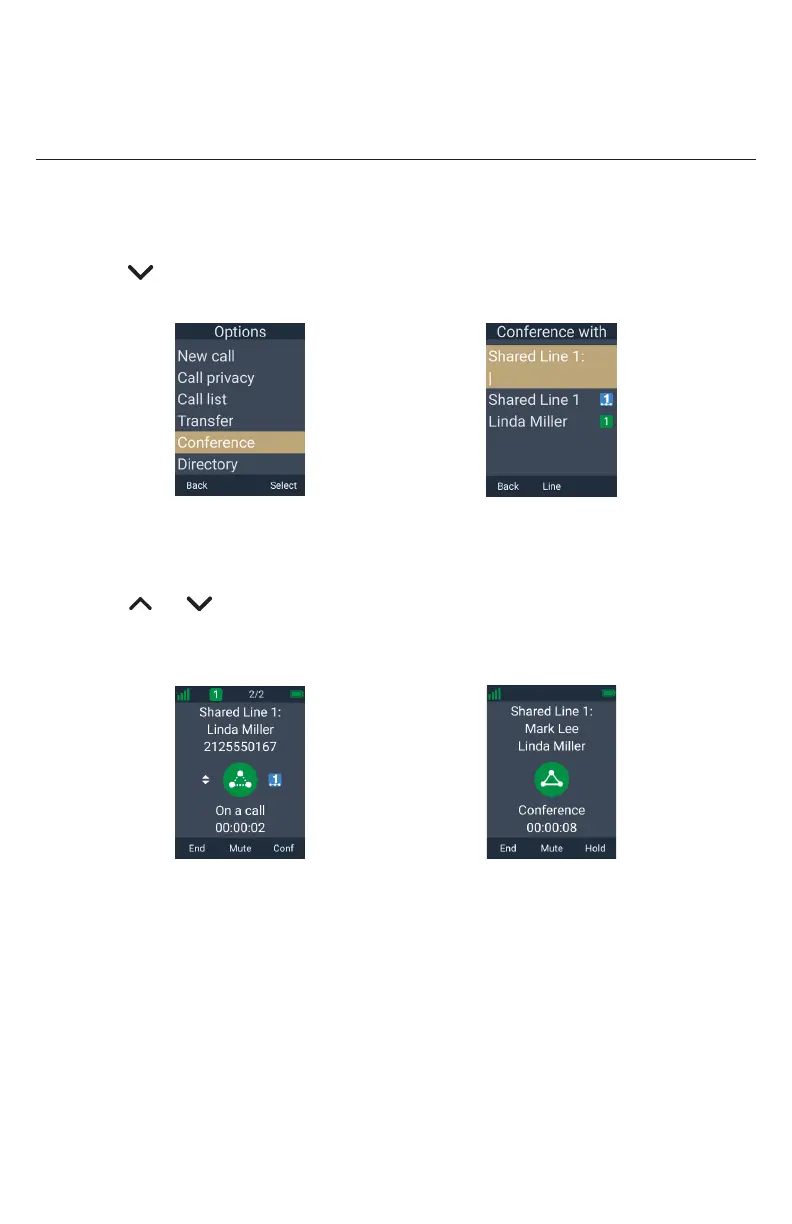
To set up a conference call with an outside number:
1� During a call, press the MENU/Confirm key.
2� Press to scroll to Conference and press Select�
Your call is automatically put on hold�
â
Select
3� Enter the number of the other party you want to join the conference and press
Dial.
-OR-
Press or to highlight a held call, and then press Sel.
4� When the second call is established, press Conf.
The conference begins and the conference screen appears�
â
Conf.
Press End to terminate both calls and end the conference�
Note: If the conference destination refuses the call, or if you press End to cancel the
conference, your handset displays the original call on hold� Press Resume to take the
call off hold�



 To Next Page