60
Configuring the Handset
You can configure the phone using one of two methods:
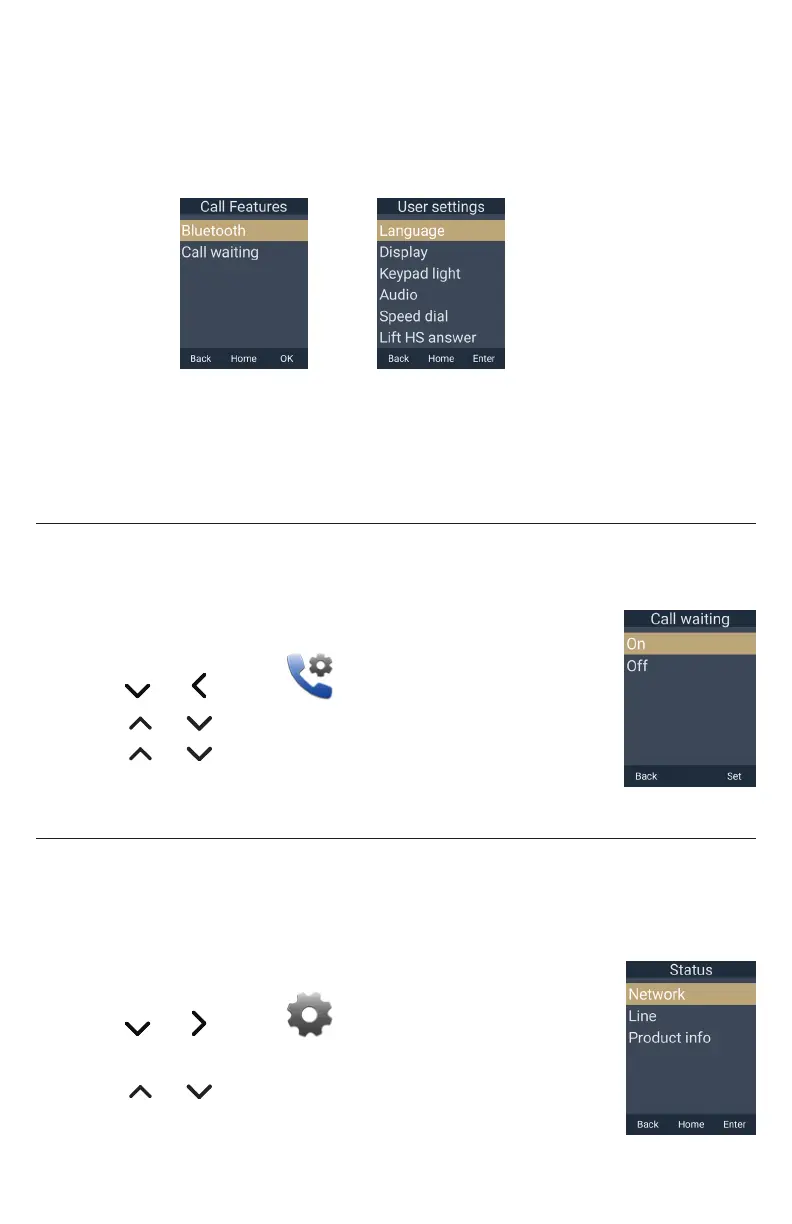
1� The Call Features and User settings menus on the handset�
2� The WebUI, which you access using your Internet browser�
This section describes settings you can change using your handset� For information
about settings you can change on the WebUI, see “WebUI” on page 67�
The system administrator can use the Admin settings menu to configure secure
browsing, edit the PIN code, and edit the password�
Setting call waiting
When call-waiting alerts are enabled, an alert will display on-screen whenever you
receive an incoming call during an active call�
To turn call-waiting alerts on or off:
1� Press the MENU/Confirm key�
2� Press and to select (Call features), then press OK�
3� Press or to scroll to Call waiting and press OK�
4� Press or to choose On or Off�
5� Press Set�
Viewing handset status
In the Status menu, you can view the IP address of your base station, software version
of your handset, and registration status of your SIP accounts� You may need this
information for troubleshooting purposes�
To view the Status menu:
1� Press the MENU/Confirm key�
2� Press and to select (Settings), then press OK�
3� With Status highlighted, press Enter�
4� Press or to scroll to either Network, Line, or Product Info,
and press Enter�



 To Next Page