37
Bluetooth headset
To switch audio to your Bluetooth headset during a call:
• Press the soft key with your Bluetooth headset name�
To switch audio back to the speakerphone:
• Press USE SPK�
Call Waiting
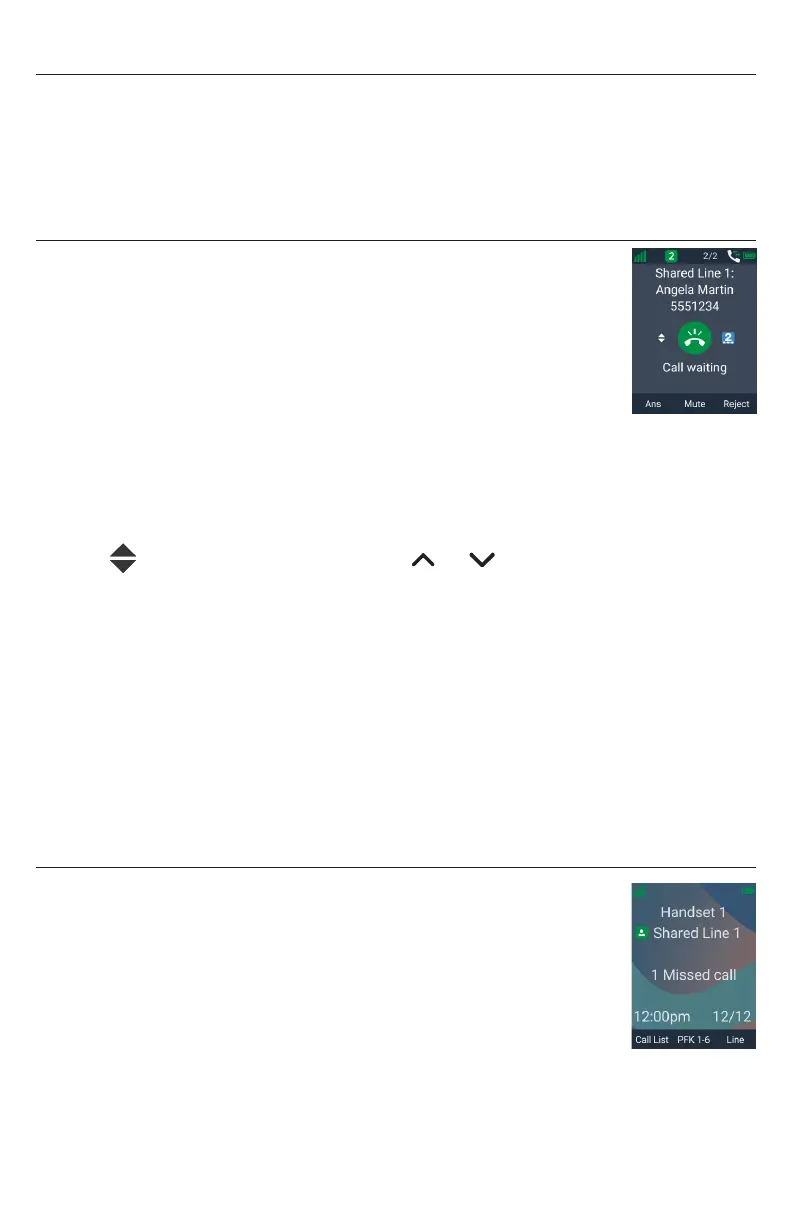
If you are on a call, and receive an incoming call from an outside
number, the handset displays the Call Waiting screen� If you answer
the call, your active call will be put on hold�
To answer the incoming call:
• Press Ans�
To ignore the incoming call:
• Press Ignore�
If the call is on a shared line, the ignored call will continue to ring on other
handset/desksets until it is answered by a handset/deskset or rejected by all
handsets/desksets�
The symbol indicates you can press or to switch back to the “Call
waiting” screen, where you can still answer or reject the ignored call�
If you end your active call or put it on hold, the ignored call will ring on your
handset again�
To reject the incoming call:
1� Press Reject�
2� Press Yes on the confirmation screen�
If the call is on a shared line, the rejected call will continue to ring on other
handset/desksets until it is answered by a handset/deskset or rejected by all
handsets/desksets� Your handset will not ring again for the rejected call�
Missed Calls
If you don’t respond to an incoming outside call, the handset displays
a missed call alert on the idle screen�



 To Next Page