49
Transferring a call
You can transfer an external call to another party� While you are making the transfer,
your call is automatically put on hold� There are three types of transfers:
• Blind transfer (default) - Transfer the call immediately without talking to the
transfer destination�
• Announced transfer - Talk to the transfer destination before transferring the
call�
• Early attended transfer - Transfer the call while the transfer destination’s
phone is ringing�
You can also transfer a call to a held call� Note that you cannot transfer intercom calls�
To transfer a call:
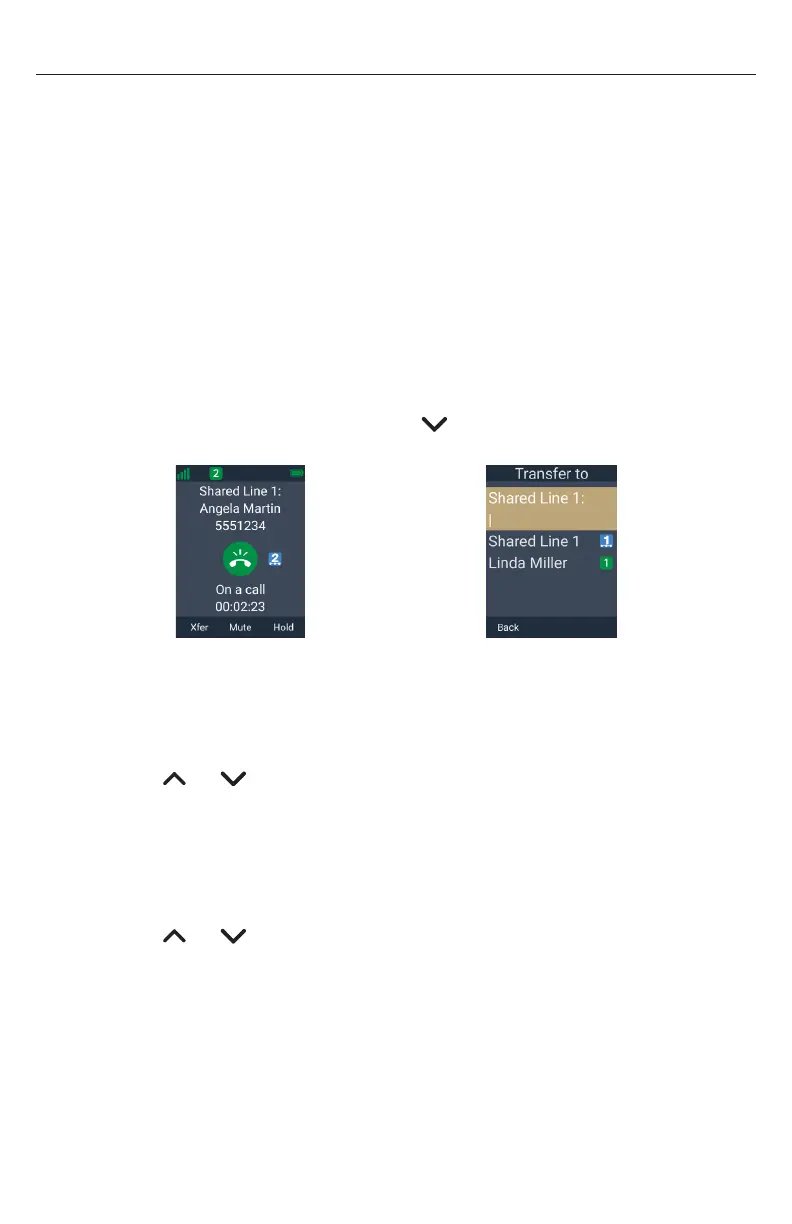
1� During a call, press Xfer�
-OR-
Press the MENU/Confirm key, then press to scroll to Transfer and press
Select�
â
Xfer
2� To make a Blind transfer:
• Use the keypad to enter the number of the transfer destination,
and press Xfer�
-OR-
Press or to highlight a held call, and press Xfer�
Your handset displays “Call transferred�”
3. To make an Announced transfer:
a� Use the keypad to enter the number of the transfer destination, and press Dial
-OR-
Press or to highlight a held call, and press Sel.
b� Tell the person you are transferring a call�
c� Press Xfer�
Your handset displays “Call transferred�”
4. To make an Early attended transfer:
a� Use the keypad to enter the number of the transfer destination, and press
Dial�
b� Press Xfer while the transfer destination’s phone is ringing�
Your handset displays “Call transferred�”



 To Next Page