67
WebUI
Using the WebUI
Use an Internet web browser to access the Web User Interface (WebUI) that resides
on your base station� After you log on to the WebUI, you can configure the following
features:
• Base Preferences
• User Preferences
• Base Directory
• Blocked List
• Remote XML directory
• User Password
The WebUI also has a System Status, Cordless Registrations, Cordless status and Base
status page, where you can view network status and registration information about
your handsets�
How to identify the IP address of the base station
You need to know the IP address of the base station in order to access the WebUI�
In a dual cell configuration, each base station has its own IP address� This section
describes how to identify the IP address of an M500 base station�
1� On a handset/deskset registered to the base station, press the MENU/Confirm
key�
The Main Menu appears�
NOTE: If you do not have any handsets/desksets registered to the base station,
you can register a handset/deskset� Follow the instructions in “Manually
registering via the LINK key on base station” on page 26�
2� Press and to select (Settings), and then press OK�
3� With Status highlighted, press Enter�
4� With Network highlighted, press Enter�
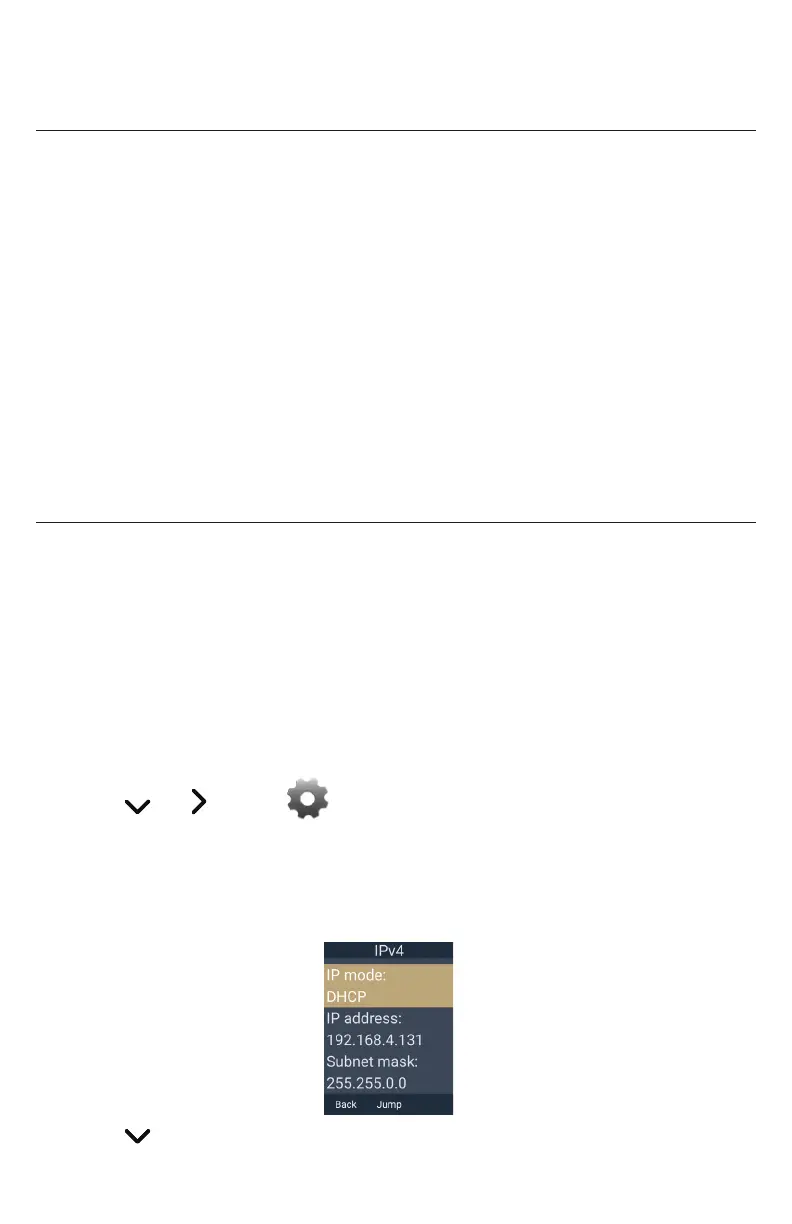
5� Select the desired network protocol, IPv4 or IPv6 and then press Enter�
The IPv4 or IPv6 screen appears:
6� Press to highlight the IP address�
7� On your computer, open an Internet web browser�



 To Next Page