63
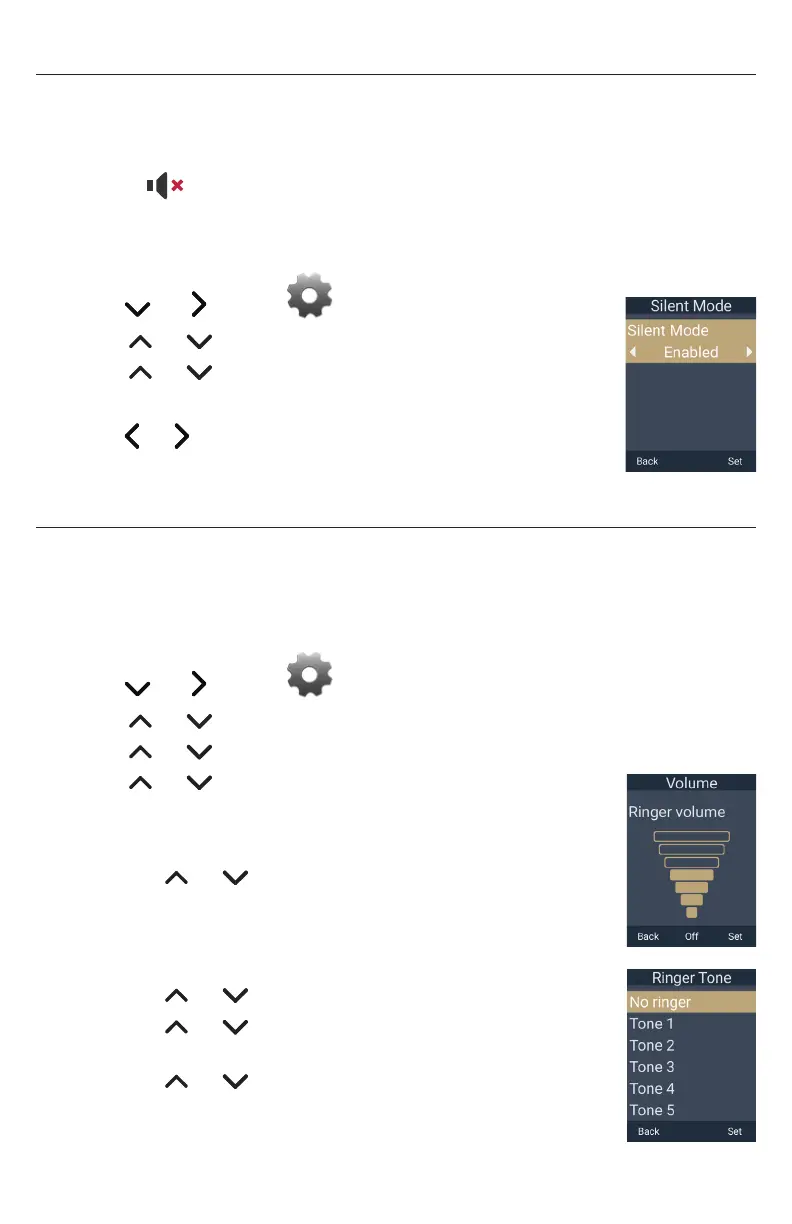
Setting Silent Mode
If Silent Mode is enabled:
• The handset will not play the sounds of the ringer, confirmation tone,
notification tone, key tone, and end of list tone�
• The icon is displayed at the top of the handset screen�
To set Silent Mode:
1� Press the MENU/Confirm key�
2� Press and to select (Settings), then press OK�
3� Press or to scroll to User settings, and press Enter�
4� Press or to scroll to Audio, and press Enter�
5� With Silent Mode highlighted, press Enter�
6� Press or to choose Disabled or Enabled�
7� Press Set to save, or press Back to cancel�
Setting the ringer tone and volume
TIP: Fast way to set ringer volume: When phone is idle, press VOLUME – or + on the
side of the handset to choose volume level, and then press Set�
To set the ringer tone and volume:
1� Press the MENU/Confirm key�
2� Press and to select (Settings), then press OK�
3� Press or to scroll to User settings, and press Enter�
4� Press or to scroll to Audio, and press Enter�
5� Press or to scroll to Ringers, and press Enter�
6� To change the ringer volume:
a� With Ringer Volume highlighted, press Enter�
b� Press or to change the ringer volume level as
desired, or press Off to turn the ringer off�
c� Press Set to save, or press Back to cancel�
7� To change the ringer tone:
a� Press or to scroll to Ringer Tone and press Enter�
b� Press or to select Intercom ringer or a dialing line
(account), then press Enter�
c� Press or to select a ringer tone�
d� Press Set to save, or press Back to cancel�



 To Next Page