73
Base Directory
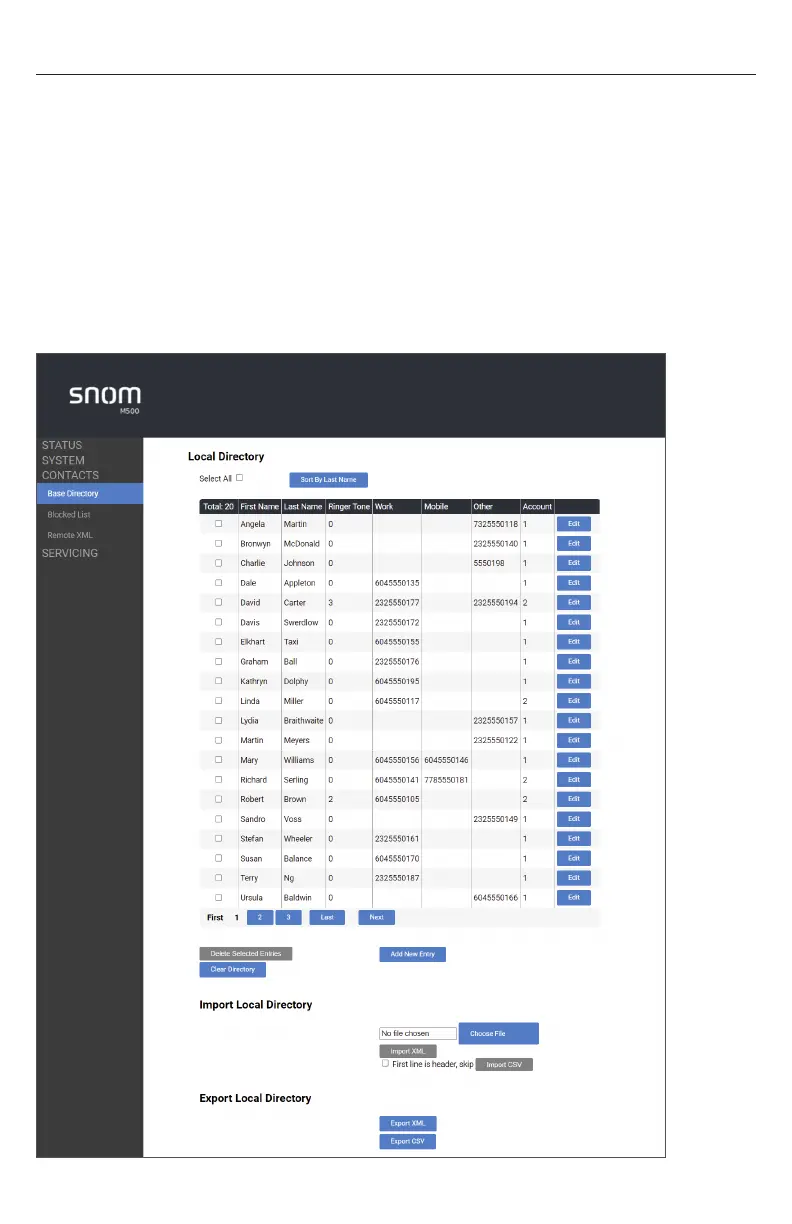
To view the base directory, click CONTACTS in the WebUI sidebar, and then click Base
directory�
On the Base directory page, you can manage your base directory entries� You can sort,
edit, delete, and add contact information for up to 1,000 entries� The page also allows
you to export your phone’s base directory or import a base directory file� The export
function lets you back up your contacts to your computer�
The Base directory lists entries across several pages� Click Next, First, Last, or a page
number to view the desired page of entries�
Note: The Shared directory on your handset displays your base directory entries�
For more information, see “Using the Directory” on page 53�



 To Next Page