44
Displaying calls on the Call List
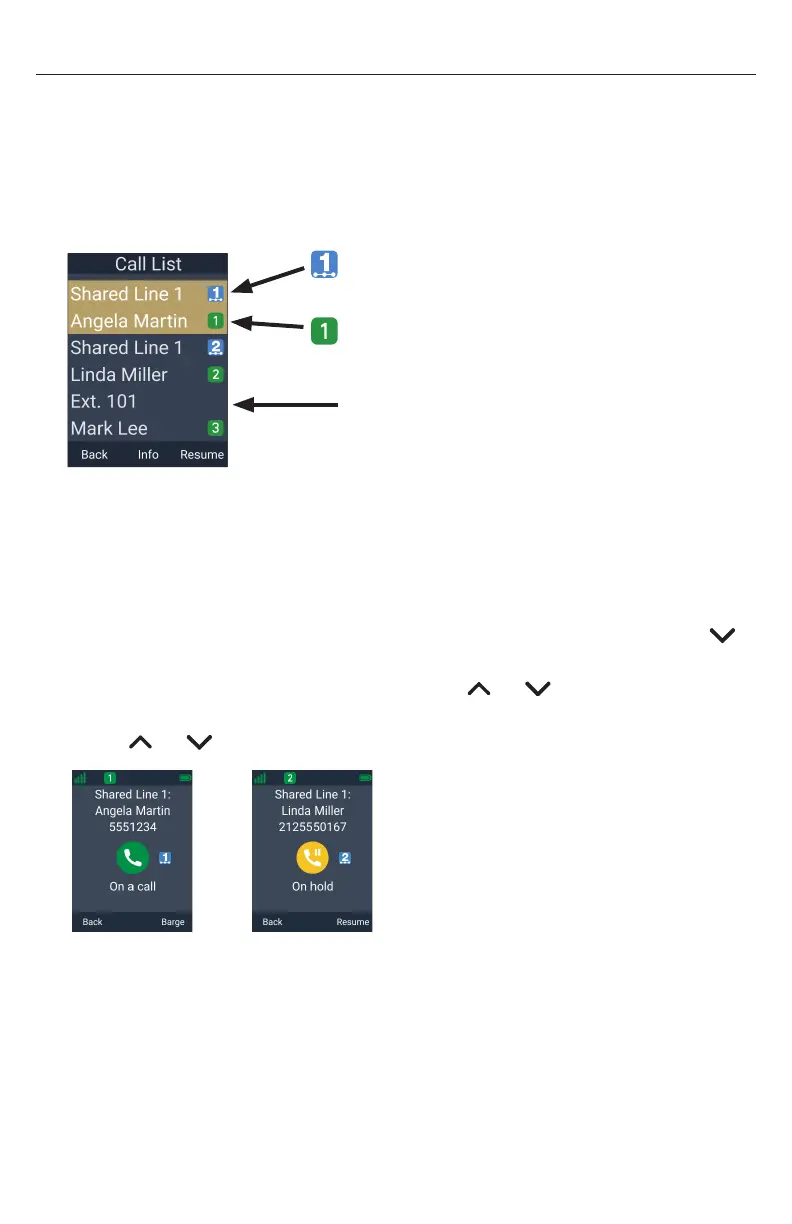
The Call List enables you to manage your own private calls and shared calls within the
system� The Call List displays:
• Shared calls on other handsets/desksets, which can be active, held, or
barged-in calls�
• Calls held by your handset whether shared or private�
no shared call index icon indicates
a private call (or the handset ran
out of shared call index numbers)
icon indicates the shared call index
number assigned to a shared call
icon indicates which of the Programmable
Feature Keys (PFK 1 to 6) the call occupies
To view the Call List:
1� If your handset is idle, press Call List�
-OR-
If your handset is on an active call, press the MENU/Confirm key, then press
to scroll down to Call List and press Select�
2� If there are multiple calls in the Call List, press or to select a call�
3� To display more details about the call, press Info�
Press or to scroll through the other calls in the Call List�
4� To retrieve a call on hold, press Resume�
5� To “barge in” on a shared call, press Barge�
6� To exit the Call List, press Back�



 To Next Page