64
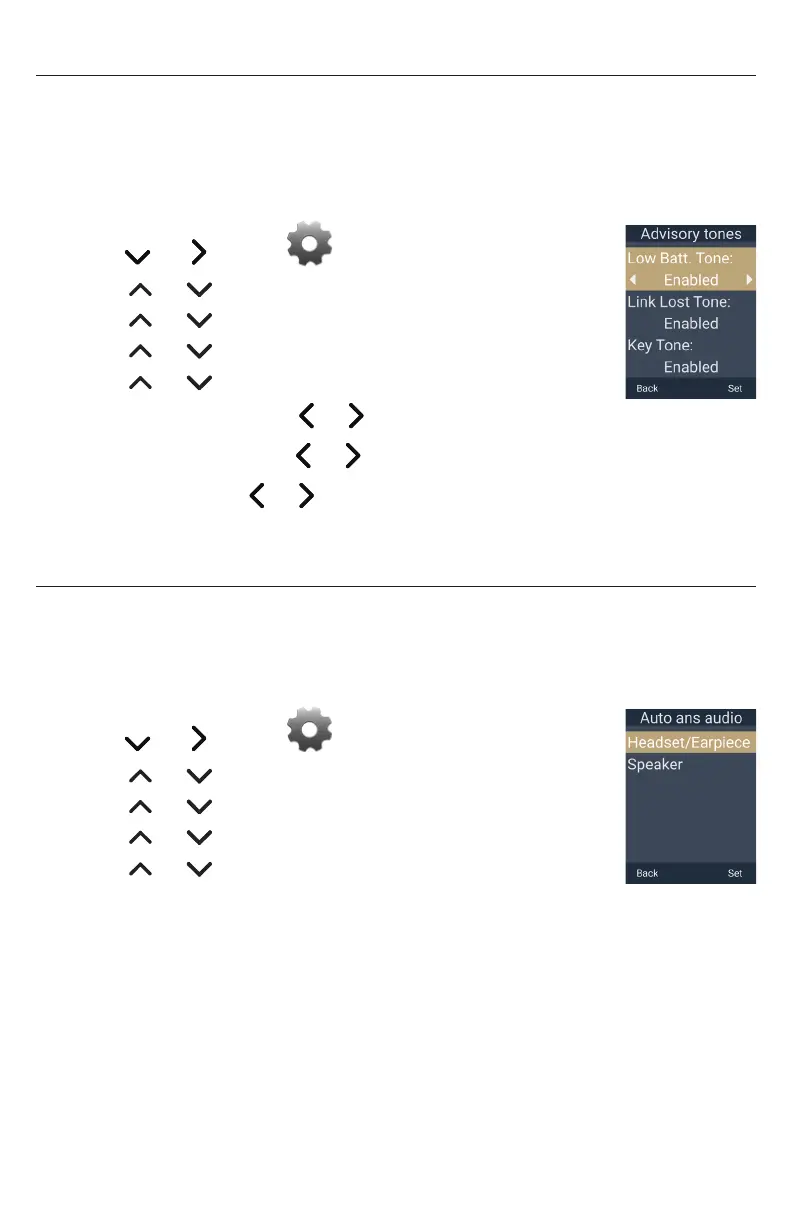
Setting the advisory tones
You can enable or disable the advisory tones the handset makes when
the battery is low, the link to the base is lost, and when you press a key
on the handset�
To set the advisory tones:
1� Press the MENU/Confirm key�
2� Press and to select (Settings), then press OK�
3� Press or to scroll to User settings, and press Enter�
4� Press or to scroll to Audio, and press Enter�
5� Press or to scroll to Advisory Tones, and press Enter�
6� Press or to select an advisory tone:
• Low Batt. Tone : press or to choose Disabled or Enabled�
• Link Lost Tone : press or to choose Disabled or Enabled�
• Key Tone : press or to choose Disabled or Enabled�
7� Press Set to save, or press Back to cancel�
Setting Auto ans audio
When your handset auto answers a page, the audio will be played from the source
defined by the Auto ans audio setting�
To set auto answer audio:
1� Press the MENU/Confirm key�
2� Press and to select (Settings), then press OK�
3� Press or to scroll to User settings, and press Enter�
4� Press or to scroll to Audio, and press Enter�
5� Press or to scroll to Auto ans audio, and press Enter�
6� Press or to select Headset/Earpiece or Speaker�
7� Press Set to save, or press Back to cancel�



 To Next Page