29
Screen icons
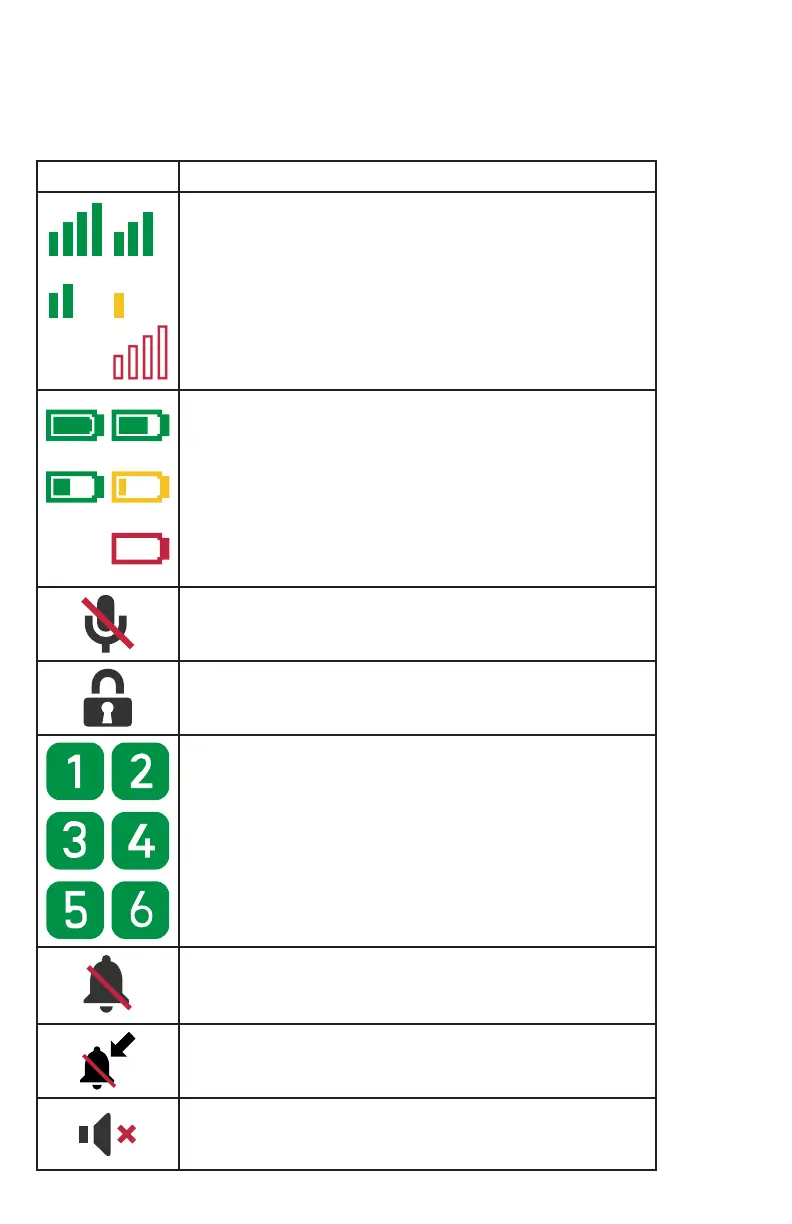
The following screen icons indicate your phone’s current status:
Icon Description
Indicates signal strength, from one bar (weak) to four
bars (strong)� Flashes when out of range�
Indicates the battery charge level�
The microphone is muted�
The keypad is locked�
Indicates which of the Programmable Feature Keys
(PFK 1 to 6) an active, ringing, or held call occupies�
Applicable to both shared calls and private calls�
This icon is displayed on the Call List and call screens�
The ringer is muted�
The ringer tone is set to “No ringer”� Displayed during
an incoming call�
Silent mode is enabled�



 To Next Page