System Overview
4
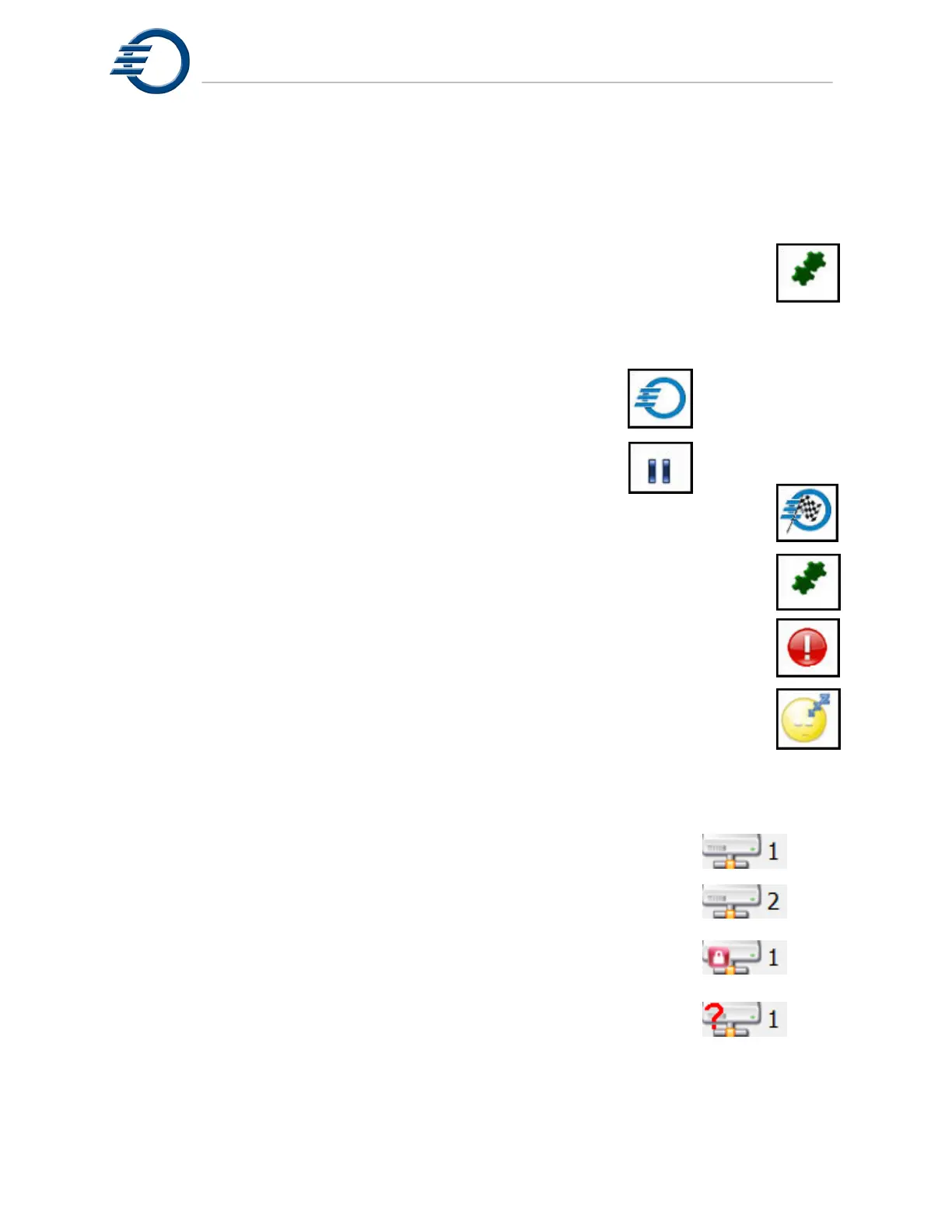
detailed information and operational control. The corresponding Ready/Status indicators are
shown to the right. There is no Ready/Status indicator for Idle.
The 8 basic scenarios are:
1. Initialization - The printer is initializing and resetting hardware and
software components during a reset, power up, or recovery.
2. Idle - The printer has initialized properly and is either ready to print or is waiting for
the build plate and/or file to be loaded.
3. Printing - The printer is in the process of printing a job.
4. Pause - The printer has been paused by the user.
5. Job Complete - Printer has completed the job and the cover has opened.
6. Auto Recovery - The printer is recovering from an abnormal operation.
7. Intervention - The printer has paused and is waiting for assistance
Click on the icon for further information.
8. Standby - The temperatures of the tanks, heated lines and printheads
are set to a lower value.
The Network status icon indicates the connection status between the printer and the network.
The network status is illustrated below
.
1. Printer connected to the network. Available to multiple users.
2. Printer connected to the network with a second user accessing
the printer via 3Z Touch Remote.
3. Printer locked so printer cannot be accessed from the network
(Local control only).
4. Pinter not connected to the network (Local control only).



 To Next Page