Maintenance and Printer Status
27
7.1.1 Automated Printhead maintenance
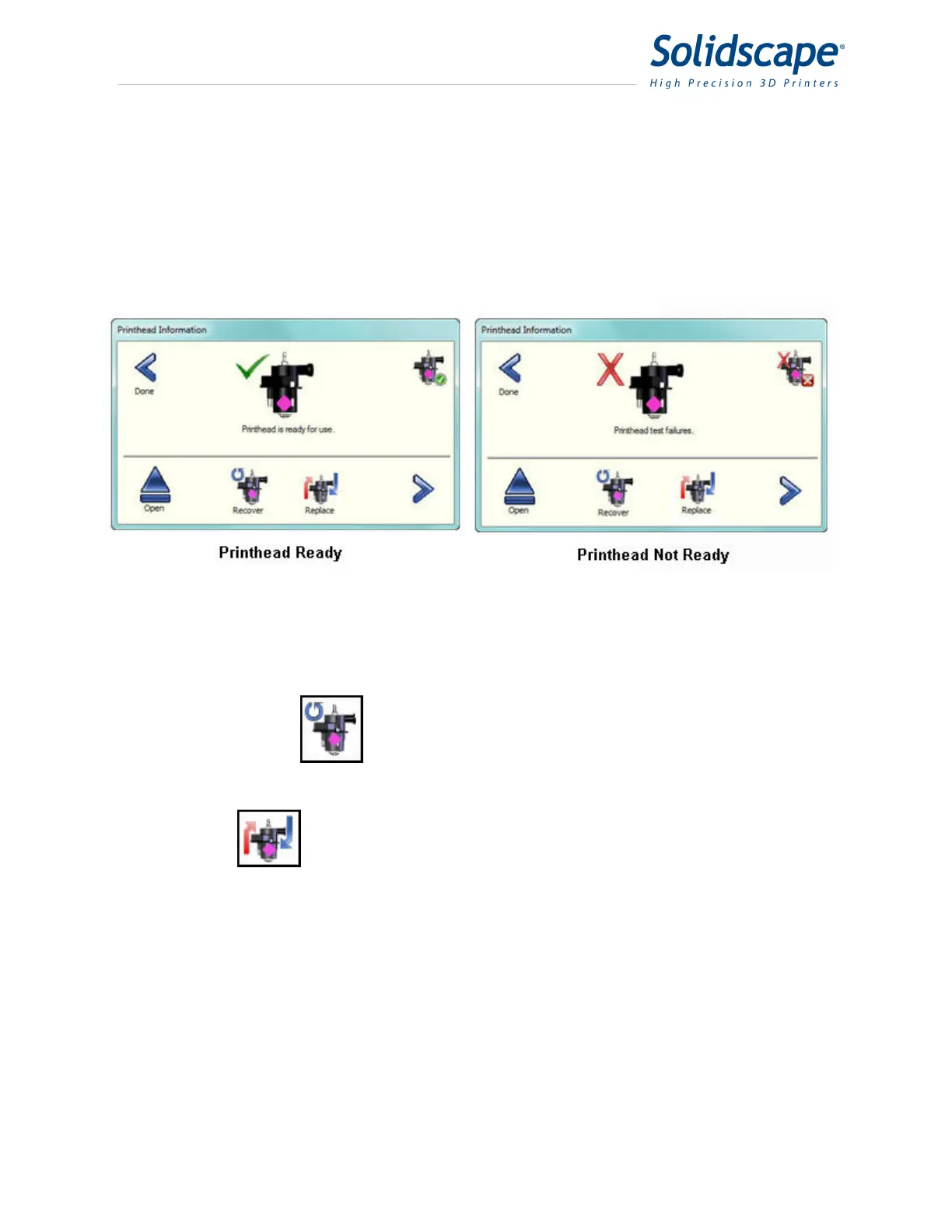
The Printhead information screen has one status and 2 command icons. The status icon will
indicate when the printhead is functioning properly and ready for a job build.
A green check indicates ready and a red X indicates not ready. See Figure 7-2 Printhead Ready
/ Not Ready.
Figure 7-2 Printhead Ready / Not Ready
Touching the Recover command icon initiates a series of commands to restore the
printhead to the ready state. These include purging, firing, wiping, and testing the
printhead.
The Replace icon is used whenever a new printhead is installed. The printer will
automatically prepare the new printhead for operation. This includes all necessary
calibrations. When touched, the printer will move the carriage to the appropriate
position and then the cover will be opened. After the new printhead is installed, close the cover
and the printhead will be tested and calibrated automatically.
7.1.2 Detailed Printhead maintenance
The Printhead Maintenance screen displays specific information pertaining to the selected
printhead. This information includes: the serial number of the printhead, the operating voltages,



 To Next Page