New Job Startup
13
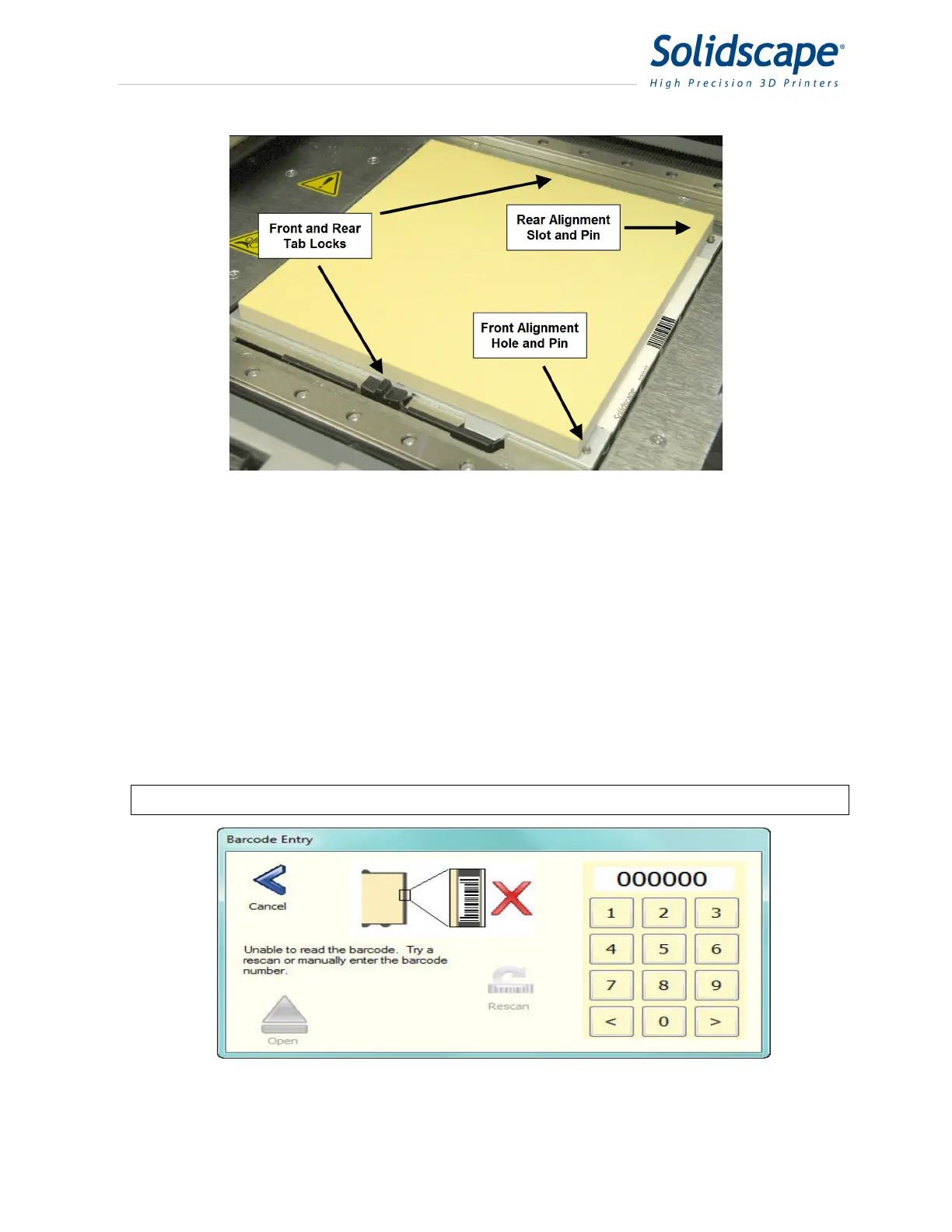
Figure 3-3 Build Plate Mounting
3.1.2 Build Plate Barcode
Each build plate has as unique barcode attached to the metal surface. The printer uses this
barcode to automatically identify and position the build plate for each print job. The barcode is
read by the camera and then the printer processes the information. If the plate is not recognized
because it is new to the printer, the printer will automatically print a series of dots and lines on
the surface and then use these dots and lines to cut the new plate to the proper height. The
printer will then remember this information for future print jobs. If the printer cannot read the
barcode due to the barcode being dirty or damaged, the printer will allow the user to enter the
plate number via a keypad display. See Figure 3-3 Build Plate Mounting and
Figure 3-4 Build Plate Barcode Keypad. Using the stylus, enter the barcode number located to
the left of the barcode.
Note: It is not recommended to use the same build plate on different printers.
Figure 3-4 Build Plate Barcode Keypad



 To Next Page