During Job Run
17
Chapter 4 – During Job Run
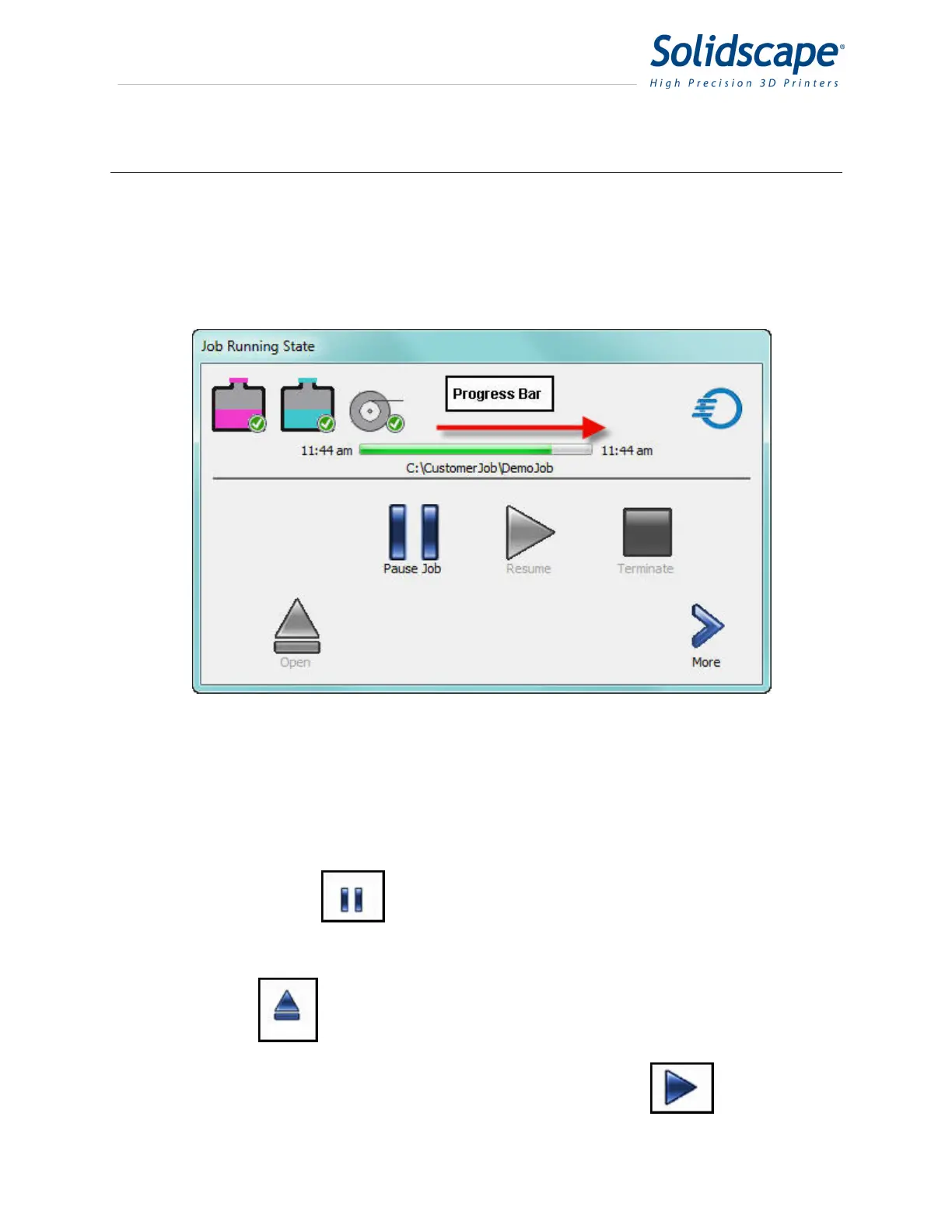
During the print job, the progress bar will move from left to right, indicating the progress of the
file and estimated completion time. See Figure 4-1 Job Printing
Figure 4-1 Job Printing
4.1 Pausing the Job
At any time you can select Pause Job to interrupt the printing by
touching the Pause icon. See figure 4-2 Job Paused. The carriage will return
to the park position.
While the printer is paused, there are several options available.
Touch the Open icon and the cover will unlatch and open. At this point all
carriage and table motions are disabled.
When you want to continue, close the cover and select the Resume Icon.



 To Next Page