System Overview
3
functions. Randomly selecting these functions without understanding what they do,
could render the system inoperable until these settings are correctly restored!
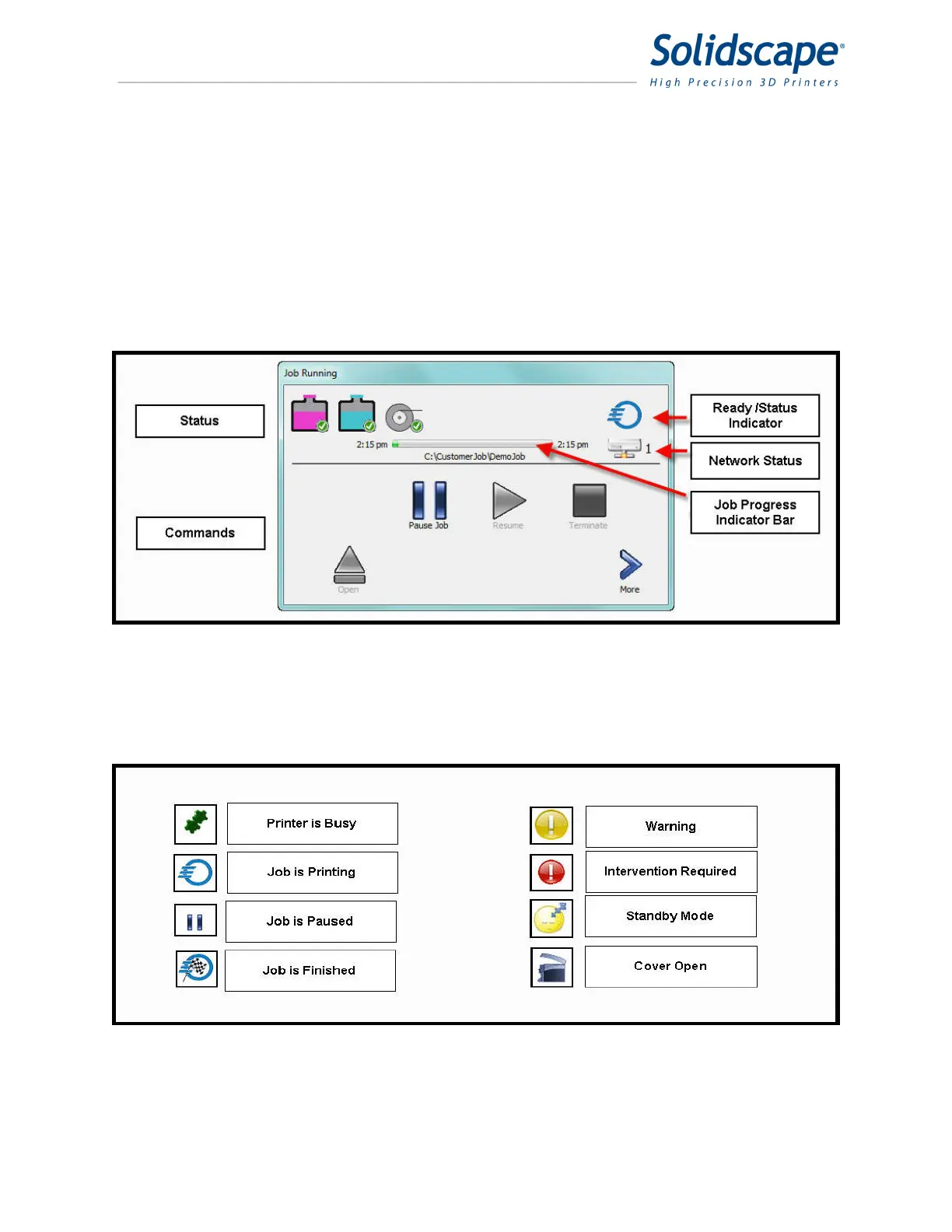
The touch panel is divided into 2 sections Status and Command. See Figure 1-4.The icons
above the black line indicate the status of user responsible consumables, the job progress
Indicator bar and the printer Ready/Status indicator. The icons below the black line are used for
initiating commands to the printer.
Figure 1-4 3Z Touch Panel
The Ready/Status Indicator shows the general status of the printer. The descriptions are
illustrated in Figure 1-5. Touching the Ready Status icon will reveal more detailed information if
available.
Figure 1-5 3Z Ready Status Indicator
There are 8 basic activity scenarios that the touch screen may be displaying depending on the
state of the printer. Within these scenarios there may be supporting displays that provide more



 To Next Page