Connecting the Printer 47
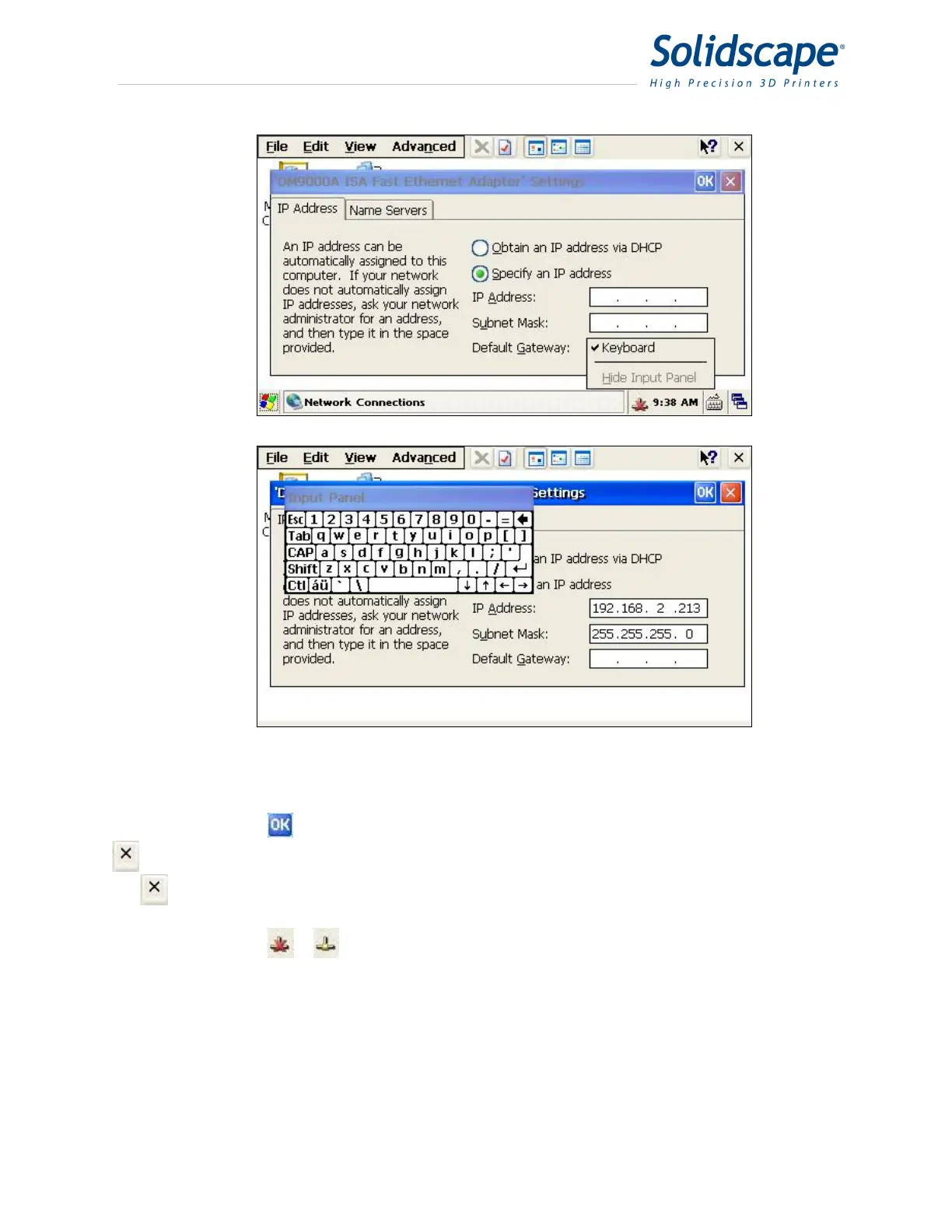
Figure 10-8 Entering the IP Address
Click on the
button to accept the values and close the settings window. Press the
button to close the Network Connections window. Close out any open windows by pressing
the
icon for that window.
Power the machine off and back on. The network connection icon in the status bar
should change from
to . This signifies that the machine is connected to the network.
10.7 Windows 7 Static IP Address Assignment
Click on the Windows 7 Start button and select “Control Panel”. In the control panel,
double click on the “Network and Sharing Center” icon.



 To Next Page