Replacing Consumables
22
Touch the Paper Test Icon to verify the paper is advancing properly.
6.2 Build and Support Materials
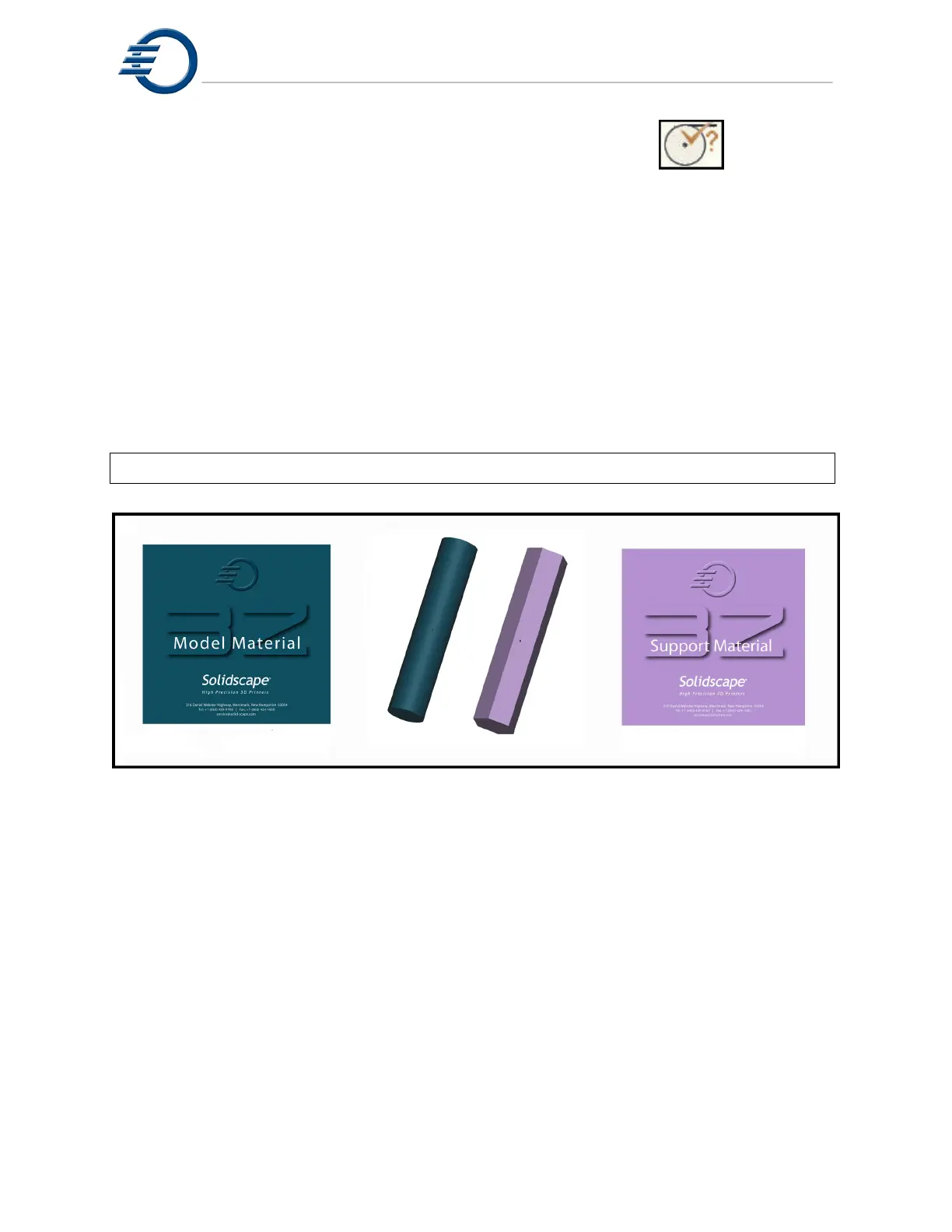
There are two materials used in the printing process. The build material (3Z Model) is the
thermoplastic that is used to construct the model. The support material (3Z Support) is a wax
that is used for supporting the model during printing. The support material is dissolved away
during the dewaxing process. Refer to chapter 11 for further information on dewaxing the
model. Both the build and support materials are manufactured into four inch long crayons.
Each material is constructed in a unique shape and color. The (3Z Model) crayon is a teal color
and is a round shape. The (3Z Support) crayon is a violet color and is a hexagon shape. See
Figure 6-2 Build and Support Materials. The printer holds between 4 and 5 crayons for each
material. The crayons are supplied in a box of 10. The box will also contain 10 peel and stick
bar code strips used to verify that the material was manufactured by Solidscape.
Note: Every time a crayon is added, a barcode must be scanned into the printer.
Figure 6-2 Build and Support Materials
The amount of material in the reservoir is displayed on the touch panel. The amount of material
displayed will be dependent on whether a file is loaded or not. For example, the display will
display the current material available but will change to (+X crayon(s) needed) if the printer
requires this amount to complete the print job that has just been loaded. During the printing
process, the display will adjust to show the current amount of material available. If the level
drops to a point where 1 crayon can be added, the reservoir icon and the ready/status indicator
will change. If the level drops to a lower critical level, the Ready/Status indicator will change to
intervention and the printer will pause.



 To Next Page