Replacing Consumables
21
Chapter 6 – Replacing Consumables
6.1 Paper Tape
When the paper tape roll reaches a low level, the status of the paper tape icon will
change to a yellow Warning state. At this time the paper tape roll should be
changed as soon as possible. If the printer is running, pause the job and open the
top and right side covers before proceeding.
Touch the Paper tape icon to display the Paper Move icon.
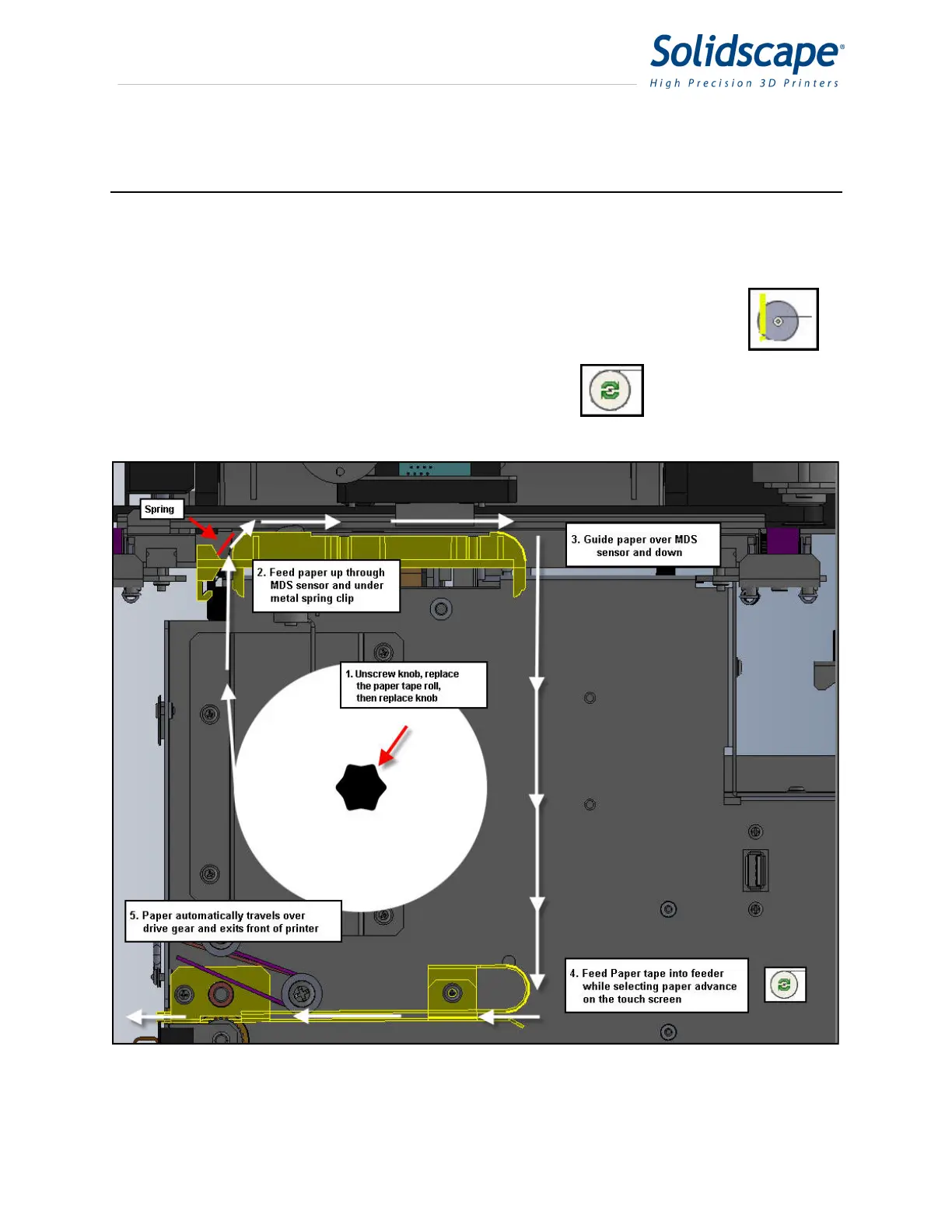
Replace the paper tape roll as shown in Figure 6-1 Paper Tape Loading.
Figure 6-1 Paper Tape Loading



 To Next Page