Connecting the Printer
50
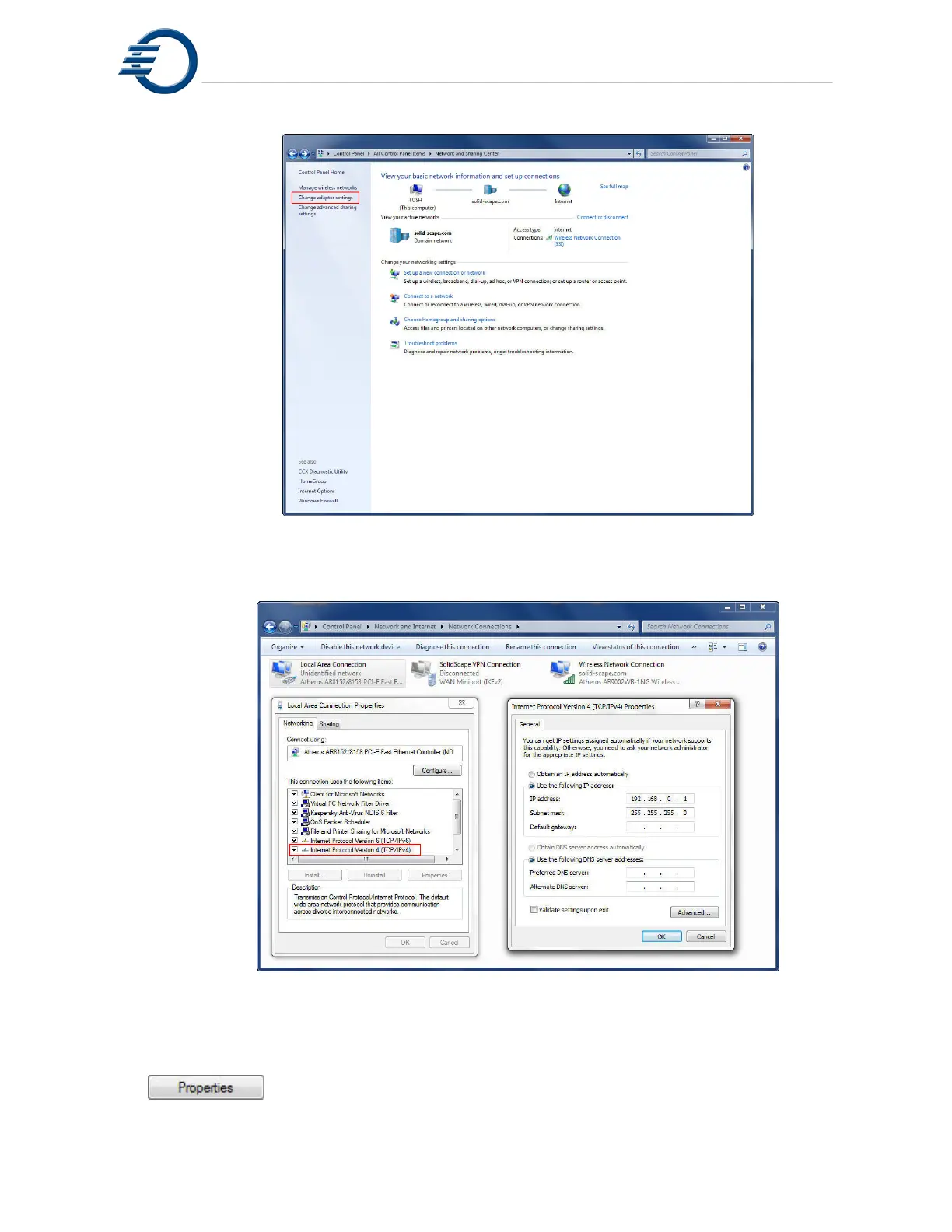
Figure 10-11 Windows 7 Network and Sharing Center
Figure 10-12 Windows 7 Network Connections
In the Network Connections window, right click on the “Local Area Connection” icon and
select “Properties”, this will open the “Local Area Connection Properties” window. In the Local
Area Connection Properties window, select “Internet Protocol Version 4 (TCP/IPv4)” and click
the
button. This will open the “Internet Protocol Version 4 (TCP/IPv4)
Properties” window. In the Internet Protocol Version 4 (TCP/IPv4) Properties window, use the



 To Next Page