Version 5.2 Sourcefire 3D System Installation Guide 65
Installing a Sourcefire 3D System Appliance
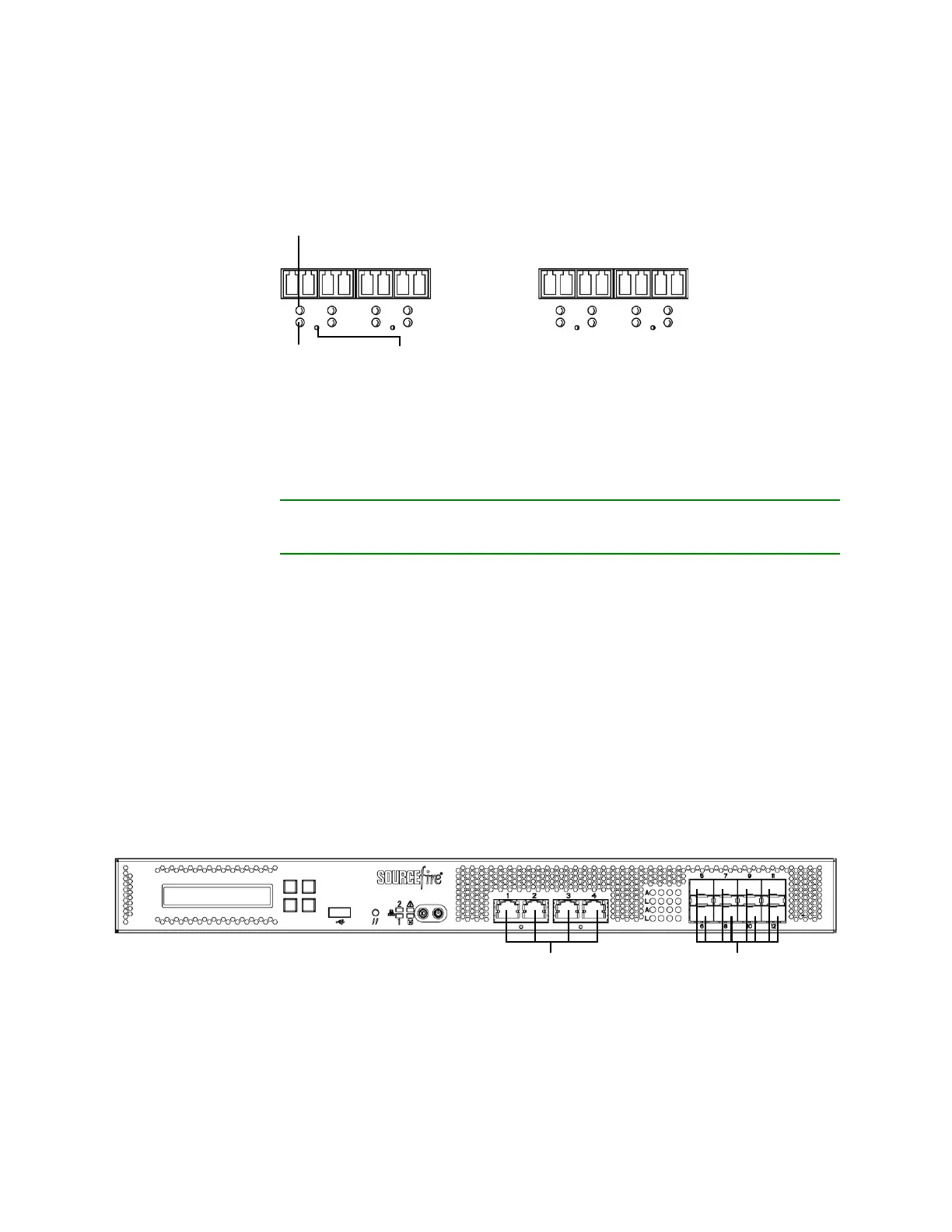
Identifying the Sensing Interfaces
Chapter 3
Eight-Port 1000BASE-SX Fiber Configurable Bypass
The eight-port 1000BASE-SX fiber configurable bypass configuration uses LC-type
(Local Connector) optical transceivers.
You can use these connections to passively monitor up to eight separate network
segments. You can also use paired interfaces in inline or inline with bypass mode
to deploy the device as an intrusion prevention system on up to four networks.
TIP! For best performance, use the interface sets consecutively. If you skip any
interfaces, you may experience degraded performance.
If you want to take advantage of the device’s automatic bypass capability, you
must connect either the two interfaces on the left or the two interfaces on the
right to a network segment. Automatic bypass capability allows traffic to flow
even if the device fails or loses power. After you cable the interfaces, you use the
web interface to configure a pair of interfaces as an inline set and enable bypass
mode on the inline set.
3D7115/7125
The 3D7115 and 3D7125 devices are delivered with four-port copper interfaces
with configurable bypass capability, and eight hot-swappable small form-factor
pluggable (SFP) ports without bypass capability. The following illustration of the
front of the chassis indicates the location of the sensing interfaces.
3D7115/7125 Copper and SFP Interfaces
Link LED
Activity LED
Bypass LED
Copper Sensing Interfaces
SFP Sockets



 To Next Page