Version 5.2 Sourcefire 3D System Installation Guide 71
Installing a Sourcefire 3D System Appliance
Identifying the Sensing Interfaces
Chapter 3
Dual-Port 40GBASE-SR4 Fiber Configurable Bypass NetMod
The dual-port 40GBASE-SR4 fiber configurable bypass configuration uses MPO
(Multiple-Fiber Push On) connector optical transceivers.
You can use the 40G NetMod only in the 3D8270/8290 or a 40G-capable
3D8250/8260. If you attempt to create a 40G interface on a device that is not
40G-capable, the 40G interface screen on its managing Defense Center web
interface displays red. A 40G-capable device displays “3D 8250-40G” on the LCD
Panel.
You can use this configuration to passively monitor up to two separate network
segments. You also can use the paired interface in inline or inline with bypass
mode, which allows you to deploy the device as an intrusion prevention system
on one network.
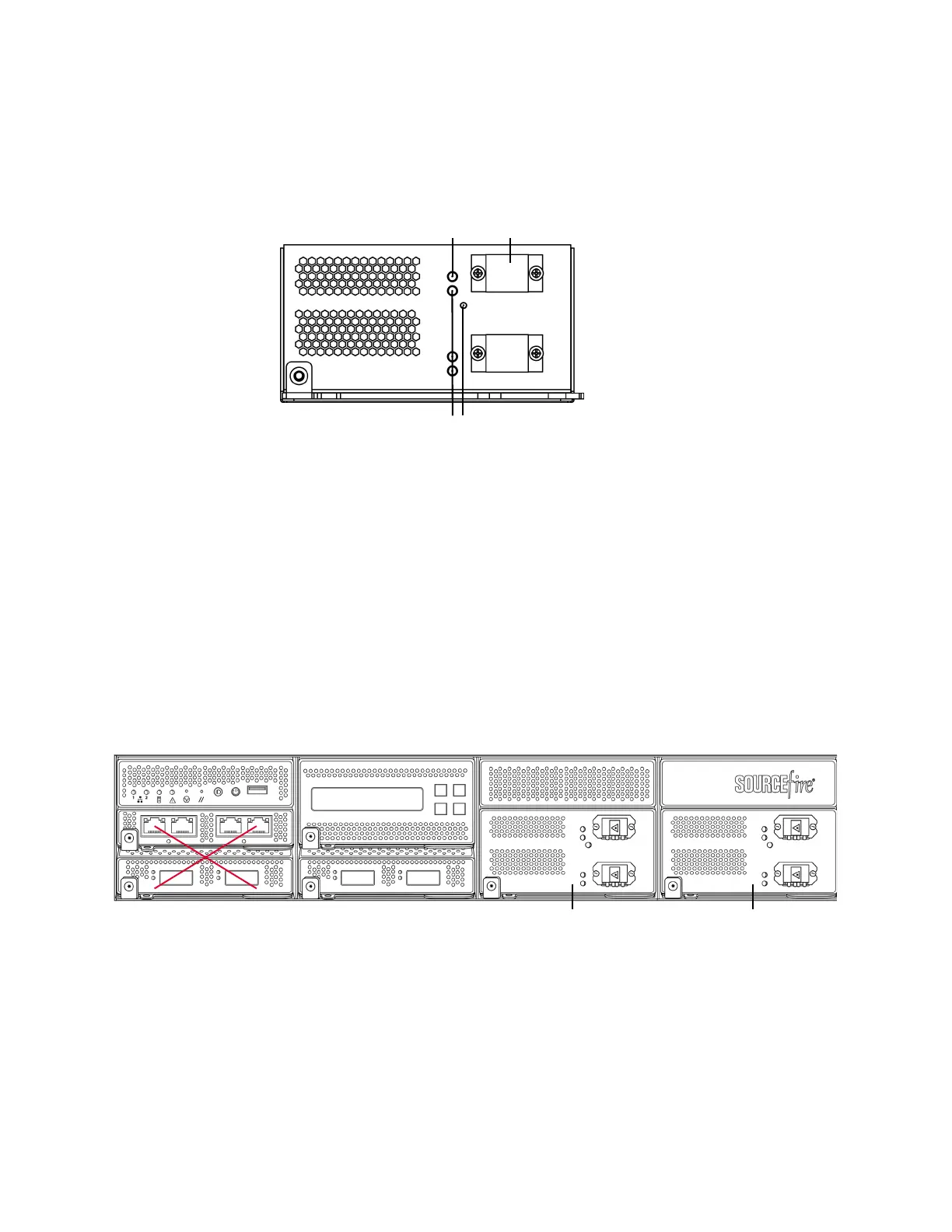
You can use up to two 40G NetMods. Install the first 40G NetMod in slots 3 and 7,
and the second in slots 2 and 6. You cannot use a 40G NetMod in slots 1 and 4.
40G NetMod Placement
If you want to take advantage of a device’s automatic bypass capability, you must
use the web interface to configure a pair of interfaces as an inline set and enable
bypass mode on the inline set.
Link LED
Activity LED
Bypass LED
Port
Second 40G NetMod First 40G NetModNot Available for 40G NetMod



 To Next Page