Operating the Inverter 4-13
605C Frequency Inverter
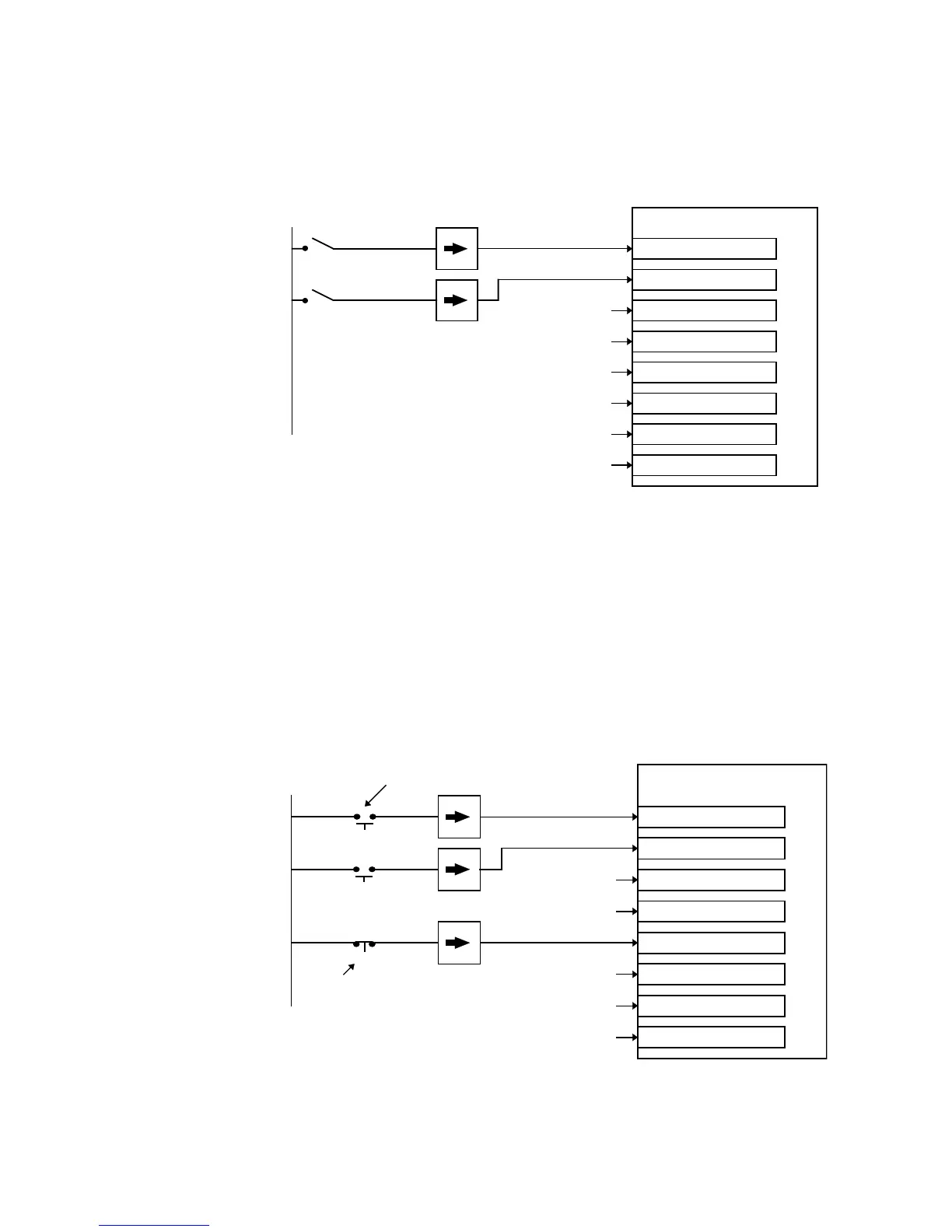
Two Wire Logic Starting
This is an alternative to the default configuration. The Inverter can operate in forward and
reverse depending upon which switch is closed. If both RUN FWD and RUN REV are TRUE
at the same time, both are ignored and the Inverter will stop.
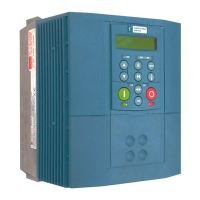
Three Wire Logic Starting
In this example the /STOP parameter is held inactive using a digital input. In this situation the
RUN FWD and RUN REV signals are latched.
For example, setting RUN FWD to TRUE temporarily, (> 100ms), by closing the push button
switch causes the Inverter to start running. The Inverter continues running when the push button
contact is released causing RUN FWD to return to FALSE. While the Inverter is running
forwards, the RUN REV parameter is ignored until the Inverter is stopped, even though the
RUN FWD signal is now FALSE.
The JOG parameter is never latched in this way. The Inverter only jogs while the JOG
parameter is TRUE.
Sequencing Logic
RUN FWD
REMOTE REVERSE
JOG
RUN REV
/STOP
/FAST STOP
/COAST STOP
DRIVE ENABLE
FALSE
TRUE
TRUE
TRUE
24V
FALSE
FALSE
Figure 4-16 Two Wire Sequencing example
Sequencing Logic
RUN FWD
REMOTE REVERSE
JOG
RUN REV
/STOP
/FAST STOP
/COAST STOP
DRIVE ENABLE
FALSE
TRUE
TRUE
TRUE
24V
FALSE


 To Next Page