5-4 The Operator Station
605C Frequency Inverter
The Menu System
The menu system is divided into a `tree’ structure with 5 menu levels. Menu Level 1 is at the top
of the tree. Parameters contained in Menu Level 1 are the most frequently used, as you descend
the menu levels the parameters are less frequently used.
The Operator Station has selectable “viewing levels” which can restrict the view of the menu
system, refer to “Menu Viewing Levels”, page 5-11.
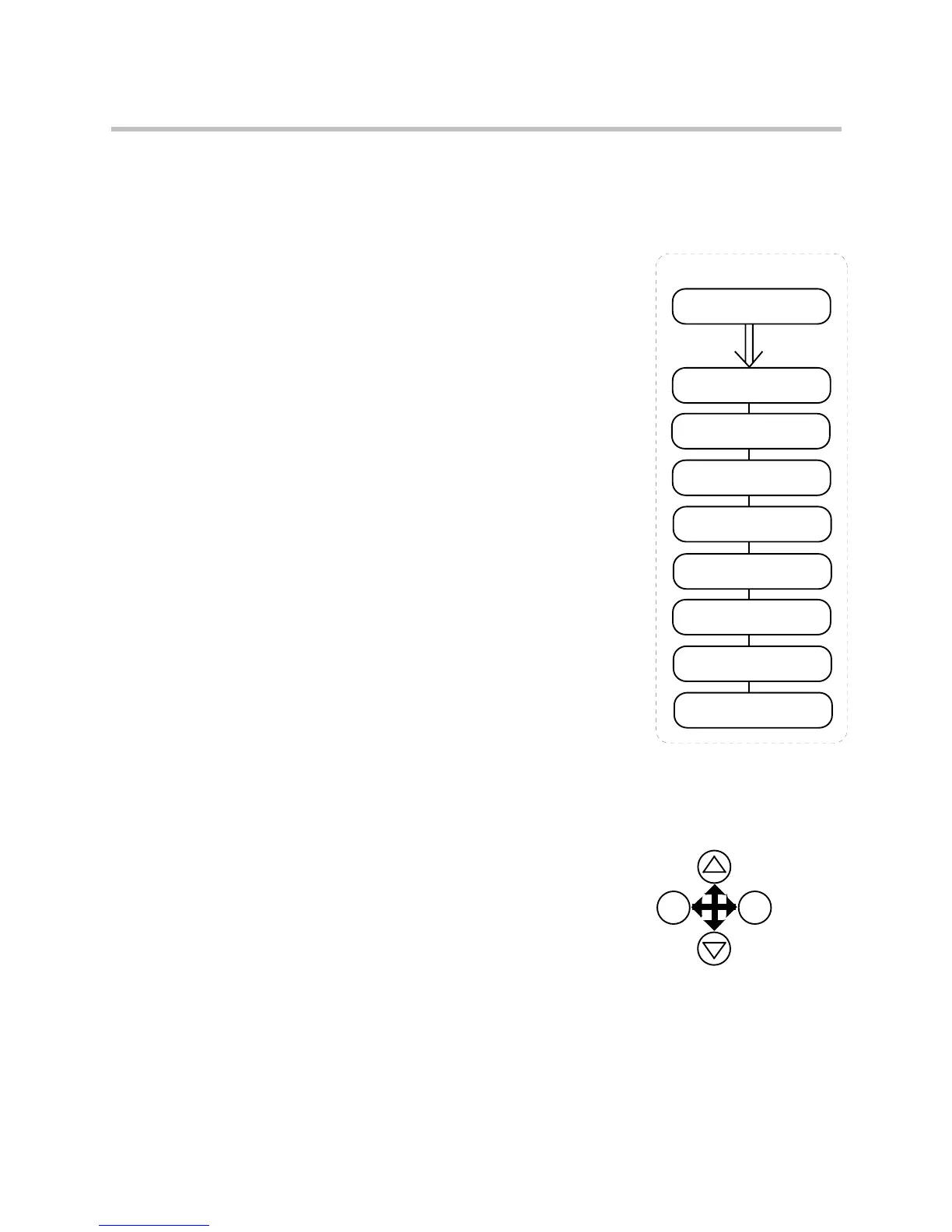
Below is a simple description of the menus at Menu Level 1:
• OPERATOR: a view of selected parameters contained in
the FUNCTION BLOCKS menu. You can customise the
Operator menu to create a working list of parameters for
operating your Inverter.
• DIAGNOSTICS: a view of important diagnostic
parameters contained in the FUNCTION BLOCKS menu.
• SETUP PARAMETERS: contains all the function block
parameters for programming your application, including
parameters for tuning the Inverter.
• PASSWORD: a view of important Password parameters
contained in the FUNCTION BLOCKS menu.
• TRIPS STATUS: a view of the trip diagnostic parameters
contained in the FUNCTION BLOCKS menu.
• MENUS: a view of parameters contained in the
FUNCTION BLOCKS menu for setting-up the Operator
Station display.
• PARAMETER SAVE: Save the application.
• SYSTEM: Macro selection and enter/exit Configuration
Mode.
Figure 5-1 The Menu System showing Menus at Level 1
Navigating the Menu System
On power-up, the Operator Station defaults into the OPERATOR menu, timing out from the
Welcome screen. You can skip the timeout by pressing the M key immediately after power-up
which will take you directly to the OPERATOR menu.
The menu system can be thought of as map which
is navigated using the four keys shown opposite.
Keys E and M navigate through the menu levels.
The up (∆) and down (∇) keys scroll through the
Menu and Parameter lists.
Refer to “The Menu System Map” to see how the
menu is mapped.
HINT: Remember that because the Menu and Parameter lists are looped, the ∆ key can
quickly move you to the last Menu or Parameter in the loop.
WELCOME SCREEN
OPERATOR
The Menu System
timeout
from
power-up
DIAGNOSTICS
SETUP PARAMETERS
PASSWORD
TRIPS STATUS
MENUS
PARAMETER SAVE
SYSTEM
menu at level 1
menu at level 1
menu at level 1
menu at level 1
menu at level 1
menu at level 1
menu at level 1
menu at level 1
scro


 To Next Page