5-6 The Operator Station
605C Frequency Inverter
Changing a Parameter Value
Refer back to “The Menu System Map” to see how
the menu is mapped.
Each menu contains parameters.
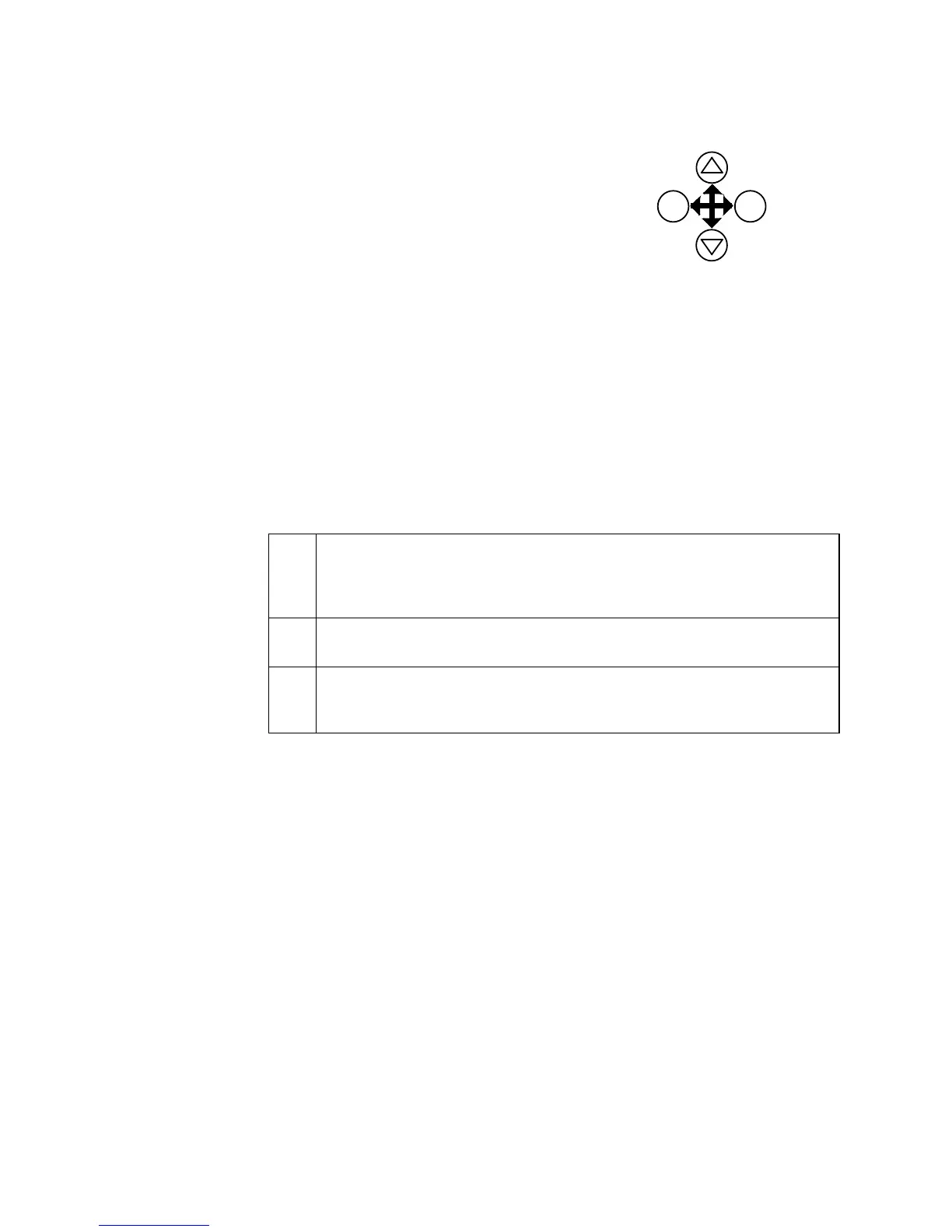
With the Parameter you want on view, press M to
begin editing.
The up (∆) and down (∇) keys will now change the
parameter/function value.
Press E to finish editing.
The four keys will once again navigate around the Menus. Refer back to “Navigating the Menu
System”, page 5-4.
Note: When viewing a “number” value, i.e. 100.00%, pressing the M key moves the cursor
along the number for editing of that character by the up (
∆
) and down (
∇
) keys.
“Alphanumeric” values, i.e. PUMP 2, are produced and edited in a similar way.
What do the Symbols mean next to some Parameters?
Parameter Status Information → ← =
→ Pressing M in a parameter displays → on the left of the bottom line to indicate
that the up and down keys will now change parameter values. Pressing E
removes the symbol and reverts the up and down keys to scrolling through the
parameters.
←
A writable parameter may be non-writable if it is the destination of a link. In
this case it will be indicated by
← appearing on the left of the bottom line.
= Non-writable parameters are identified by = appearing on the left of the
bottom line.
Note that some parameters become non-writable when the Inverter is running.
Expanded Menu Information >>
The parameters listed below are followed by >> to the right of the bottom display line indicating
that there is more information. Press the M key to display a further list of parameters.
AUTO RESTART menu at level 4: AR TRIGGERS 1, AR TRIGGERS+ 1, AR TRIGGERS 2
AR TRIGGERS+ 2
TRIPS STATUS menu at level 4: DISABLED TRIPS, DISABLED TRIPS+,
ACTIVE TRIPS, ACTIVE TRIPS+,
TRIP WARNINGS, TRIP WARNINGS+
OP STATION menu at level 4: ENABLED KEYS
increment
decrement
parameter
change
exit
parameter
change
EDITING PARAMETERS
E
M
enter


 To Next Page