Serial Communications 14-1
605C Frequency Inverter
14 SERIAL COMMUNICATIONS
Communications Technology Option
The plug-in COMMS Technology Option provides a serial data port, allowing Inverters to be
linked to form a network. Using a PLC/SCADA or other intelligent device, this network can be
continuously controlled to provide supervision and monitoring for each Inverter in the system.
Refer to the Communications Interface Technical Manual for further details.
ConfigEd Lite
This is SSD Drives’ Windows-based block programming software. It has a graphical user-
interface and drawing tools to allow you to create block programming diagrams quickly and
easily. Contact your local SSD Drives sales office.
Connection to the P3 Port
There are two P3 ports; one is on the front of the unit (used by the fixed Operator Station), and
the second is on the Control Board.
Using the P3 port on the Inverter, parameters can be monitored and updated by a suitable PC
programming tool.
The port is an un-isolated RS232, 19200 Baud, supporting the standard EI bisynch ASCII
communications protocol. Contact SSD Drives for further information.
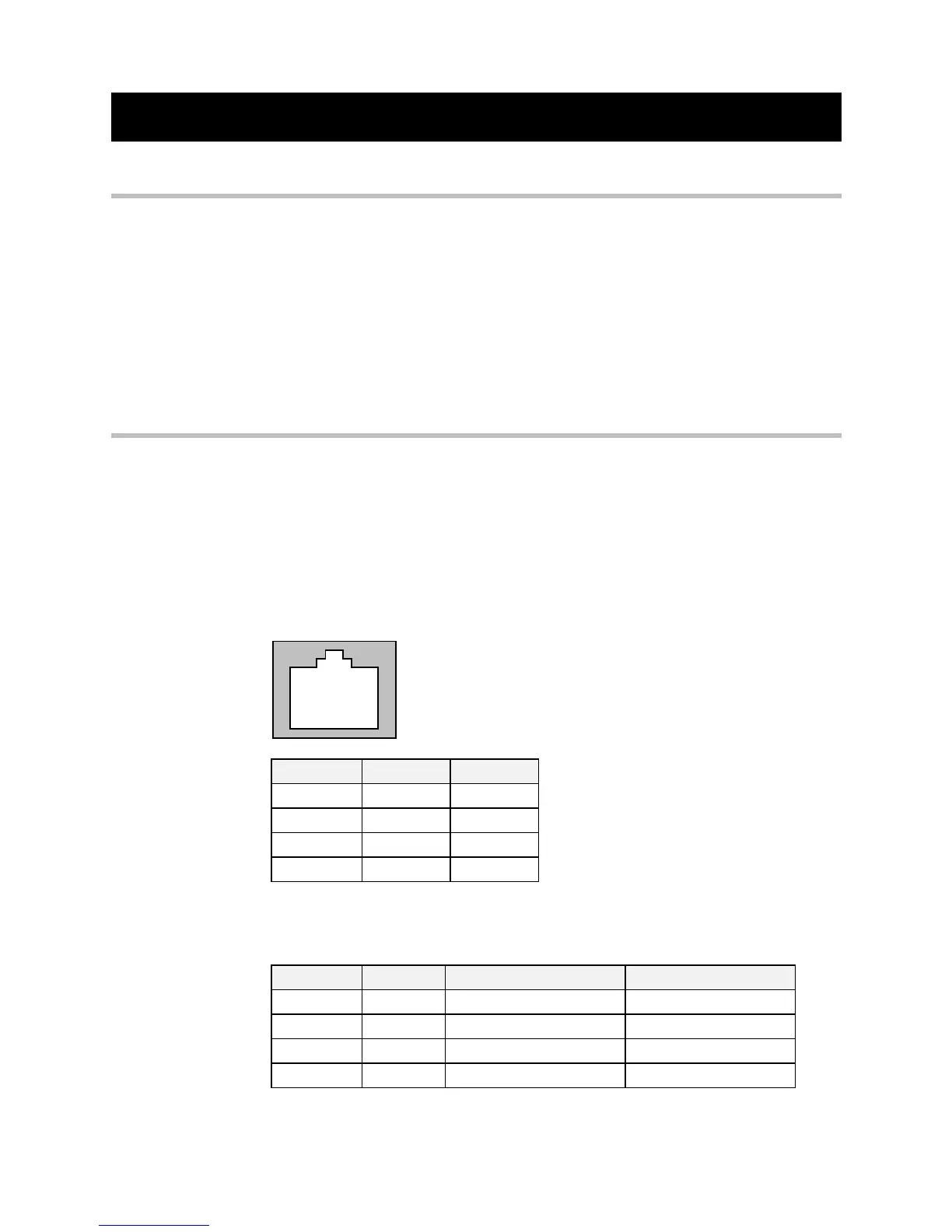
P3 Port
A standard P3 lead is used to connect to the Inverter.
1 2 3 4
P3 Port Pin Lead Signal
1Black0V
2Red5V
3 Green TX
4 Yellow RX
6-Way Lead to DB9/DB25 Connector
Note: There is 5V present on pin 2 of the P3 port - do not connect this to your PC.
P3 Port Pin Lead Female DB9 Pin Female DB25 Pin
1Black5 7
2 Red not connected not connected
3 Green 2 3
4 Yellow 3 2


 To Next Page