3 Overview
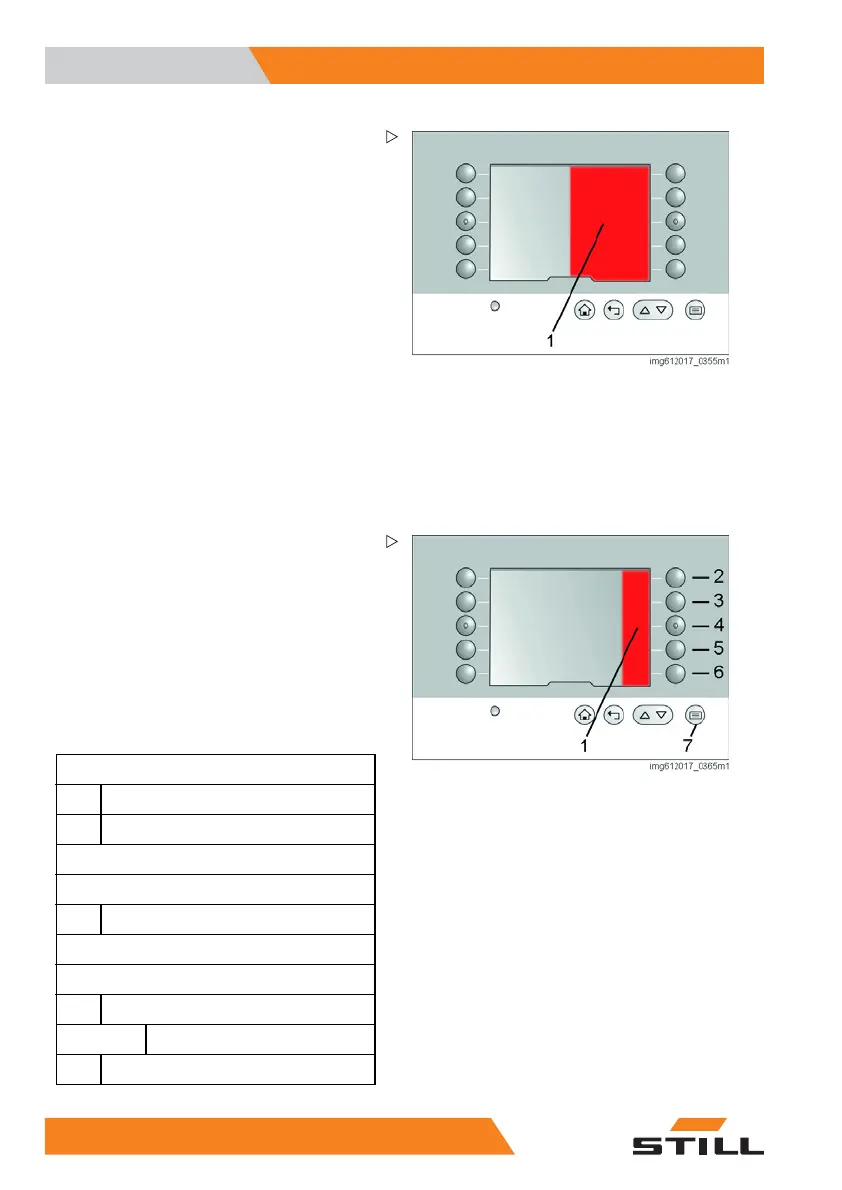
Operating display
Half of the display can be occupied by a mes-
sage window (1). This window is automati-
cally inserted from the right-hand side. The
information which was previously displayed
centrally is then shown in the left-hand section
of the display. The elements may sometimes
overlap.
This message window has various content:
• Messages relevant to operat
ion
• Messages with error numbers
• Target position (drive order) and actual
position for navigation
If the settings are modified
, a special form of
the message window appear
s. This message
informs you that the chang
ed settings are
being saved. An acoustic s
ignal accompanies
the display of this messag
e. The message
disappears after four sec
onds.
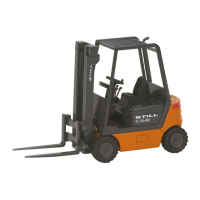
Menu structure
The ten membrane switches can be freely
configured to display your favourite functions
on the main page. As soon as the button (7)
is actuated, the menu bar (1) opens. From
this point the structure is always the same.
There is also no change to structure when you
select a different language. The symbols also
remain the same.
The menu levels are as follows:
Industrial truck (2)
Power-saving feature
Navigation
Lighting (3)
Life height preselection (4)
Used lift heights
Fans (5)
Settings (6)
Truck information
Production number
Display settings
32 5
231 804 2502 EN - 11/2017


 To Next Page