Overview 3
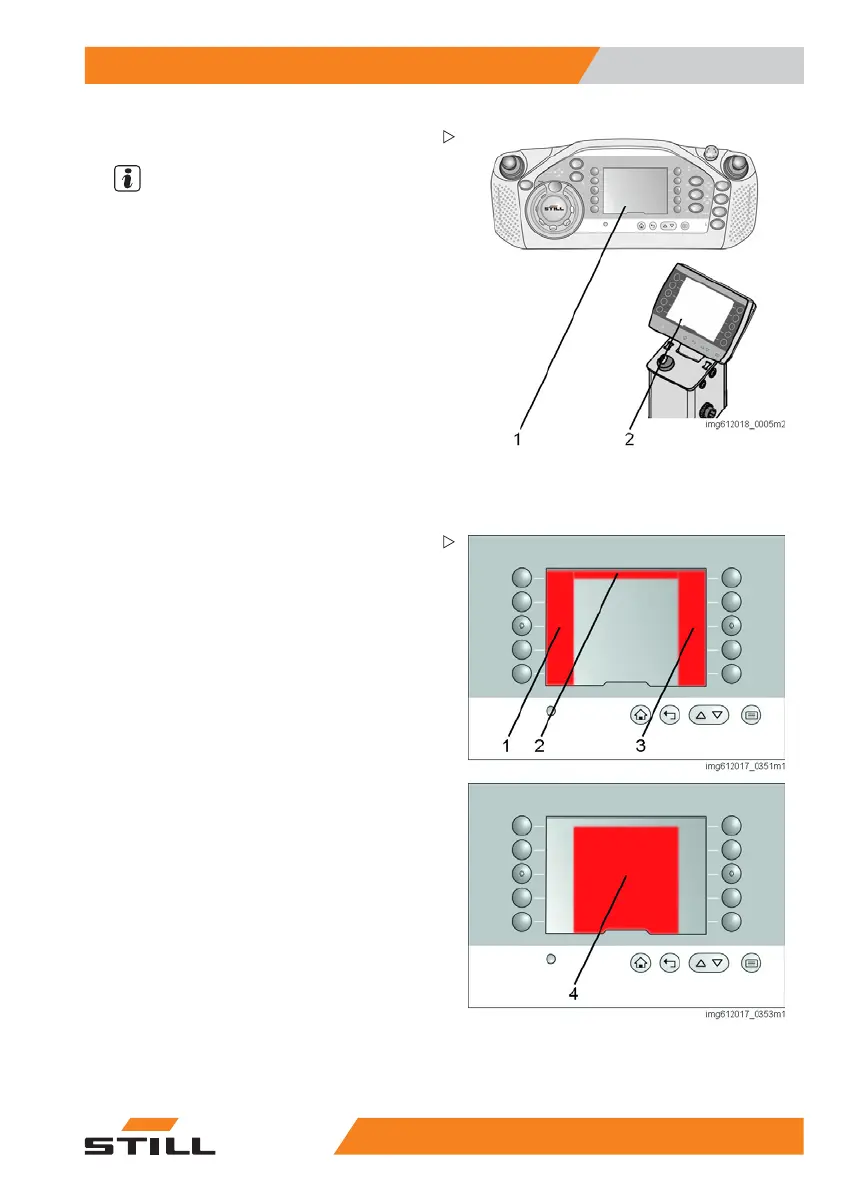
Operating display
1 Display in the ope
rating panel
2 Display in the ca
se of split operation
Operating display
NOTE
To emphasise the functionality, the following
images have been simplified.
Function
Operating statuses and information relevant
for operation are shown on the display. Using
the display, it may be possible to switch
functions on and off or to switch between
defined statuses.
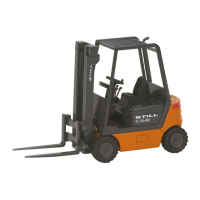
The display is presented in colour and is
graphical. The content is divided into four
parts:
• Left-hand menu bar (1)
• Right-hand
menu bar (3)
• Top status bar (2)
• Central information area (4)
523
1 804 2502 EN - 11/2017 31


 To Next Page