106
➊
➋
➌
➍
➎
➏
➊
➋
➌
➎
EN/06.2019/G57 © STULZ GmbH – all rights reserved
C7000 INSTRUCTIONS fOR A/C UNITS
The corresponding commands:
Statistics
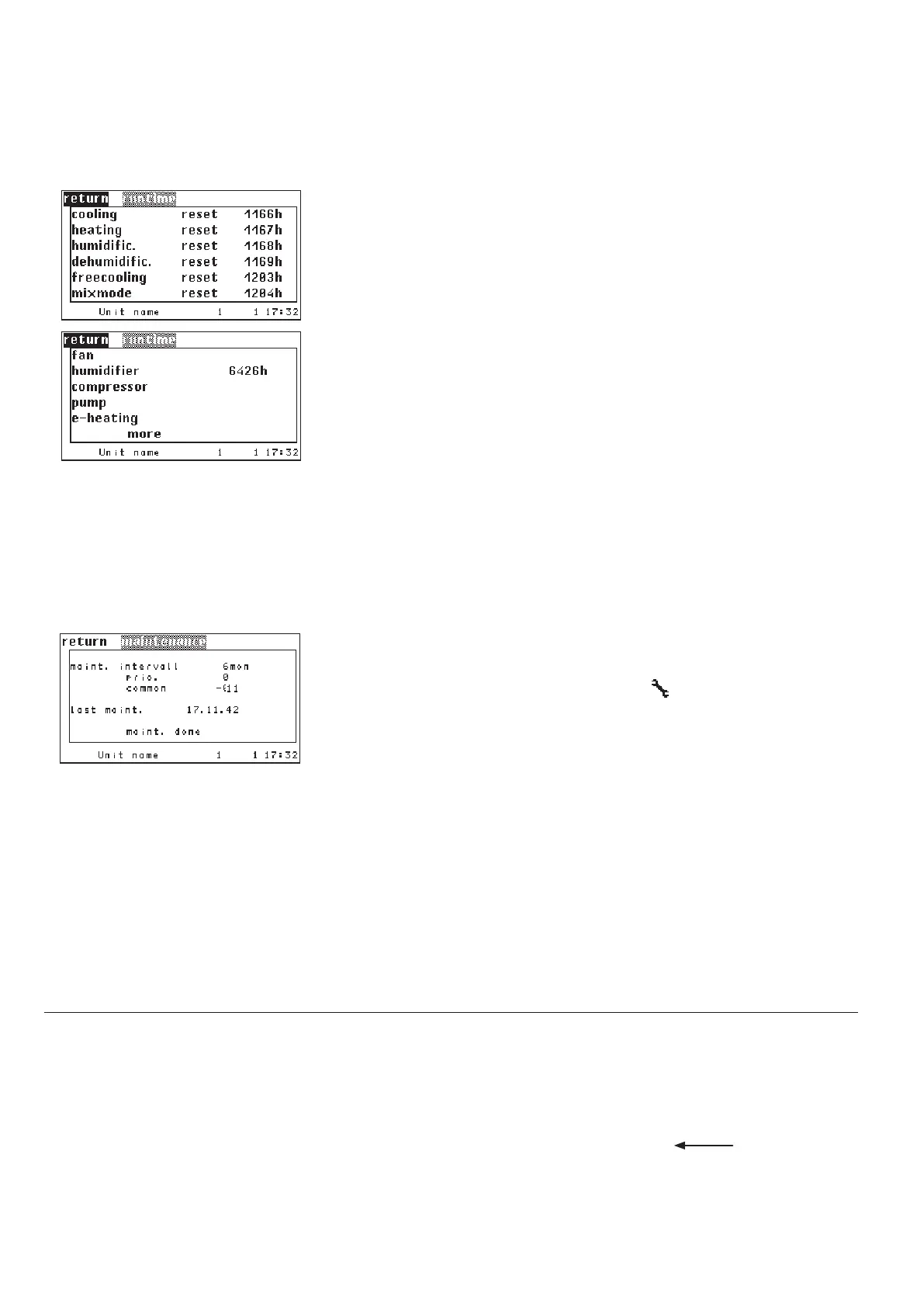
Runtime
This summary of runtimes exists only for the C7000AT. Being an exact copy of
the homonymous branch in the Info menu, the Config runtime menus provide
the possibility to reset the runtimes.
In contrast to the C7000IOC, you can reset the runtimes of the global unit
functions in the C7000AT.
Handling:
1. select function (cooling, heating, etc.) by the selector key.
2. confirm by the OK key.
3. the cursor is now in the middle column on a case which indicates "return". By
the selector key you can choose between the options "reset" and "return".
4. confim selected function by the OK-key.
At the command level it is possible to set the
runtime manually.
When you change the controller you can con-
tinue the runtimes this way and set the past
runtimes in the new controller.
In order to reset a runtime set runtime to "0".
Statistics
Maintenance
This functionality helps you to maintain the A/C unit in a good condition by
monitoring the service intervals.
In case the service interval is expired the symbol
is displayed in the stan-
dard window.
In the first line you enter the service interval you consider as suitable. Possible
values are 024 months, with 0 months you avoid the monitoring
➊.
In the second line you can assign the maintenance alarm to an alarm relay
➋.
If a maintenance alarms occurs, it is displayed when the internal IOC clock dis-
plays 8:00 AM.
In the third line you can set, whether the maintenance alarm shall trigger a
common alarm
➌ (1-yes, 0-no).
If you are on the field "MAINT. DONE" and you press the OK-key, you confirm
the executed maintenance
➎. The controller then sets the actual date in the
fourth line and saves it.
By "1" you con-
firm the executed
maintenance.
comp 1 runtime 4100
fan 1 runtime 0
eheat 1 runtime 0
pump 1 runtime 0
humi 1 runtime 0
drycool 1 runtime 0
service int 4
service alarmprio 4
service commonalarm 1
service 1
Config



 To Next Page