107
➊
➋
➌
➍
➎
➏
© STULZ GmbH – all rights reserved EN/06.2019/G57
C7000 INSTRUCTIONS fOR a/C UNITS
The corresponding commands:
0: none
1: SDC/MIB (WIB8000)
2: Modbus
0: none
1: Classic
2: Full
3: Custom
Explanation of menu items see page 12.
System/...
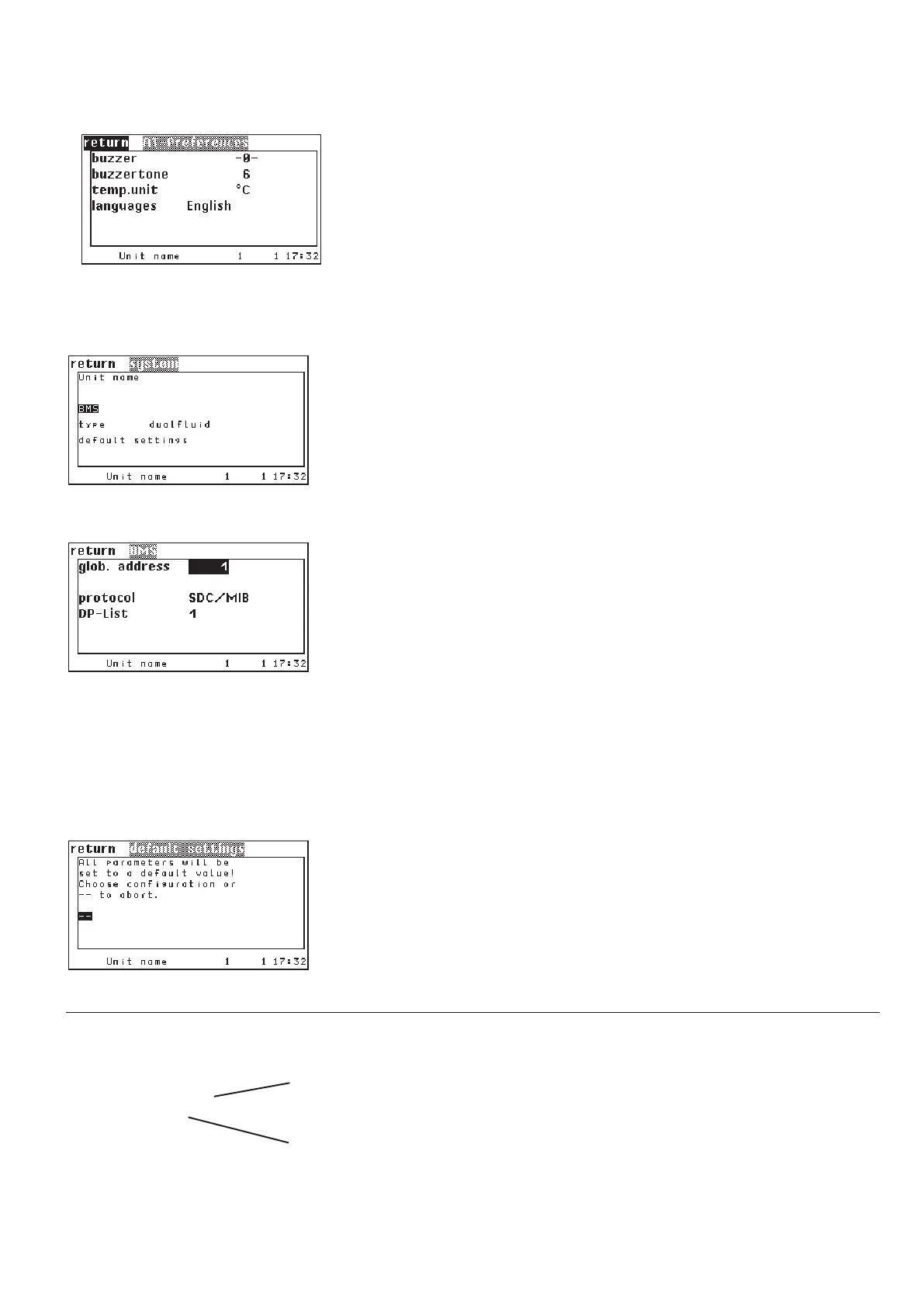
In the first menu line you can enter a unit name
➎ with up to 16 characters. A
system name with up to 16 characters can only be entered by a command
➏.
A unit or system name may not contain blanks.
In the third line the unit type which you can set in the submenu "Default setting"
is displayed. Several pre-configurations for several unit types are stored in the
I/O controller.
In this menu in the first line you can set the global address
➊ of the A/C unit.
This address serves to identify the unit within a BMS.
In the second line you can adjust the protocol
➋ for the communication with a
BMS.
In the third line you can select the data point list
➌ in case the protocol "Mod-
bus" is adjusted.
By the following command, you can enter a time in seconds, that indicates, how
long sensor values supplied by a BMS are valid for the control. After the time
has elapsed without a write command by the BMS, the BMS sensor values get
invalid.
bms time 240
The default setting is 0s and means that the BMS sensor values remain valid
without a time limit.
By selecting a pre-configuration
➍ the settings which are specified for the unit
type come into effect. These settings are shown in the table in chapter 11.1.
The configuration for customer specific data point lists can contain
256 entries.
globaddr 233
protocol 1
dplist 1
loaddefault
unitname text xxxxxx
systemname text xxxxxx
.../BMS
.../Default setting
Config
Operate
System



 To Next Page