122
FC EFC MIX
DX
*
➊
➋
➌
EN/06.2019/G57 © STULZ GmbH – all rights reserved
C7000 INSTRUCTIONS fOR a/C UNITS
To allow the Ecocool control to start from a stable condition (room
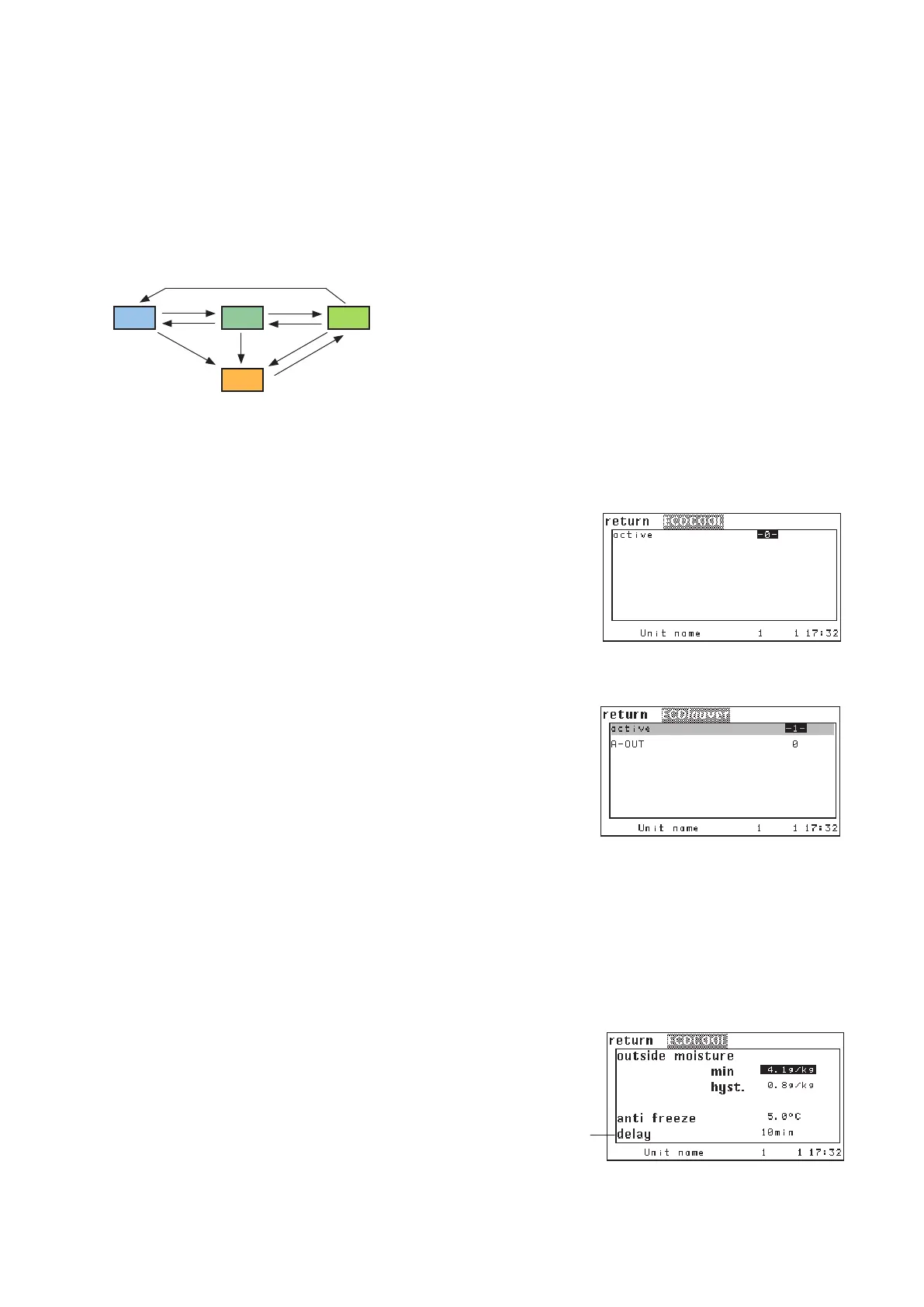
temperature is near the setpoint), you can set a delay
➌ to the unit
start in the bottom line of the menu at the end of this page. After the
delay (during which the unit is in DX/CW mode) has elapsed, free
cooling can be enabled according to the conditions listed on the next
page.
* in A/C units with a compressor the MIX
mode can directly commute to the FC
mode, if the compressor stop tempera-
ture is below the setpoint.
Activation
By setting the parameter "ACTIVE"
➊ on 1 you acitvate the Ecocool
function. By this, an ECO louver system is configured automatically.
By "0" you deactivate the Ecocool function.
With the parameter "AOUT"
➋ you determine an analog output for
the ECO-louvers.
With the activation of the Ecocool function the ECO louver system
control is activated, the standard fan control is modified and the
compressor resp. the CW valve is additionally controlled by an enab-
ling process.
The Ecocool function is subdivided into the four operating modes FC, EFC, MIX and DX. The diagram displays
the possible commutations between the operating modes, the conditions for a commutation are described on
the following pages.
eco conf 1
eco lv aout 11
eco delay 10
Config
.../Components/cooling/
ECOlouver
.../Values/ECOCOOL
.../Values/ECOCOOL/more
Operate



 To Next Page