17 © STULZ GmbH – all rights reserved EN/06.2019/G57
C7000 INSTRUCTIONS FOR A/C UNITS
The info- and control menus display only the components, sensors, unit and auxiliairy alarms, which are con-
figured in the config menu. This concerns the selection menus also. If e.g. no heating is configured the menu
item "heating" in the menus "Info/components" and "Control/components" does not appear. If no zone is
configured, this menu item is omitted in the menus "Info" and "Control". The runtime menus are reduced corre-
spondingly under "Info/statistics/runtimes".
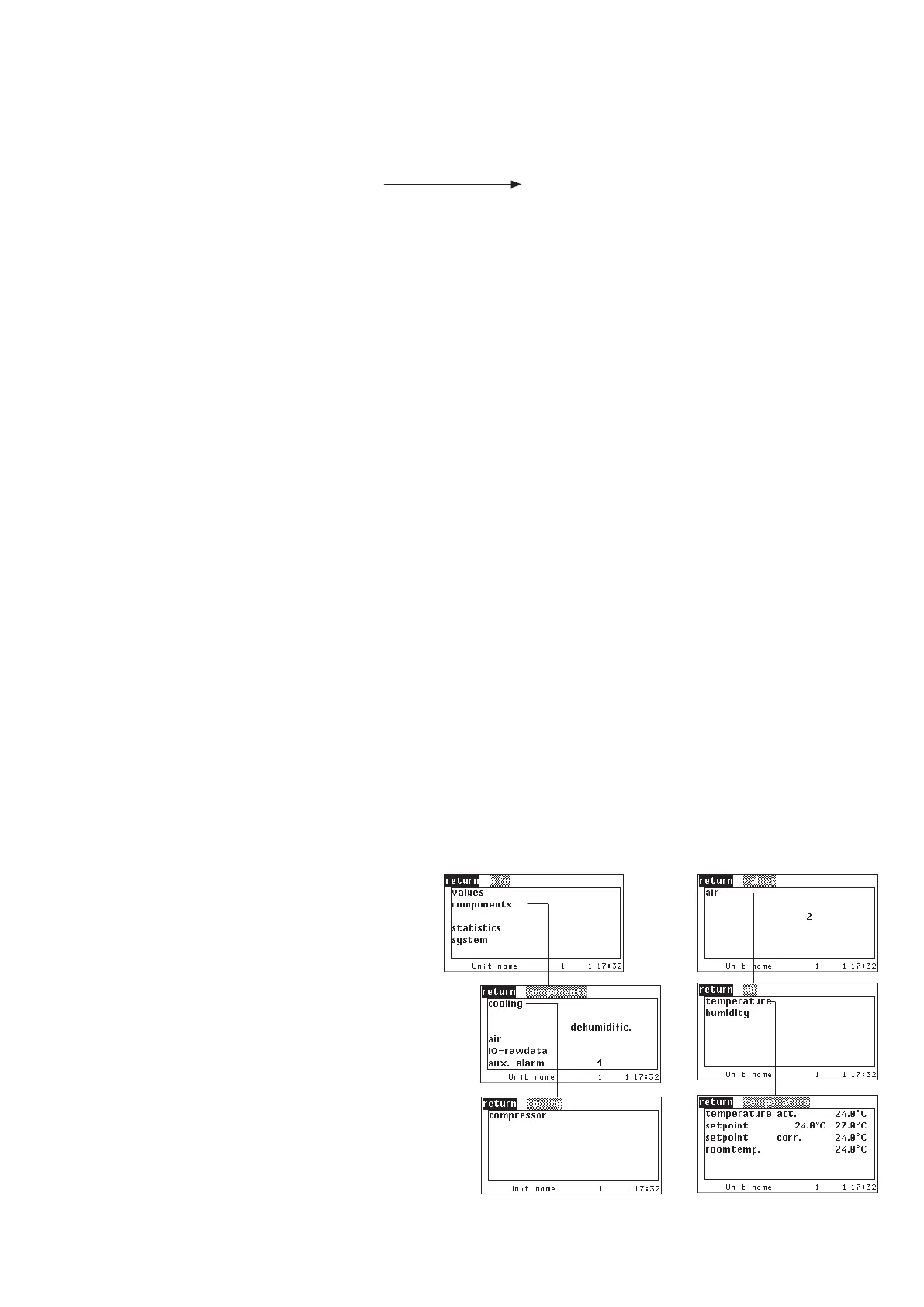
The Info menus for an A/C unit, version
A equipped with a room air T/H sensor
and one auxiliairy alarm, which does not
belong to a zone, reduce themselves as
shown beside.
Further on in this manual, the menus
appear in full view so that all menu items
can be explained.
Indication in the Info- and Control menus depending on configuration
As the C7000AT menu structure takes into account the requirements of different unit types, there are many
menus which are relevant only for special applications.
1. Chiller -
2. DFC control -
3. DFC² control -
4. CyberSonic -
When chiller specific menu items appear, they are faded out by a grey background in this
manual. For the chiller software a separate manual (Index G57D) exists.
Specific menu items are designated but not described in detail. For DFC control a sepa-
rate manual (G57B) exists.
The relevant menu items are mostly located in separate menus (named AE control), which
are not displayed here. When specific menu items appear, they are faded out by a grey
background in this manual. For DFC² control a separate manual (Index G17A, 18AA)
exists.
A detailed description can be found in the CyberSonic manual (Index G85).
005. CPP: commutation in case of flow alarm
006. ACT
007. Supply air pressure standby management
008. CyberLab described in chapter 6.15
option 3 1
Activates special software option number 3
option 3 0 Deactivates special software option number 3



 To Next Page