21
Info
..../compressor
..../movable coil
..../louver
© STULZ GmbH – all rights reserved EN/06.2019/G57
C7000 INSTRUCTIONS FOR A/C UNITS
Components/Cooling
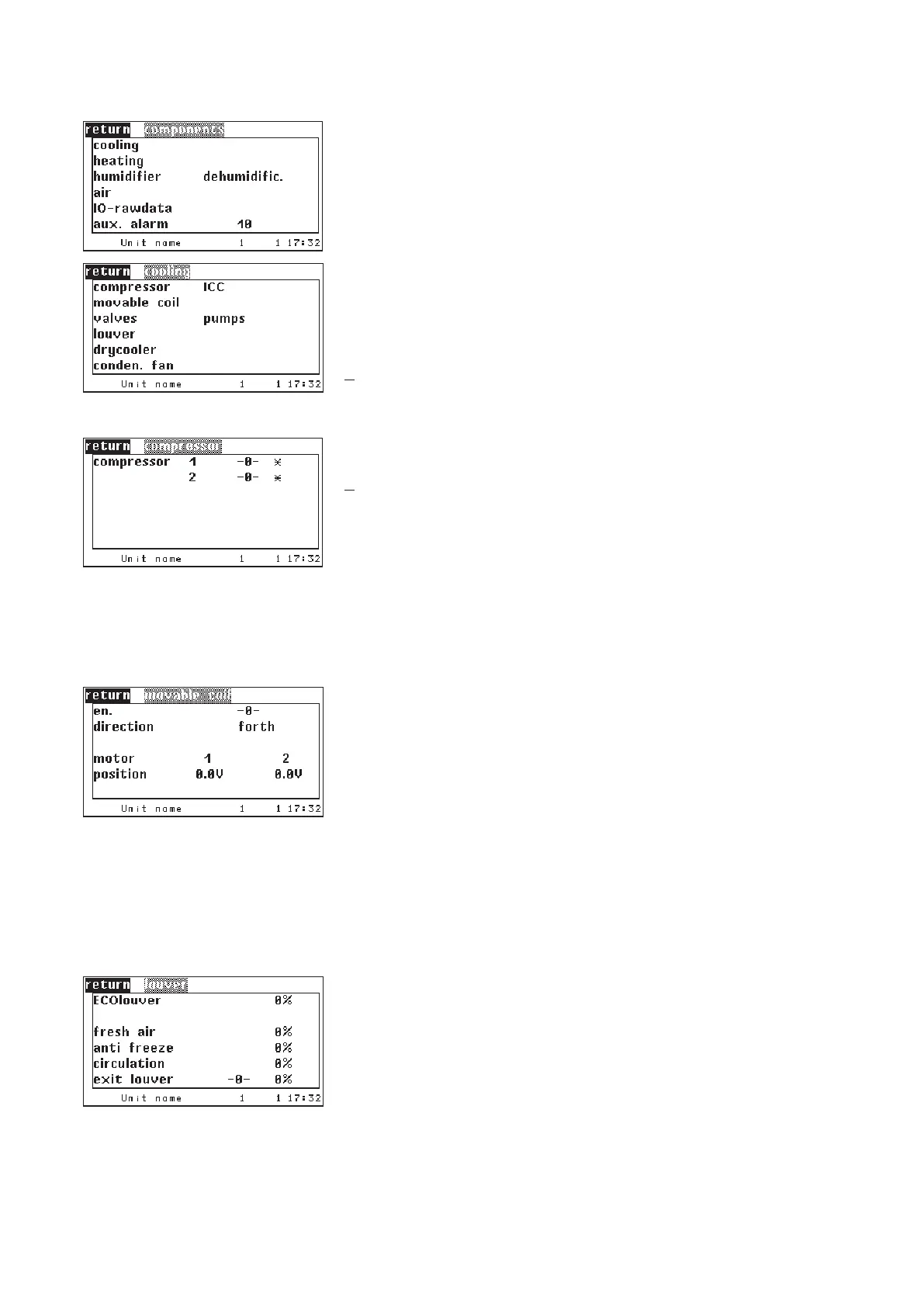
The C7000 Advanced gives a detailed representation of the components'
operating states. In the window in the left margin the first five menu items lead
to submenus. In the last menu item you can read the number of configured
external alarms.
In the following windows you can see the operating state of each component:
-0- means component is off.
-1- means component is on.
X
means component does not exist.
Compressor operating state.
X
- here the speed of a speed-controlled compressor is displayed (up to now
only relevant for ECTower).
The parameter "en.“ in the Info menu means enabling of the actuators and
indicates whether the movable coil is moved (can be moved [1]) or whether the
actuators are disabled because the coil is wedged or supposed to be wedged
soon (0).
The actual or following moving direction in relation to the unit front is displayed
the same as the positions of the left and right actuator.
0,0 V corresponds to position: Heat exchanger in the air flow
10,0 V corresponds to position: Heat exchanger outside the air flow (vertical)
This menu displays the opening degrees of different configured louvers.
The opening degree of the fresh air and exhaust air louver is displayed in the
first line if the EcoCool function is enabled.
In the following lines the opening degrees of the louvers for the DFC² control
are displayed. If digital control is adjusted for the exit louver, it is controlled by
the states "open" (1) and "closed" (0).



 To Next Page