Chapter 3 Maintaining the Sun Fire Servers 3-27
6. Twist the heatsink slightly to lift it off the board. Turn the heatsink upside
down and allow the springs in each of the four mounting holes to fall out into
your hand.
Note – Set the heatsink upside down on a clean, flat surface to prevent the thermal
grease from contaminating other components.
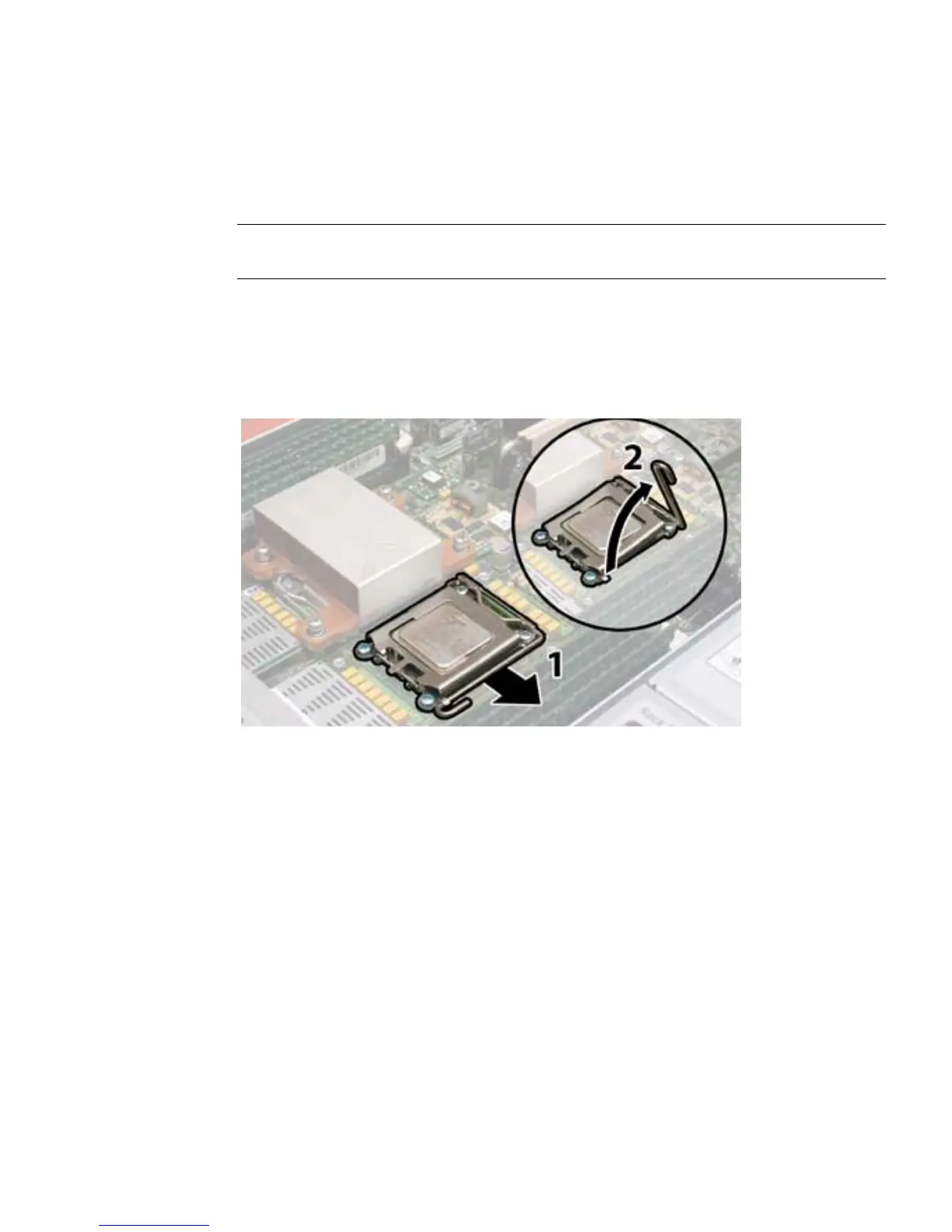
7. Pull the CPU socket lever slightly away from the socket. See
FIGURE 3-19.
8. Pivot the lever up into the fully open, vertical position.
FIGURE 3-19 Releasing the Sun Fire X4200 M2 CPU Socket Lever
9. Open the hinged plate that covers the CPU until it is in the fully open position.
See
FIGURE 3-20.
10. Lift the CPU out of the socket, leaving the lever in the vertical, open position.
See
FIGURE 3-20.














 To Next Page