3-28 Sun Fire X4100/X4100 M2 and X4200/X4200 M2 Servers Service Manual • August 2009
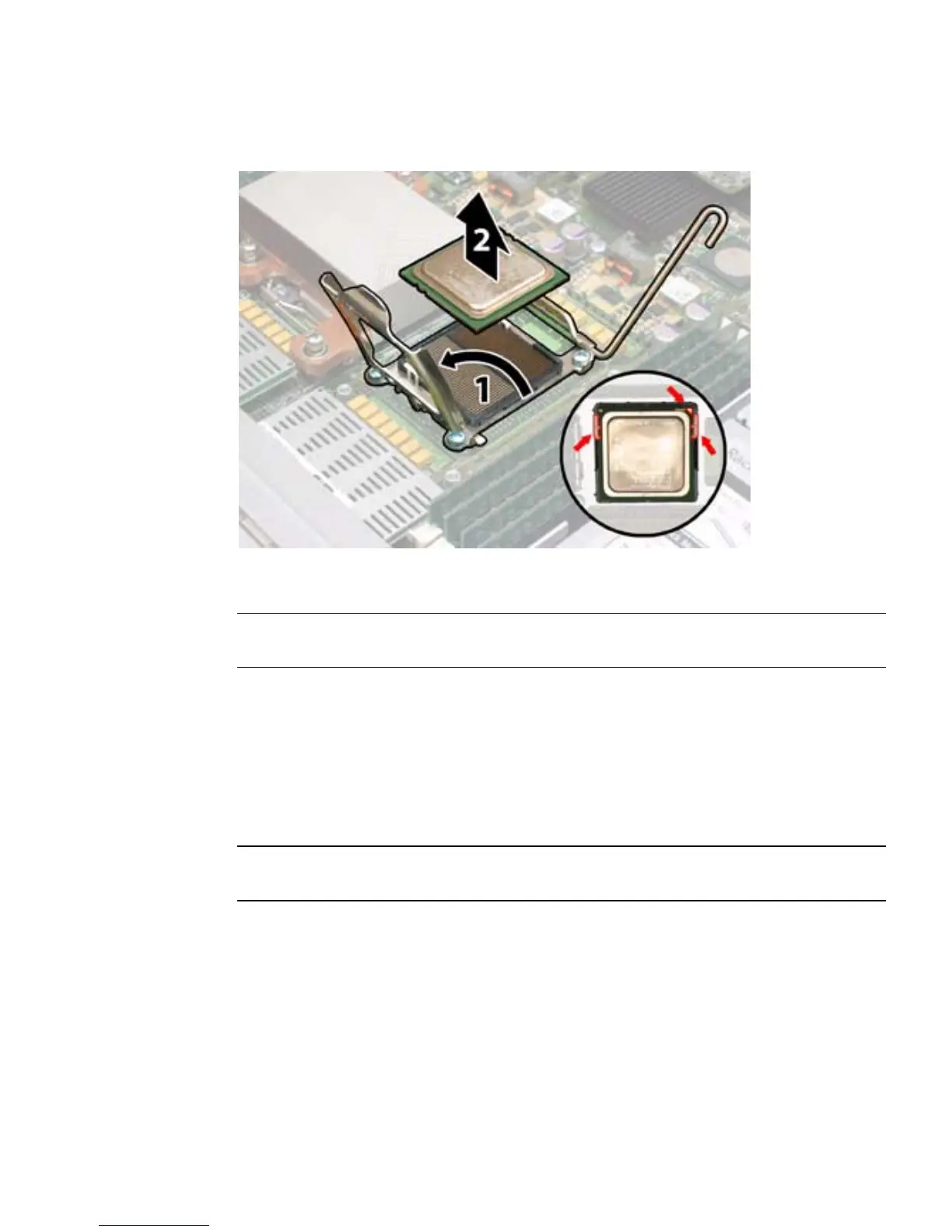
FIGURE 3-20 Opening the Sun Fire X4200 M2 CPU Retainer Plate
11. Install the new CPU, or reinstall the existing CPU.
Note – Mixing CPU speeds or mixing dual-core CPUs with single-core CPUs is not
supported. Use two identical CPUs in your server.
a. If you are reinstalling the existing CPU, use an alcohol pad to clean all the
old thermal grease from the component surface.
b. Ensure that the CPU socket release lever and retainer plate are in the fully
open position.
c. Align the CPU in the socket as shown in
FIGURE 3-20.
Note – Use the alignment keys in the CPU socket to match the alignment notches on
the sides of the CPU. See FIGURE 3-20.
d. Gently set the CPU onto the pins in the socket.
e. When the CPU is fully seated in the socket, pivot the hinged retainer plate
down onto the top of the CPU.














 To Next Page