Chapter 3 Maintaining the Sun Fire Servers 3-69
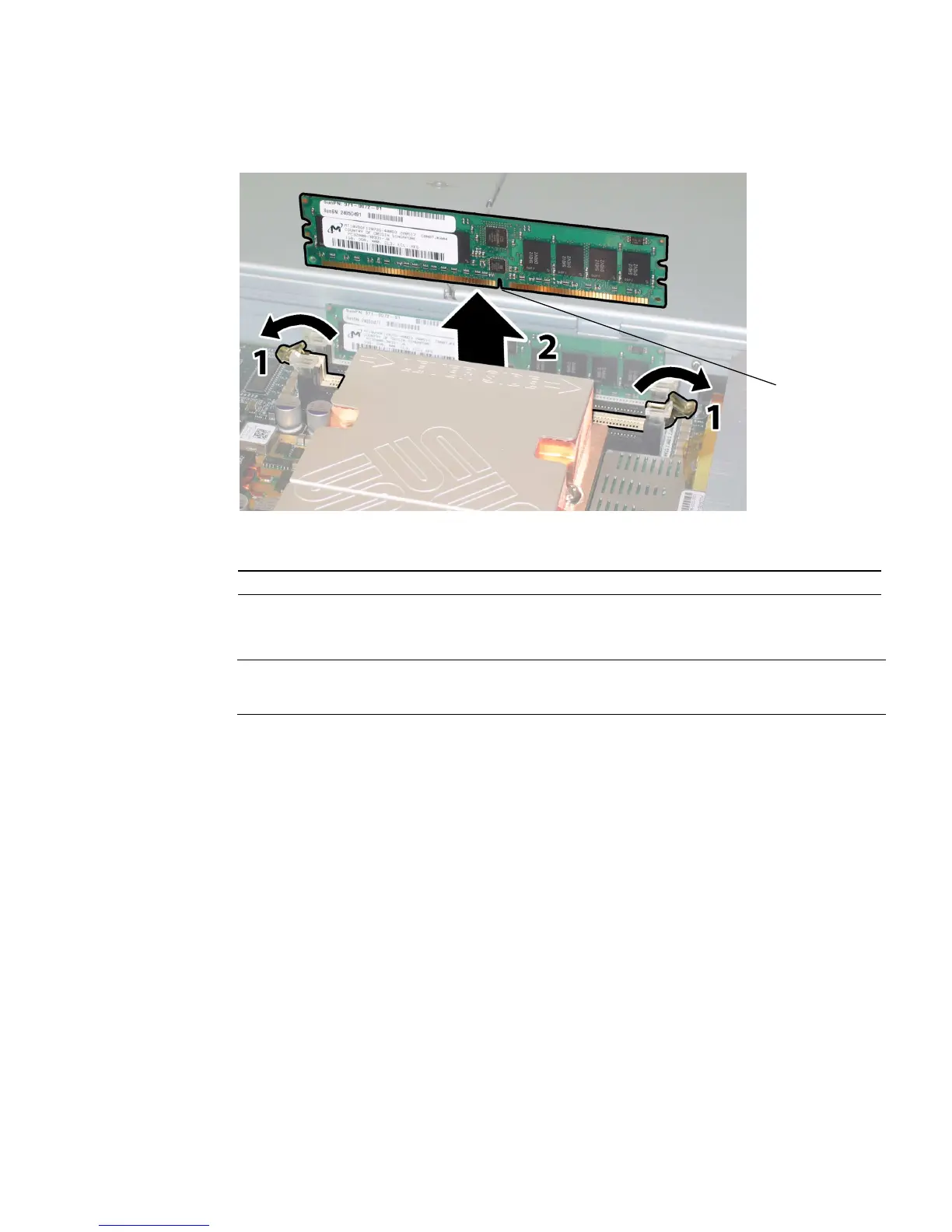
FIGURE 3-53 Removing a DIMM
7. To install a DIMM:
Note – The Sun Fire X4200 server uses only DDR1 DIMMs. The Sun Fire X4200 M2
server uses only DDR2 DIMMs.
a. Ensure that the DIMM slot ejectors at each end of the memory socket are
fully open (rotated outward) to accept the new DIMM.
b. Align the notch in the bottom edge of the DIMM with the key in the DIMM
socket. See
FIGURE 3-53.
c. Press down evenly on both top corners of the DIMM until the ejectors snap
over the cutouts in the left and right edges of the DIMM.
Figure Legend
1 Notch
1














 To Next Page