3-4 Sun Fire X4100/X4100 M2 and X4200/X4200 M2 Servers Service Manual • August 2009
3.4 Powering Off the Server
Use the preparatory procedures in this section when you are referred to them from
the removal and replacement procedures.
1. Choose a method for shutting down the server from main power mode to
standby power mode. See
FIGURE 3-1 and FIGURE 3-2.
■ Graceful shutdown: Use a nonconducting pointer or stylus to press and release
the recessed Power button on the front panel. This causes Advanced
Configuration and Power Interface (ACPI) enabled operating systems to
perform an orderly shutdown of the operating system. Servers not running
ACPI-enabled operating systems will shut down to standby power mode
immediately.
■ Emergency shutdown: Press and hold the Power button for four seconds to
force main power off and enter standby power mode.
When main power is off, the Power/OK LED on the front panel will begin
flashing, indicating that the server is in standby power mode.
Caution – When you use the Power button to enter standby power mode, power is
still directed to the GRASP board and power supply fans, which is indicated when
the Power/OK LED is flashing. To completely power off the server, you must
disconnect the power cords from the back panel of the server.
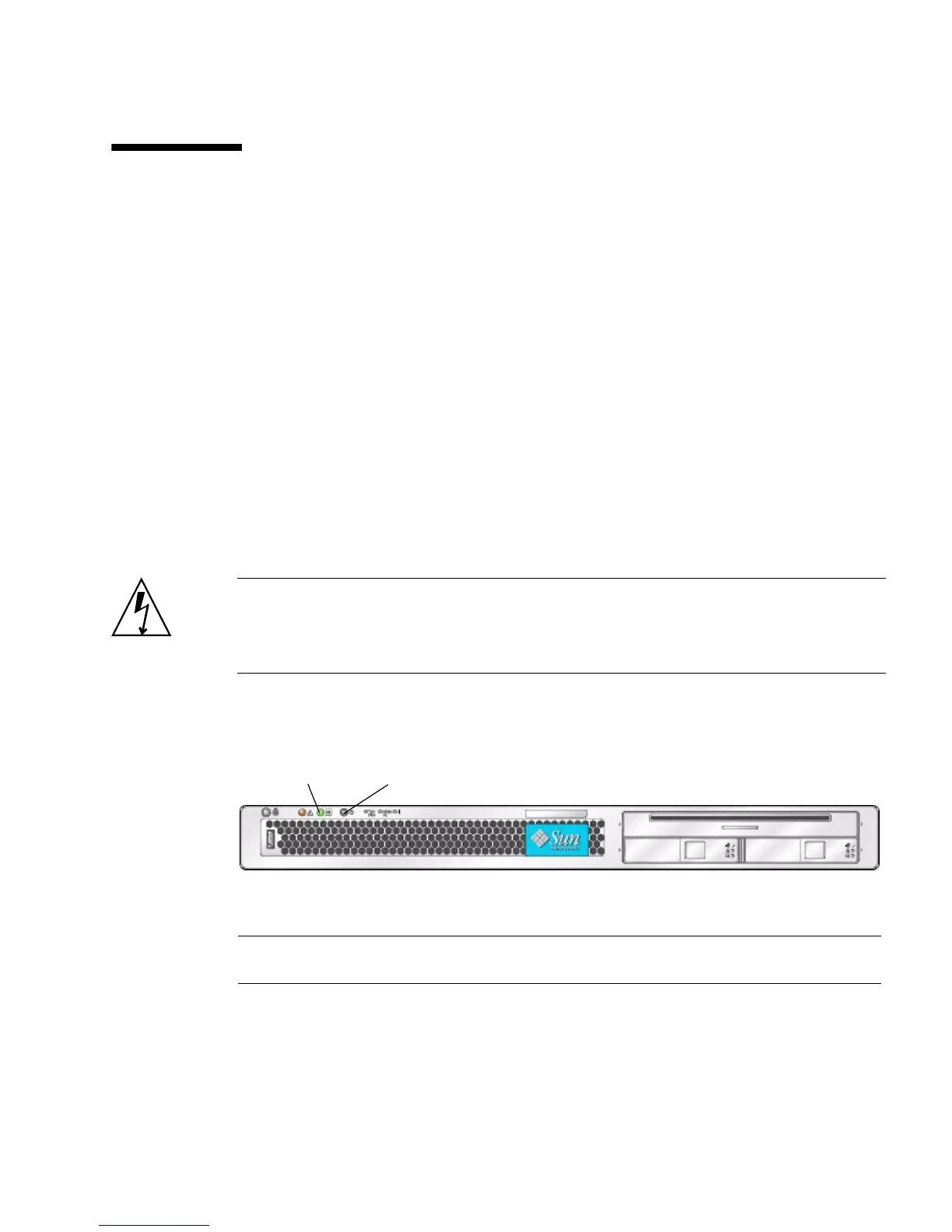
FIGURE 3-1 Power Button and Power/OK LED Location – Sun Fire X4100/X4100 M2
Figure Legend
1 Power/OK LED
2 Power button
2
1














 To Next Page